
gchcfdihakkhjgfmokemfeembfokkajj

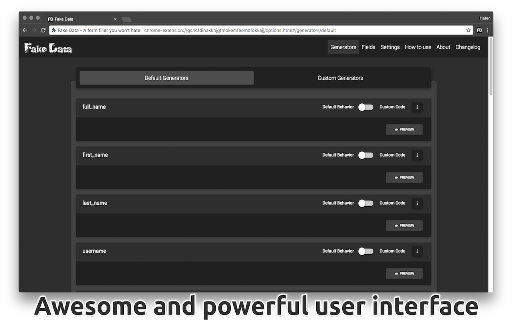


The most advanced tool for filling forms with fake and random data. ‼️ After installation you will have to reload the tabs that are already open for the extension to work properly inside them. ‼️ Fill any form with fake, random, and realistic data in seconds. Fake Data extension comes packed with a lot of features ready to use out of the box, like: ✔️ Generate random names, emails, addresses, phone numbers and many more types of data. ✔️ Create your own data generators using JavaScript code, which opens unlimited possibilities. ✔️ No configuration or initial setup required, unless you want to. Just right click on any input field and choose what type of data to insert. ✔️ Easy keyboard shortcuts will make your work even faster. On Mac: (Cmd + Double Click) On Windows / Linux: (Alt + Double Click) ✔️ Auto learn feature will ease your work even more. You don't have to tell it twice to remember. ✔️ User friendly interface and easy to understand configurations. Everything works as you would expect. ✔️ Manage additional keyboard shortcuts or customise the extension icon action. Getting the Pro version (€4.99/life) unlocks you more awesome customisations, like: ✔️ More advanced customisations for each Generator without having to write any line of code ✔️ Advanced management for select dropdowns ✔️ Support for Google Forms ✔️ Support for custom 3rd party libraries ✔️ Fill Google Sheets with fake data ✔️ Use data from your own .csv files or Google Sheets ✔️ Ability to add your custom js libraries to help with data generation Get the Ultra subscription (€2.99/month) in order to unlock even more cool features: ✔️ Generate unlimited private disposable email addresses that can receive emails directly in the extension ✔️ Get a VoIP mobile number that can receive SMS and MMS messages directly in the extension ✔️ Fill forms with real addresses + city + state + zip code combinations

Google Forms Autocomplete
Extension that enables the autocomplete system on Google Forms Optimize your forms and have a more productive work cycle with a fully customizable forms autocomplete. The extension have two windows: "fields" and "data". The "fields" window is where the user will select which fields should trigger autofill. In addition, in this window the user selects which data collection will be triggered for that field. The "data" window is where the user will create the data collections. A "data collection" is basically a set of values that will appear when a field is triggered. For example, if I want to autofill my emails in forms, I would first go to the "data" window and create an email data collection. In this data collection I would define my emails, such as "john@gmail.com" or "silvia@hotmail.com". After that I would go to the "fields" window and create a field called "email", and select the email data collection. The data collection system allows you to trigger the same data collection for multiple field names. For example, the form field could be named "phone", or "phone number", or "mobile". To allow the extension to trigger autocomplete on all of them, you just need to create a data collection and bind it to all the different ways of naming the same field.

Dummy Form Filler
One click to populate HTML forms with dummy data. Works out of the box. Features: - Lack of features - Works out of the box - Shortcut: Alt+Shift+D (can be changed in chrome://extensions/configureCommands) - Configurable (basics) - Perceives basic semantic hints (e.g. when a label contains 'age', 'year', 'phone' strings) and limitations (e.g. min, minlength) - Click again to reset all the forms (though should keep the original values) - Supported elements: - input: text, email, number, radio, checkbox, tel, password, date, url - select - textarea Please note the logic of populating forms may not suite everyone, e.g. data that is already filled (existed before the page was loaded) will not be cleared and fitted with dummy data. If you think some behavior is terribly illogical, please give me a shout.

GFormTasker
The only extension that you need to automate or spam your Google Form responses GFormTasker – Automate Your Google Forms Submission! Submit Google Forms multiple times with ease, now with smarter randomization and delayed responses. Stop wasting time on manual entries and let GFormTasker handle it!

Name Generator
Easy way to generate random names and save them for a later use! This extension will generate random profiles using different external sources. You can also save generated data for a later use. Now extension supports the following sources: - Faker.js (https://github.com/marak/Faker.js/) - Random User Generator (https://randomuser.me/) - Random Profile (http://randomprofile.com/) - uinames.com (https://uinames.com/) Feel free to report any issues or suggest new features at GitHub: https://github.com/kondratyev-nv/name-genarator-extension/issues
