
gccnajdgjdianjclpcbpibilgkppeoko
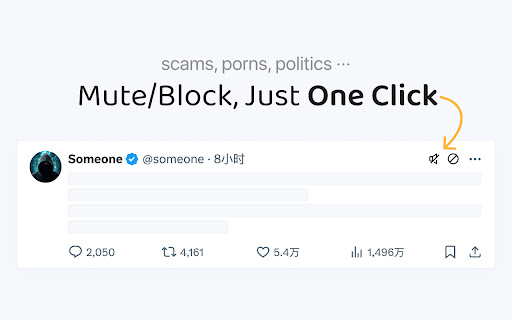

Mute or block Twitter users with a single click. You can mute / block a user with a single click. Mute and Block buttons placed on each post on X (formerly Twitter). Optimize your timeline and enhance your privacy with our quick mute/block tool. Updates: 2026/05/14: Fixed the issue that mute button not working in one click 2025/02/17: Fixed that user can't see buttons when install at the first time. 2025/02/01: Automatically close popop modal when blocking ads account. 2025/01/31: Changed Extension icon. Added effect when you hover mute / block buttons.

Disable Twitch extensions
This extension allows you to either disable / hide / block all Twitch channel extensions or just selected ones. There is also an option to only allow selected extensions to display.

1-click blocker for Twitter
Block users on Twitter in one click instead of 3. Block from any page where users are listed (/retweets, /followers, etc)! This extension modifies Twitter by adding a block button to each Tweet. The block button that is added enables a user to block the owner of the Tweet in one click instead of the usual 3 clicks (1. open tweet menu, 2. click block user, 3. confirm block). You can now block users from ANYWHERE! There's now a block button on the list of users on the Followers and Reposts pages. This is a universal 1-click solution to your Twitter blocking problems. You can also mute instead of block, and when you've got a whole list to get through you don't have to sit there clicking one by one. The To Block queue lets you paste handles, drop in a CSV or JSON file, save batches as staged queues, merge them together, and let the extension work through the list automatically. It opens each profile in the background and blocks or mutes them one at a time, and it won't touch accounts you've already blocked or muted. There's a full control center for all of this. Your blocked and muted users are tracked per @handle (auto-detected when you visit Twitter), with searchable lists of everyone you've acted on through the extension. Statistics show your total blocks and mutes, plus a history of queue runs (when they started, when they finished, and how many succeeded). Additional features: • Block or mute: Choose between blocking or muting as your default one-click action • Flexible button placement: Select exactly where the button appears (Timeline, Followers, Following, Search, Communities, Engagements, Replies, Trending, Notifications, Hashtags, Profiles, Explore) • Settings shortcut on Twitter: Optionally show a small icon on Twitter pages that opens the control center • To Block queue: Paste handles, import CSV/JSON, stage and merge queues, and auto-process the list in the background • Blocked & muted ledgers: Searchable lists of accounts you've blocked or muted through the extension • Backup & restore: Export your blocked/muted users and settings to a file • Selective import: Choose what to import (blocks, mutes, or settings) • Data management: Clear specific data (blocks, mutes, or settings) while keeping the rest • Statistics: Track your total blocks and mutes, plus queue run history • Timestamped backups: Each export includes the date and what data was exported

One-Click Block for Twitter
A Chrome extension that adds a one-click block button to Twitter/X. v1.2.0 [New Features] - Added pop-up settings screen: You can now open settings from the toolbar icon - Extension on/off button: Toggle the block button display with a single click - Customizable display scope: You can set whether to show or hide the button for the timeline, replies, and search results - Block count counter: Displays the number of accounts blocked using this extension in a pop-up (counting starts after the update) v1.1.0 Added support for Twitter’s new domain (x.com). Fixed bugs.

Block button for X(Twitter)
Block users on X(Twitter) easily in a single click! Now with Block + Followers support. Introducing Block button for X(Twitter), a tool crafted to make blocking unwanted interactions as effortless as possible so you can focus on what truly matters: the good stuff. Our intuitive extension adds a discreet block button next to every username, giving you a one-click blocking experience. Seamless, non-intrusive, and intuitive— The tool is designed to integrate effortlessly into your browsing. Try it out and experience the freedom of a clutter-free timeline! • One-Click Blocking: Effortlessly block any X (Twitter) user with a single click. No more navigating through menu or confirmation dialogs. The tool does all the heavy lifting for you! • Intuitive Design: Enjoy an intuitive interface that blends seamlessly into your X (Twitter) experience. Our minimalist design ensures you can block users without distraction. • Convenience: Whether you’re on your feed or exploring profiles, block with a single click. Hope to make your experience better! Cheers!
