
gccemjegpghljpokkhaojajolaiepcdd
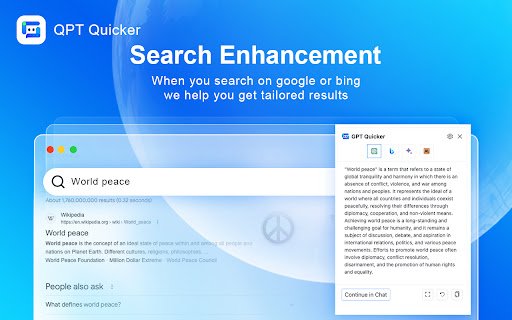
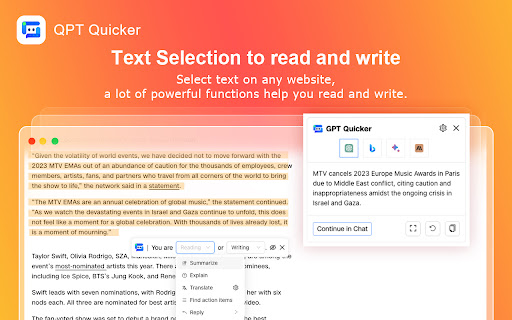
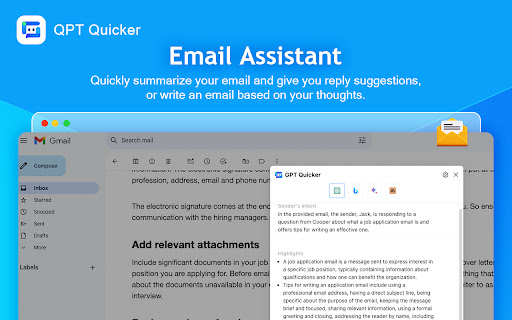

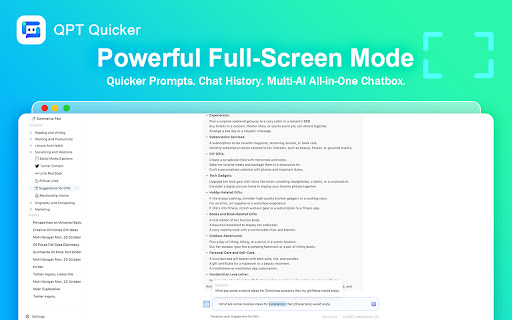
Excellence GPT assistant with useful extensions and powerful prompts. Use ChatGPT, Claude, Bard, Bing anywhere online. Excellence GPT assistant with useful extensions and powerful prompts. Use ChatGPT, Claude, Bard, Bing anywhere online. More creative, more efficient. We know how valuable your time is and how much you care about productivity. That's why we've developed this tool to make you more creative and more efficient. 🔥Useful Web extension functions When you work, study or play on the web, you sometimes need to use AI. But you don't want to jump back and forth between many web pages. We've got a couple of great extensions for you. 1️⃣ Text selection to read and write When reading, we help you quickly summarize, explain, translate, reply and find action items. And when writing, we help you quickly improve writing, fix spelling&grammar , make longer, make shorter and change tone. 2️⃣ Search enhancement When you search for content in search engines, we'll synchronize your queries to AI to help you get more effective information. 3️⃣ Email assistant Is the email too long or too difficult to understand, or even worse, you don't have time to read it carefully? Good, we quickly summarize your email, output highlights and give you reply suggestions. You've got an e-mail to write, but you're clueless. Jesus. Just send us a brief description of your idea and you will get a complete and perfect e-mail. 4️⃣ Facebook assistant, Twitter assistant, Youtube assistant, PDF AI reader, webpage summary and parallel translation, so many amazing features, are coming soon. 🔥Efficient shortcut chat Extensions certainly work well, but they can only address specific needs. When you have a lot of ideas and the extensions don't fulfill them, you need shortcut chat! 1️⃣ Call it out easily by sidebar When you want to use it, just click on the icon in the sidebar on the right side of the webpage. You are free to play around with the shortcut chat, use your own prompts or use the built-in quicker prompts. Too efficient! 2️⃣ Continue chatting to do more Sometimes the AI's answer isn't ideal when using extensions. What's more, you can transfer a conversation generated by extensions to shortcut chat with a single click, and continue to let the AI tweak the output as you see fit! 3️⃣ Get quicker prompts by slash Our built-in quicker prompts can be selected by typing a slash, and fuzzy searches are also supported. Very sweet and convenient. 🔥Powerful full-screen mode Sometimes you're not browsing the web, you want an immersive environment to create in and want some help and inspiration. We also have a powerful full-screen mode to satisfy you! 1️⃣ Quicker prompts We offer a number of quicker prompts, grouping them together, and a detailed formula or examples for each one. We know this isn't enough, and we'll continue to add quicker prompts! 2️⃣ Chat history Whatever AI you use, conversations generated by either browser extensions or full-screen mode are saved in chat history. You can view a history chat, and continue chatting. 3️⃣ Multi-AI All-in-One Chatbox We've integrated multiple AIs together, so you can freely switch between different AIs to chat and get work done.

MetaPrompt - AI Prompt Engineer & Optimizer for ChatGPT & Claude
Transform unclear questions into expert prompts. Get better AI responses from ChatGPT and Claude with one click. Metaprompt: Your AI Whisperer Transform how you interact with AI MetaPrompt transforms your ChatGPT and Claude experience by intelligently enhancing your prompts. Powered by advanced GPT 4.1 models, our Chrome extension analyzes your questions and refines them to generate clearer, more precise AI responses - saving you time and frustration. Simple, Powerful Workflow 1. Type your question as you normally would 2. Click the MetaPrompt button to apply expert prompt engineering 3. Watch as your request transform into an optimized prompt that gets real results What Sets MetaPrompt Apart - Instant Optimization: Turn unclear questions into structured prompts that deliver exactly what you need - Seamless Integration: Works naturally within ChatGPT's and Claude's interface with zero learning curve - Universal Compatibility: Use our popup anywhere you interact with AI tools Choose Your Perfect Plan MetaPrompt Pro ($5.99/month) - 5000 monthly prompt enhancements - Access to larger, more powerful models for even better results Who Needs MetaPrompt? - Students seeking deeper explanations and research assistance - Professionals requiring accurate information for critical tasks - Writers looking for better creative input - Developers needing precise code solutions - Researchers formulating complex queries - Anyone tired of wasting time on unhelpful AI responses Stop struggling with AI miscommunications. Download MetaPrompt today and start getting the quality responses you deserve.

Promptmatic: Superpower ChatGPT
Superpower for your ChatGPT with prompt library, folders, GPT bookmark, folder and many more extended features. ChatGPT with superpowers. Prompt library, folders, GPT folders, prompt editor and many more extended feature for your ChatGPT account. Works perfectly with both ChatGPT free and paid accounts. With Promptmatic installed in your browser, you can: 🟢 Prepare a month's worth content plan with a few clicks. 🟢 Write a 2000 words SEO blog article in seconds. 🟢 Write a professional email with a click. 🟢 Complete a detail financial analysis in minutes. 🟢 Automate 1000s of such write and research work. You have access to 2900 ready-to-use prompt templates, smart prompt writer to create reusable dynamic prompt templates and prompt and GPT organizer to manage and access everything in a central dashboard 🚀 100% of our features are available to all users for free. Upgrade only when you want unlimited usage. Minimalist design and specific features: 1️⃣ Prompt Library: Free access to prompt library with 2900 vetted and tested high quality ChatGPT prompt templates to write anything from blog post to research papers. 2️⃣ Smart Prompt Editor: Smart and feature-packed prompt editor to create and deploy high quality prompt templates in minutes. 3️⃣ Prompt Variable: Create high quality reusable prompt templates with prompt variables and save hours in writing or editing the same prompts over and over. 4️⃣ Your Own Private Prompt Folder: Private prompt folder to organize all your frequently used prompt templates in one place. 5️⃣ GPT Bookmark Manager: Full fledged bookmark manager to save and organize your frequently used GPTs for one-click access. 6️⃣ Roles & Instructions: Custom roles and instructions along with 100s of prebuilt ones to quickly prepare prompt templates for any task. 7️⃣ Writing Styles & Tones: 100s of pre-built writing styles and tones along with features to create your custom one to align with your styles. 8️⃣ Folders & Management: Full fledged prompt template and GPT folder manager to organize according to your need and specific use cases. Prompmatic is easy-to-use and absolutely non-intrusive. Try today.

Wide GPT
Expand ChatGPT's screen instantly with 'Wide GPT' Chrome extension! No clicks needed, free and easy to install. Get more space now! You'll have more room to see and interact with your content with "Wide GPT," whether you're reading a story, writing code for your next big idea, or talking to AI. This extension is great for people who want to make the most of their workspace and avoid eye strain by not having to constantly scroll horizontally or resize their browser window. Simple to set up: just add "Wide GPT" to your Chrome browser, and you're good to go! You don't have to click any buttons or do anything else. The extension works in the background without being noticed and instantly makes ChatGPT's screen as big as it can be. As soon as you start, you'll be able to browse in a bigger and more immersive way. The best part? You can use "Wide GPT" for free. Why wait then? Get "Wide GPT" right now and start easily making the most of your screen space! Release log: 1.0.8 - Update the component selectors to follow the changes made by ChatGPT web interface. 1.0.7 - Fix the project page that was shrinking in the middle of the screen, now that page is ignored, no wide-screen will be applied to it. 1.0.5 - Fixed an issue with the enable/disable switch. - New version to try clearing the cache for Windows users who reported that the extension stopped working. 1.0.4 - Fixed the selectors to capture messages and make it wide again. 1.0.3 - Fixed the manifest.json to apply the extension on top of new ChatGPT URL. - Fixed the selectors to capture the prompt element textarea. 1.0.2 - Fixed manifest.json file to limit content access to https://chat.openai.com/ and cease requesting permission to access content on all websites. 1.0.1 - Enhanced element selector stability to prevent the extension from breaking when CSS classes are modified 1.0.0 - Added popup with preferences to: - Toggle the primary feature of the extension either inactive or active - Choose the width of the messages and prompt text input. - Buy me a coffee button.

ChatSearch: ChatGPT for Search Engine (GPT4)
ChatSearch is a free ChatGPT tool that enhances the efficiency of search engines. We have GPT4, Claude2, and Web access now! ChatSearch: ChatGPT for Search Engine - a free browser extension that aims to unleash the full potential of search engines like Bing, Google, Baidu, DuckDuckGo, and more. With AI tools powered by Microsoft Bing’s GPT-3.5, GPT-4, and Claude2, you can now easily access the powerful capabilities of artificial intelligence right from the search results page, taking your search experience to a whole new level. Install with just one click and start using it. With ChatGPT for microsoft Bing, you can now take your Bing search experience to the next level by effortlessly accessing the power of ChatGPT's language generation technology right within your search results page. Advantages of ChatGPT for Search Engine: 🚀 Enhance your search results in any search engine by integrating ChatGPT’s answers for users. 🥳 It is available for free use without any restrictions or the need to register an account. 💬 Start chatting with ChatGPT instantly by clicking the plugin button. 🤖️ Model support is expanded. In addition to GPT-3.5, you can also use GPT-4 and Claude2 to improve the accuracy of information. 🔍 Search functionality is enhanced, allowing you to utilize the powerful summarization capabilities of ChatGPT or Claude2 for web content. 🌍 Internet connectivity is improved, eliminating gaps and providing you with the most accurate content based on real-time web information. 🛫 Learn in one minute: 1️⃣ Choose an API type, we recommend the Developer API (stable, free to use). 2️⃣ Search your questions on various search engines and view the ChatGPT answers generated on the right side by Search+. 3️⃣ Click the extension button to start chatting directly with ChatGPT. ❓ Frequently Asked Questions: 📌 Is ChatGPT for Search Engine free? Yes, ChatGPT for Search Engine is free to use. Whether you are a domestic or international user, you can install it and use it immediately. 📌 What is the relationship between ChatGPT for Search Engine and ChatGPT? ChatGPT for Search Engine is an AI tool developed based on the capabilities of the ChatGPT model, which has powerful ChatGPT abilities. 📌 What model does ChatGPT for Search Engine use? ChatGPT for Search Engine supports GPT-3.5, GPT-4, and Claude-2 models. We will also support more large language models as soon as possible. ChatSearch is your most reliable search engine enhancement tool. With the powerful AI models GPT-3.5, GPT-4, and Claude-2, it provides you with the highest quality search content. You can rely on ChatSearch to analyze and summarize web content intelligently, greatly enhancing the real-time and accuracy of your search results. Elevate your content game with ChatGPT - the ultimate browser extension for unleashing the power of ChatGPT on the new Bing!
