
gbipnkpnnngmnbpeeikkkhaamelgaljb


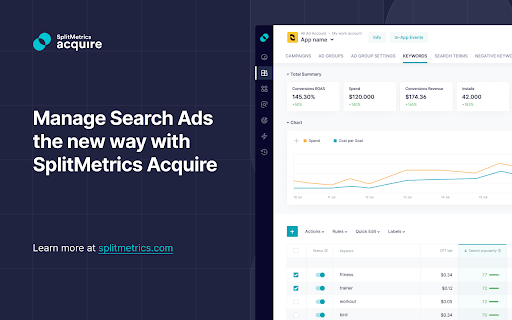
Enhance your Apple Ads account with all essential metrics incl. keyword popularity and benchmarks on TTR, CVR, CPT, CPA, CPM. Enhance your Apple Ads account with SplitMetrics’ innovative 2-in-1 Chrome extension, designed to unlock the full potential of your campaigns. This powerful tool provides a comprehensive view of all essential Apple Ads metrics – including keyword popularity, as well as benchmarks on TTR, CVR, CPT, CPA, and CPM – all tailored for various app categories, regions, and ad placements. Gain a competitive edge with Apple Ads benchmarks like TTR, CVR, CPM, CPT, and CPA that span all app categories, regions, and ad placements. Compare your campaign results with industry standards and uncover opportunities for growth. Check the popularity of App Store keywords right from your Apple Ads account to enhance your ASO strategy and improve your search ads campaign results with the most profitable keywords. This extension provides all data to maximize your Apple Ads campaign results: average industry performance metrics, the Search Popularity range and maximum volume of daily impressions. There’s no need to switch between tools! Have everything at hand right in your Apple Ads dashboard to ensure your app growth. ➡️ STAY AHEAD OF THE COMPETITION Optimize and scale your Apple Ads campaigns with benchmark data on CPT, CPA, CPM, TTR, and CVR for your app category and the popularity scores forApp Store keywords. Benchmark your campaign performance (CPA, CPT, TTR, CR) against industry averages, identify areas for improvement, and create a winning action plan. Make your keyword decisions on data by comparing the real-time popularity scores. In Apple Ads, Search Popularity scores are marked by the blue dots. Keyword Popularity Checker transforms the dots into real numbers from 5 to 100. No more plain status bars – get the real numbers based on market data and user preferences to make informed decisions with greater precision and insights. Is there more search volume available for a keyword? Should you bid higher? This extension is the only ASO & Apple Ads optimization tool that provides insights into maximum daily impressions volume available for a keyword on the App Store. Understand the maximum possible daily impressions to properly allocate your budget and set keywords bids for a maximized Share of Voice. Identify and add well-performing keywords to your campaigns and ad groups. With this extension installed, you can evaluate maximum impression volume and popularity for each keyword within the App Store, and add the top-performing ones to your campaigns or ad groups straight away. Assess the keyword potential metrics from the “Add keywords” menu and in the keyword suggestion tool. For your convenience and clarity, this ASO keyword capabilities use color coding for popularity scores and impressions. Make only evidence-based changes to your Apple Ads campaigns. As simple as that! When needed, switch the extension “On” and “Off” in a click. We don’t collect any user data, so it won’t get into the hands of any third parties. SplitMetrics Acquire is an intelligent Apple Ads automation and management solution. The combination of advanced technology, extensive automation, AI-based optimization, and market insights enables app and game developers using SplitMetrics Acquire to drive growth and boost ROI easier and faster. SplitMetrics Acquire has been created by SplitMetrics, a global software company offering an ecosystem of products and services that enable mobile-first businesses and brands worldwide to simplify their way to business success. An Apple Ads Partner, with a dedicated team of 160+ experts who live and breathe mobile app growth, SplitMetrics is obsessed with making its customers successful.

AppstoreSpy for Play Store
Enrich Play Store with mobile app analytics from AppstoreSpy No more clicks and scrolling while investigating apps in Play Store. This extension embeds app data directly into Play Store website. Use search, navigate through pages and instantly get app data embedded into an app card.

Country Switcher for Google Play
Easily switch country and language in Google Play All countries and languages supported by Developer Console

Appark: Free ASO Tools for Google Play Store | Download Reviews & Images
🔍Provide app ranks, FB ads, review & download trends, etc.🔍App Store Optimization ASO competitive research for android app markets This FREE and BEST ASO tool (App Store Optimization) provides the missing metrics of app marketing and keyword analysis for the Android Google Play. Features: - Exposure of ASO performance - App keyword checker - App Feature Graphic download - App reviews Download - Track App rank in App store - Record the update history of the App version 🌟 1. Exposure of ASO performance 🌟 We calculate the core metrics for evaluating app marketing performances (which are hidden by Google Play), including the exact number of app downloads and review changes over a month, the current version, and the publish date. Valuable metrics such as the revenue, MAU, and all the trends alongside are also available on Appark.ai (the website)! 🌟 2. App keyword checker 🌟 We collect and analyze top ranked app keywords (10 at most) of each Google app for ASO keyword research purposes. Not all keywords in use for an app are written within the "description" on the product page -- that's why we sort out the top 10 keywords for each app to show what's contributing most to an app's in-store search rank. For each keyword, we attach the popularity, in-store search volume, difficulty, and app search rank as well. 🌟 3. App Feature Graphic download 🌟 You can download the APP assets of any Apps with just one click, including icon, preview video, and feature graphic will be downloaded automatically 🌟 4. App reviews Download 🌟 Download Play Store reviews & rating across countries & languages, follow your and competitors' App store ratings. 🌟 5. App Ranking Tracker 🌟 Our ASO tool provides accurate and up-to-date ranking data for your app in the app store, including its ranking position for categories and history data. You can also track your competitors and see how your app compares to theirs in terms of ranking and performance. 🌟 6. App Version history checker 🌟 Our App Update History tool lets you record and review each update you make to your app, including changes to the app's name, icon, screenshots, and promotional images. You can compare these changes side by side, see which updates had the most impact on your app's performance, and analyze how user feedback and ratings have changed over time. How to use the App reviews Downloader tool? It's widely used in scraping Android Google Play app reviews for app competitor research - know the true user feedbacks of any app you're interested in (for App Store Optimization / ASO). ‒ Why APP Feature Graphic downloader tool is Useful for app store optimization(aso)? Feature Graphic is an ASO (App Store Optimization) Conversion Rate (from product page view to download) factor. App Developers and Marketers must A/B test them in order to find the one that brings better results (more downloads). You can also track the product pages of your competitors or top apps in the industry, download the APP assets for comparison reference, and optimize your own app icons, product pages. It is useful for mobile game ranking, play store optimization, google play ranking, android app ranking, ios app ranking, top apps ranking, sensortower ranking and so on. Improve your app's title, description, keywords, icon, screenshots, and video preview, app updates, app metadata and update history 🌟 Country switcher for different reports 🌟 ASO performance and keyword mapping of an App differentiate in different countries/regions. You can easily switch from one country/region to another in the Play Store to gain customized reports.Coming soon. For mobile SEO specialists or android mobile indie developers for Google Play app store who are setting off for ASO research (App Store Optimization research, or SEO for App), this extension is your best choice! For any question or suggestion, we are always here for listening! Try this extension out and make the App competition analysis easier than ever!

Rich Editor for Google Play Console
Use tags to format your store listing Enhance Your Google Play Store Description With Rich Formatting & Emojis The Google Play Store lets you be pretty creative when it comes to the text assets you provide for your Play Store Listing. You can use rich formatting (HTML) and emojis to make your Google Play app description stand out of the crowd in searches and in your page view. You can use rich formatting to bring out the structure in your play store description, for example by creating chapter headings. But you can also use rich text and emoji’s to stand out of the crowd. Even in your Google Play Title and developer name you can use emojis to increase conversion, although you won’t be able to run A/B tests on these two assets.
