
gbbffdfagbfipglhaifphpefblpbplmd
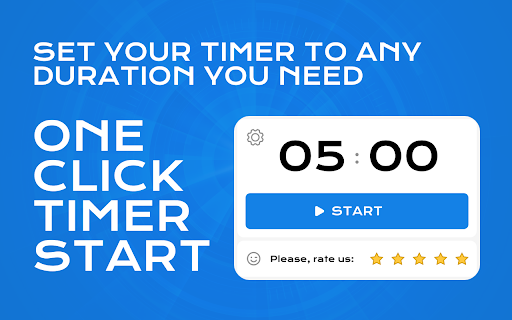

Simple 5 minute timer. Set a 5 min timer instantly for managing short tasks, breaks and enhancing productivity 🕐 Maximize your productivity and time management with the 5min timer, a straightforward and highly efficient tool for everyone needing precise 5 minute timer google. Whether you're a professional juggling multiple tasks, a student studying for exams, or simply someone seeking better time discipline, this extension is tailored to your needs. 💎 Core Features: 💡 Ease of Use: Instantly set a timer for 5 minutes with a single click right from your Google Chrome browser. 💡 Versatile Applications: Perfect for a range of activities, from timing coffee breaks to setting limits on social media browsing. 💡 Streamlined Design: No clutter or complicated settings, just a simple and intuitive interface that anyone can use. 💎 Features Include 1. Countdown 2. Alarm clock 3. Stopwatch 4. Pause function 5. The ability to restart the alarm clock 6. Works offline 7. You can switch to other pages 8. The alarm will go off even if you are on another page 🚀 Detailed Benefits: 🔹 Accessibility: Directly integrates into your Chrome toolbar for quick access, ensuring you can set a five minute timer without navigating away from your current tasks. 🔹 Use Alarm sound to end your five minute timer, making it fit your environment whether at home, in the office. 🧐 Why Our Timer? 🔺 Accuracy: Our browser application guarantees precise countdowns of exactly 5 minutes, ensuring that your tasks and breaks are timed flawlessly, with no discrepancies. 🔺 Convenience: It offers the most straightforward way to set a 5 minute timer, eliminating the complications and distractions associated with traditional smartphone apps. 🔺 Integration: As timer for 5 minutes, it integrates seamlessly into your daily browser use, enhancing your productivity without any disruption to your workflow. 🖥️ User Interaction: 🔹 Starting: Activate your 5 min timer google by clicking the extension icon in your Chrome toolbar. This easy access lets you begin timing quickly and effortlessly. 🔹 Pausing: Control your time with the ability to pause and resume the five minutes timer as needed. This flexibility helps you manage interruptions without losing your progress. 🔹 Resetting: To restart, simply click to reset. This lets you set timer 5 minutes anew with ease, facilitating efficient handling of consecutive tasks. 🧑💻 Practical Use Cases: – Use 5 minutes timer to regulate team brainstorming sessions, keeping discussions concise and on point. – Time box administrative tasks to prevent overrun and maintain productivity throughout the day. – Setintervals for mindfulness exercises to clear your mind and enhance focus. – Use timer 5 minutes to schedule short meditation sessions throughout your day to reduce anxiety. – Break down larger goals into short actions to make progress in small, achievable steps. – Use our extensions to challenge yourself to complete tasks more quickly and efficiently. – Enhance learning by dividing study time into 5m timer blocks, maintaining concentration and preventing fatigue. ❓ Frequently Asked Questions: 1️⃣ How can I set timer for 5 minutes? – Click the icon to begin the countdown. No need for manual adjustments. 2️⃣ Can I set alarm for 5 minutes? – Yes, the alarm function is built-in, alerting you at the end of the countdown. 3️⃣ Is google timer 5 minutes adjustable for longer periods? – This tool is optimized for 5 minutes, but you can restart it multiple times for longer durations. 4️⃣ Can I use the your app offline? - Absolutely! Our app works completely in your Chrome browser, so you won't need an internet connection after installing it. 5️⃣ Does the timer have different sound options? – Unfortunately not. So far, only one type of audio signal has been implemented. 6️⃣ Is there a way to view the remaining time? – Yes, if you click on the icon on the toolbar, you will immediately see the remaining time 7️⃣ Can I quickly restart the countdown after it ends? – Yes, once the countdown ends, you can restart it immediately with just one click, making it convenient for tasks that require repetition. 8️⃣ Are there any keyboard shortcuts? – No, this feature will be implemented in the next releases 🚀 Timer 5 minutes google is a solution for those who value their time and strive for efficiency. Install the 5 Minute Timer today to transform how you manage your periods of work and rest. Boost your productivity, maintain your focus, and control your time like never before with our simple yet powerful tool.

Timer app
Use Timer app as simple and offline countdown tool. This Chrome extension offers 5 minute timer, 1 hour, and other options. Ready to conquer world in one tick? Introducing our Timer app, where seconds matter, and hours give superpowers without cape! 1. Whether you need 5 minute timer to brew that perfect coffee. 2. You might even forget about task until it politely reminds. 3. Snooze function is provided! Desire a moment for strategic planning, our solution has your back. 🌟 Use Time Like a Pro Ever wish you could navigate moments like a pro? - Our countdown timer does precisely that. Take life slow. - Our delightful array ensures you'll never lose track! - Engaging visuals paired with an intuitive interface mean that setting up a alarm feels like a breeze. ⏱️ More Than Just a Reminder This app is more than an online timer. 1️⃣ Whether you need alarm for those sprints or a software for focused sessions, you've come to the right place. 2️⃣ No more waving at your clock timer and hoping it waves back sympathetically. 3️⃣ Instead, set stopwatch, knowing our clever tech has your back. Meet the kitchen timer extraordinaire! 1) With a robust countdown that handles a 10 minute timer flawlessly, you can perfect that soufflé or bake cookies like a champ. 2) Imagine Julia giving you a thumbs up. 3) No bubbling sauce casualties today, not on our watch! 🏫 Teaching with Precision In charge of a classroom? ❗ You can harness the prowess of our classroom timer, never missing the critical transition between subjects. ❗ Set a lively reminder for debates or utilize a smooth alarm for group projects. ❗️ Everyone will think you secretly control time with your magical powers! ⏳ Mindful Moments Meditation timer to the rescue! 🔸 Delve deep into tranquility with our solution, set perfectly with the calming sounds of nature—or robot byte sounds if you're feeling techy. 🔸If your zen flies faster than a alarm, don't sweat it! 🔸Customize your peace exactly how you need it. 📽️ Movie Has Nothing on You Ever thought about creating a movie? 🔺 With the extension, setting scenes or intervals is an worthy feat. 🔺 Keep track of film edits like a pro director casting the winning shot. 🔺 With a meticulous tool, your work of art will captivate the audience! 🏋️♂️ Fitness tactics, rejoice! Whether interval training or high-intensity workouts, our Timer App is your cheerleader minus the pom-poms. Set a alarm for quick bursts or a hardy interval for endurance. Who needs a gym buddy when your program tracks like a fit and fab virtual coach? 🕓 Extension Alternative You read that right. Finally, an alternative to the typical timer! When you glance at the tool, know someone, someplace, is proud of your promptness. Say goodbye to standard waiting times and hello to customized reminders. 😄 Tickled by Humor And if you just want a giggle, set a interval, sit back, and ponder why solution isn't actually longer than its math permits. Irony will befriend you as you await the tick of each second with lighthearted anticipation. Don't forget, a laugh a day keeps the stress at bay. 🧘 Pomodoro Potential Our program isn’t just static—it’s full of dynamic potential. Use our pomodoro timer to work in efficient bursts. No more just 5 minutes more shenanigans; with this tool, productive procrastination turns purposeful with easy setup and cheerful execution.

Focus Timer
- Focus: The method encourages you to work on a single task for a set amount of time, usually 25 minutes, which can greatly improve focus and concentration. This can make your work or studying more efficient and effective. - Breaks: The technique involves taking short breaks (usually 5 minutes) after each time block (25-minute work period), which can help to prevent mental fatigue and maintain a high level of productivity throughout the day. - Work-Life Balance: By dividing your day into clear work periods and breaks, the Focus Timer can help to improve your work-life balance. It allows you to ensure that you're not working or studying for too long without a break, which can be beneficial for your mental and physical health. - Reducing Procrastination: The thought of working for just 25 minutes can be less daunting than the idea of working for several hours. This can make it easier to get started on tasks and reduce procrastination.

Focus Timer
Use Focus Timer to build deep work habits with structured pomodoro sessions, distraction-free workflow, and smart breaks 🕑 Focus Timer helps you reclaim your time, boost productivity, and build lasting habits with structured sessions based on the pomodoro method. Getting started with this productivity tool is easy. Choose your preferred session length, start your task, and stay focused. When your work period ends, you’ll get a reminder to take a short break before continuing. 💡 Why choose Focus Timer: 1️⃣ Build a consistent work habit with structured time blocks. 2️⃣ Use the pomodoro method or set custom 25 minute timer intervals. 3️⃣ Take breaks to maintain energy and clarity. 4️⃣ Improve productivity while avoiding burnout. This online timer extension is ideal for students, writers, developers, and anyone who wants to bring more structure and productivity into their day. 🌟 With flow focus timer, you can: - Structure your day with timed sessions. - Minimize distractions and stay productive. - Apply the pomodoro technique for steady focus. - Build a workflow that supports consistent focus. 🚀 How to get started: 1️⃣ Add Focus Timer to your Chrome browser. 2️⃣ Choose your preferred session length. 3️⃣ Start working and continue until the session ends. 4️⃣ Take a short break when prompted. 5️⃣ Repeat throughout your day as needed. 📈 How focus timer supports productivity: ➤ Prevents fatigue with regular breaks. ➤ Adds structure to your day with clear work sessions. ➤ Shows clear start and end points for each session. This productivity tool offers a clean, distraction-free workspace to protect your deep work sessions. It is lightweight, quick to set up, and helps you spend your work time on meaningful tasks. 🛠️ Key benefits: ✨ Simple setup to quickly begin your work sessions. ✨ Seamless Chrome integration for your productivity workflow. ✨ Adjustable pomodoro timer and break durations. ✨ Supports intentional time management. ✨ Helps maintain consistent productivity. 📚 Who will benefit: 🔹 Students looking to structure their study time with a 25 minute session. 🔹Writers maintaining momentum on projects with structured pomodoro sessions. 🔹 Developers managing clear work sessions with the focus timer. 🔹 Designers working without distractions using an online timer. 🔹 Anyone seeking to improve productivity with a structured routine. ✨ How focus timer helps daily: 1️⃣ Uses the pomodoro method and this online timer for effective work. 2️⃣ Supports breaks to refresh your energy. 3️⃣ Encourages consistent work habits with each session. 4️⃣ Keeps your workspace clear during sessions. 5️⃣ Helps you stay present and intentional during tasks. ❓ Frequently Asked Questions: 🔹 What does Focus Timer do? It helps you build effective habits using a pomodoro timer with structured blocks and breaks to improve productivity. 🔹 How does the Pomodoro method work? The method uses timed intervals — typically 25 minutes of focused work followed by a 5-minute break. After four sessions, you take a longer break. Focus Timer automates this cycle to help you stay in flow. 🔹 Does it work offline? Yes. The extension works entirely offline — no internet required. Everything runs locally in your browser. 🔹 Do you collect any personal data? No. We don’t track or store any personal information. The extension respects your privacy and keeps everything on your device. 🔹 Will I get notified when a session ends? Yes. Focus Timer will notify you with a browser notification and a gentle sound when your session or break ends. You can disable the sound in the extension settings — browser notifications remain enabled by default. 🔹 Can I customize timer durations? Yes, you can set your preferred lengths for work sessions, short breaks, long breaks, and intervals between long breaks. 🔹 Does it support dark mode? Yes. Focus Timer is designed primarily for dark mode to reduce eye strain and help you stay focused in low-light environments. This productivity tool is designed for anyone seeking to organize their day and work efficiently. By applying the pomodoro technique and structured work blocks, you can maintain steady energy, develop lasting habits, and achieve more. 🎯 Ready to work with clarity and intention? Add Focus Timer to Chrome now to build your focus habit and get more done using the pomodoro technique. Start today and see how Focus Timer makes your work clearer, calmer, and more productive — one focus session at a time.

Break Timer
Set a break timer to focus on your work. Our focus app will improve your productivity. Use a online timer to ease eye strain. ⏳ Meet a break timer - Chrome extension designed to remind you to take regular breaks. No need to worry about losing track of time - we have you covered. ⚙️ Key features include 1️⃣ Customizable break intervals 2️⃣ Audible and visual alerts 3️⃣ Simple and intuitive interface 4️⃣ Includes the pomodoro method timer 5️⃣ Setting up takes just a few clicks ⏰ This break timer perfect for Studying Working Any other online tasks ✨ Benefits of using our extension 💠 Improved focus 💠 Enhanced productivity timer features 💠 Better time management skills 💠 Reduced stress and burnout 🤩 Ideal for all users Professionals seeking a work and break timer to optimize productivity Students needing a focus to enhance study efficiency Anyone aiming to balance work and rest effectively 🦾 Top features 👇 We offer several unique features to suit any routine 💡 Flexible intervals: Set timers that work for you - whether it’s every 5, 10, or 25 minutes. 💡 Reminder sounds: Choose from different sounds to alert you when it’s time to take a pause. 💡 Customizable snooze: Running late? Use the snooze option to delay your timer. 💡 Lunch reminders: Set your thirty minute timer for a well-deserved lunch enjoy. 💡 Focus tools: Stay on task with custom work and break intervals. 🌟 Why choose us over other extensions ➤ User-friendly interface: Clean and intuitive design makes setting up your break schedules a breeze. ➤ Customizable settings: For quick refreshers, use the 5 minute break timer. Or longer timer for other tasks. ➤ Multi-device sync: Access your settings across multiple devices with ease. ➤ Regular updates: We constantly improve our extension based on user feedback. ➤ Audio & visual alerts: Both sound and pop-ups to catch your attention. 📲 How to get started 🤳 We take the hassle out of break management. Once you set it up, you’ll receive automatic reminders without needing to check the time. 1) Install the break timer extension from the Chrome Web Store. 2) Customize your break intervals and notifications. 3) Start working, and let the extension remind you when it’s time to pause. 4) Enjoy countdown features with both audio and visual alerts for a well-rounded experience. 💎 Tips for maximizing productivity 📍 Use the timing app to eliminate distractions during work sessions. 📍 When working on tasks that need intense focus, set an alarm for longer timing. 📍 Schedule regular pauses using our app to maintain energy levels. 📍 Try the 30 minute lunch break timer to ensure you take adequate meal breaks. 📍 Leverage the countdown timer to keep track of remaining time. ❓ What is our app? 🗣 Break timer is an extension that reminds you to take breaks at set intervals. It helps you balance focus and rest to improve productivity and well-being. ❓ How do I install the extension? 🗣 Visit the Chrome Web Store and click on the “Add to Chrome” button for the our app. The break timer download is quick and easy. ❓ Is this timer online? 🗣 Yes, our app operates directly in your Chrome browser, so no downloads are required. ❓ Can I set a timer for long study sessions? 🗣 Absolutely! Use the 25 minute timer or customize the interval for longer study periods. ❓ Is this extension available offline? 🗣 Currently, this application requires an online connection, making it a reliable online tool. ❓ Can I use this app for the pomodoro technique? 🗣 Absolutely! Our pomodoro method timer is perfect for breaking your work into focused intervals. ✨ Stay productive, stay balanced Privacy and security: We prioritize your privacy. Rest assured, our app does not collect any personal data. Enhance your workflow: Our app integrates smoothly with your daily activities. Whether you need a long lunch time or a short timer, it adapts to your needs. Stay focused with pomofocus: Pomo helps you maintain concentration during work periods and reminds you when it’s time to rest. 👩💻 Customize your experience 🔹 Set precise intervals: Choose any duration, like the five minute timer for quick breaks. 🔹 Visual colors: Select from various colors to make your experience more engaging. 🔹 Multi-language support: Available in multiple languages for global users. 🔹 Accessibility options: Adjust settings for visual and hearing preferences. 🔹 Notifications: Get desktop notifications from a break timer even when you are browsing other tabs. 🎯 Who can benefit from our timer app 🔸 Remote workers: Maintain a healthy work-life balance. 🔸 Students: Use it as a study break timer to improve learning efficiency. 🔸 Freelancers: Manage your time effectively between projects. 🌼 Why regular pauses matter ♦️ Taking breaks can significantly boost your productivity and creativity. ♦️ Our clock timer app serves as your digital assistant to ensure you don’t skip these essential pauses. 🕕 Time management made easy 🔺 With our application, managing your time becomes effortless. 🔺 Use the time tracker app to set up sessions, and let the extension handle the rest. 🔺 Whether it’s a 10 minute break timer or a custom duration, you have full control. 💭 Final thoughts 📌 Don’t let burnout hinder your success. Incorporate regular breaks into your routine with break timer. 📌 We value your feedback! Contact us with any questions or suggestions. 📌 Making time for rest isn’t just beneficial - it’s essential. 📌 With tools like the break timer extension, you can ensure you’re giving yourself the downtime needed to recharge and maintain peak productivity. 📌 Start taking control of your time and energy. Break timer is here to support your journey towards better productivity and well-being.
