
gajcbmkmmcacnlpaffppednahicmomfn
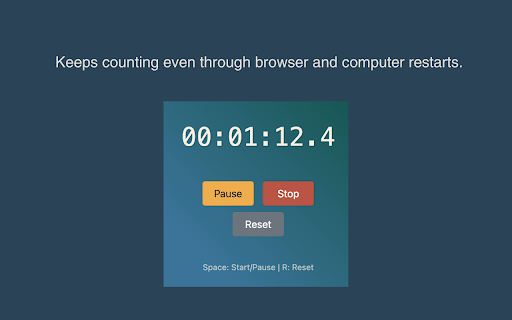
This extension gives you the ability to start and stop a stopwatch within your browser, without leaving the active page. Experience uninterrupted time tracking with our in-tab stopwatch. With built-in persistence, your timer keeps ticking—even after a browser or computer restart.

Stopwatch and Counter
It combines the functions of a stopwatch and a counter. You can measure work time and stability. It is a stopwatch. And the counter. It is suitable for measuring lap time of repetitive work and success rate of work with failure. You can visually understand the measurement results by displaying the graph of the time required and the number of times. * Press “Start” to start the measurement. * Press "Success"/"Failure" to count the number and reset the timer to continue the measurement. * To stop the measurement, press "Stop". * Calculates and displays the average measurement time for each of "success" and "failure". * The results of the number of measurements and the measurement time are displayed in a bar graph with 15-second intervals.

Simple Stopwatch
A simple stopwatch Chrome extension Your precision stopwatch extension for Chrome. Effortlessly time your tasks, workouts, or any activities with this sleek, intuitive stopwatch. Accurate, customizable, and always at your fingertips as you browse.

Stopwatch, Timer and Alarm
For your browser, a simple to use and lightweight timer, alarm, and stopwatch. An "Stopwatch, Timer and Alarm" add-on allows you to quickly create a timer, alarm, or change the stopwatch in your browser. This add-on may be used in three different ways: as a toolbar button, in a new tab, or alone. Simply right-click on the toolbar button to pick your context. There are three tabs on the left side of the interface; please check each one to get more information. A button appears at the top of the interface to create a new timer or alarm. Select this button to modify timer settings or alarms. The start, reset, and lap buttons may be found on the stopwatch tab.

Stopwatch for Workfront
Your personal dashboard that shows when tasks are due, close completed tasks, track time, and shows your recorded hours for the day. This Chrome Extension was developed to fill the need for automatic time tracking of assigned tasks, and solve the inaccurate recollection of task time for Workfront (previously AtTask) time sheets. This is a 30 day trial for your company so please share this with co-workers. Email if you need time extension or feature requests. + You are able to toggle a the start and stop of a task or select another task to stop and start the new task. + You may choose from 4 filter options, Current tasks, Requested Tasks, Team Tasks, and all Assigned tasks. + The tasks listed show project and task names, that allow you to mouse over to see their full text, due dates, and days till and pass completion highlighted in an appropriate take action color. + You can complete an Workfront task when your done. + See total hours tracked to make sure your work day has been accounted for. + Daily the tool will reset tracked time for a new day of tracking. Due to the ease of the Stopwatch for Workfront, your productivity and time tracking accuracy will benefit yourself and everyone in your business. * Also available as a Web App for additional browsers! http://store.atappstore.com/product/stopwatch/ * Click "Send Feedback" from the Details Tab or email me at stopwatchforattask@gmail.com for any questions. Stopwatch App Provided by AtAppStore Inc. Version 5.7 by Tobias Contreras Upgraded API v20 Last Updated: 8/29/2025
