
gadlheicmgampaccdjjkcainknahdpna


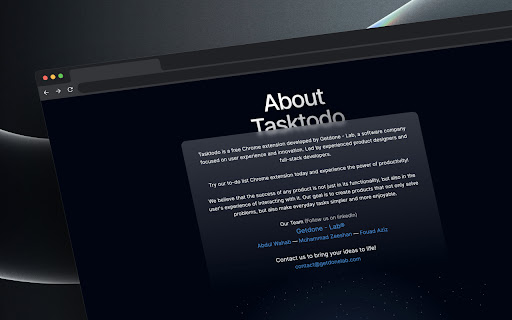
Tasktodo is a chrome extension. Try our to-do list today and experience the power of productivity! Get organized and stay productive with "TaskTodo" by Getdone - Lab, the simple todo app that opens on a new tab! With its easy-to-use interface, you can quickly add new tasks, set due dates and priorities, and mark tasks as complete with just a few clicks. Our todo app is perfect for anyone looking to streamline their workflow and manage their tasks more efficiently. And with the convenience of opening on a new tab, you'll have your to-do list right at your fingertips whenever you need it. So why wait? Try "TaskTodo" by Getdone - Lab today and start getting things done! Our Chrome extension is the ultimate tool for keeping your tasks organized and staying on top of your workload. Download it now and take the first step towards a more productive you!

New Tab Page Extension
Transform your Chrome New Tab with PresentBoard! Pick from stunning dashboards or create your own with free, customizable widgets. Tired of boring new tabs? PresentBoard lets you customize your new tab page with a wide range of useful widgets, making it your gateway to a more organized and efficient workflow. Personalize Your New Tab with Dozens of Free Widgets: ✔ Stunning, dynamic, and calming backgrounds ✔ World clocks ✔ Daily quotes ✔ To-Do lists, Checklists & Notes ✔ Agenda, Monthly, Weekly & Yearly Calendars ✔ Bookmarks & Shortcuts to your favorite websites ✔ Countdowns ✔ Live Weather updates ✔ News headlines ✔ Stock prices, Graphs & KPIs ✔ Google Analytics & Google Photos integrations ✔ Custom data aggregation (JSON, CSV, etc.) with graph views ✔ Embedded websites and much more—all in one place! ★ Your Privacy Matters: Minimal Permissions, Maximum Security ★ Unlike other extensions, PresentBoard only requires the "replace new tab" permission. This ensures your browsing data stays completely private. ★ Seamless Integrations: Google Calendar, Google Photos, Google Analytics ★ Seamlessly integrate your Google Calendar and iCal sources for real-time event synchronization. Set your Google Photos as rotating backgrounds and preview insights from Google Analytics right on your dashboard. ★ Search Google & ChatGPT side by side ★ You can search for information using Google and ChatGPT simultaneously—giving you the best of both worlds: Google's vast search capabilities and ChatGPT’s intelligent responses. ★ Customization like no other ★ With PresentBoard, you have complete control over how your dashboard looks and functions. Whether you prefer a clean and simple layout or a feature-packed dashboard, you can easily customize your dashboard to meet your needs. Choose from almost 20 different widgets and place them anywhere on the dashboard in any size you want. ★ LATEST UPDATES ★ Spring 2026 - Tons of new features - New Pomodoro Widget - Google Search with ChatGPT & Gemini side by side Winter 2025/2026: - New AI Chatbot widget - New Dashboard Launcher widget - Added Quick Launcher Views in many widgets - Google Tasks integration into check list widget Autumn 2025: - Stability, performance improvements - Bug fixes Summer 2025: - Better screen size adaptation - Stability & performance improvements Spring 2025: - New introduction video available! - Expanded widget library with new options for media, stocks, and charts. - Improved design for menus and quick edit buttons. - Numerous bug fixes for enhanced usability. - Enhanced iCalendar integration with filtering options. - New aggregators in Google Analytics widget. - Improved Bookmarks widget and Chrome API usage. - Most visited & Recently closed wesites now available within Bookmarks widget. Present Board is still getting improved. Please leave me a feedback in the support tab. Thank you for using Present Board!

Upbase - Bookmarks, Tasks, Notes, Calendar
Turn Chrome's New Tab page into your productivity hub with Bookmarks, Tasks, Notes, Calendar. With Upbase, you can quickly capture ideas, take notes, make to-do lists, plan your day with time blocking, stay focused with a Pomodoro timer, and many more. Simple, clean, and beautifully designed. Organize your favorite websites on a Kanban-style board. You can drag and drop your bookmarks to quickly change their position and column. ◾️ Private and Team Tasks Quickly create monthly, weekly, and daily tasks. Add subtasks, detailed description, set priority, attach files, and collaborate with your teammates. ◾️ Notepad and Daily Notes Got something on your mind? Open the Notepad or Daily Notes and quickly jot down your thoughts and ideas. Stay focused and boost productivity with the Pomodoro Technique. Just pick a task you need to work on, start the timer, and focus on the task for 25 minutes. Take a break and repeat. Simple, yet very effective. ◾️ Calendar with Time Blocking Schedule your daily tasks on the calendar to create a sense of urgency, avoid procrastination and practice deep work. ➔ Do I need to sign up for an account to use Upbase? Yes, you need to sign up for an account and create a FREE workspace to be able to use the extension. A workspace is the highest-level organizational unit in Upbase. It's where you organize all your work and collaborate with your teammates. With each account, you can create multiple workspaces. Yes, Upbase is completely free. Also, if you want to use Upbase as a project management tool, you can upgrade to the Premium plan to unlock additional features. Visit upbase.io/pricing for more information.

Spaceboard - New tab dashboard
Opens a dashboard on your new tab, that boosts your productivity and day to day activity on the web. Transform Your New Tab Into a Productivity Powerhouse Spaceboard turns every new tab into your personal command center, combining AI-powered tools, smart organization, and seamless integrations to supercharge your daily workflow. 🤖 AI-Powered Assistant with 90+ Models Access GPT-5, Claude, Gemini, and 90+ other AI models directly from your new tab. Generate content, get answers, create images with DALL-E and Stable Diffusion, and boost productivity with intelligent writing assistance. 🎨 AI Image Generation & Custom Wallpapers Create stunning visuals with multiple AI models. Generate custom wallpapers, illustrations, and graphics directly in your browser. 📚 Smart Collections & Visual Canvas Organize bookmarks, tasks, and notes into visual project collections. Create rich canvas documents with drag-and-drop functionality, embed media, code snippets, and collaborate with team members. ✅ Advanced Task Management Never miss deadlines with intelligent task scheduling, time estimates, automatic start date suggestions, and smart notifications. Sync with Google Calendar and Microsoft accounts for unified productivity. 🔖 Intelligent Bookmark Management Transform bookmark chaos into organized collections. Search across all folders instantly, create visual bookmark boards, and access favorites with lightning speed. 📰 Personalized RSS Feed Reader Stay informed with curated news from your favorite sources. AI-powered content summarization and smart categorization keep you updated without information overload. 📝 Rich Notes & Journal System Capture thoughts with a powerful editor supporting markdown, code blocks, images, and AI-enhanced writing. Encrypted storage keeps your private notes secure. 🌐 Chrome Extension Superpowers - Floating action buttons on any webpage - Instant screenshot capture with editing tools - One-click page summarization - Reading list integration - Website blocking for focus - Sidepanel access without leaving your current page 📅 Unified Calendar Integration Connect multiple Google and Microsoft accounts. View all calendars, events, and tasks in one beautiful interface with smart notifications. 🔍 Universal Search Find anything instantly - bookmarks, notes, tasks, or launch AI chat with a single search bar that understands natural language. ✓ 90+ AI models including GPT-5, Claude, Gemini ✓ Visual canvas documents with rich editing ✓ Smart task management with time tracking ✓ Multi-account calendar & email sync ✓ Advanced bookmark organization ✓ RSS feed reader with AI summarization ✓ Encrypted notes and journaling ✓ Screenshot editor with annotation tools ✓ Website blocking and focus modes ✓ Chrome sidepanel integration Perfect for: Knowledge workers and professionals Students and researchers Content creators and writers Project managers Anyone seeking better browser productivity Your data stays secure with end-to-end encryption for sensitive content, local storage options, and transparent privacy practices. Start your productivity transformation today. Install Spaceboard and turn every new tab into your personal productivity hub.

MyToDo by zzzt
Stay organized. Never miss a task. MyToDo helps you manage your to-do lists efficiently. Boost your productivity now. MyToDo: Simplify Tasks, Boost Productivity Created by zzzt: Carefully crafted for a premium experience. Visit our website: www.zzzt.gr. Discover MyToDo, the ultimate solution for effortless task management and increased productivity. This free extension helps you streamline your daily tasks, receive browser notifications and alarms (*) , and stay organized without compromising your privacy. Enjoy an ad-free experience and maximize your productivity. Key Features: - Daily Task Management: Organize your tasks efficiently for maximum productivity. - Browser Notifications: Stay informed with timely reminders and notifications. - Browser Alarms: Set alarms to never miss important deadlines or events. - Privacy-focused: Your personal data is not collected or shared. - Add and Remove Tasks: Easily manage your tasks with simple actions. - Free Experience: Enjoy a distraction-free environment. Why Choose MyToDo? - Simplify Your Life: Stay organized and on top of your commitments. - Boost Productivity: Accomplish more with effective task management. - Reliable Notifications: Never miss important tasks with timely alerts. - User-friendly Interface: Intuitive and easy to use for a seamless experience. - Privacy First: Your data is secure, no personal information is collected. Download MyToDo today and revolutionize your task management. For any questions or support, contact us at help.zzzt.gr@gmail.com. Experience the power of MyToDo and take control of your productivity journey. * Please, don't forget to enable Chrome's native notifications, if they are not already enabled.
