
fploionmjgeclbkemipmkogoaohcdbig
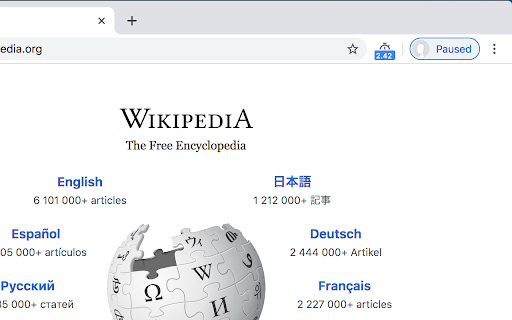

Displays page load time in the toolbar This extension measures page load time and displays it in the toolbar. Navigation Timing API is used for precise measurement. Source code available at https://github.com/alex-vv/page-load-time

Bug Magnet
Right-click context menu to help with exploratory testing Exploratory testing assistant for Chrome. Adds common problematic values and edge cases to the context menu (right-click) for editable elements, so you can keep them handy and access them easily during exploratory testing sessions. - Convenient access to common boundaries and edge cases for exploratory testing - Extend easily with your own config files - Works on input fields, text areas, content editable DIVs - Works on multi-frame pages, but only if they are from the same domain - Tiny overhead per page (

SEO Analysis & Website Review by WooRank
Instant SEO analysis and website reviews for SEO, mobile, usability and social media. The freshest data when and where you want it. SEO Analysis and Website Review by WooRank is a free Chrome extension that instantly provides a deep review of a domain’s on and off-site site data to give a complete picture of a website’s optimization. The SEO Analysis and Website Review extension will analyze the website you’re currently visiting in your browser and generate a clear, actionable report to highlight any issues impacting the reviewed site's accessibility, readability, usability and findability. The WooRank data available in the extension will help you improve your own website’s marketing performance. You can also review someone else’s website to view a competitor’s backlinks or see what technology a potential sales lead is using on their site. Data analyzed by the extension includes: - Search engine optimization - Structured data - Mobile-friendliness - Usability - Website technologies - Backlinks - Social media - Website traffic You can refresh the data in your website’s SEO analysis, so your website reviews will always be accurate, up to date and using the freshest data. The analysis that comes from the WooRank extension is perfect for: - Website owners who want to improve their own sites - In-house marketers optimizing a site for a campaign - Freelancers and agencies working on client sites - Sales teams looking to learn more about a prospect’s website for a pitch - Anyone doing research on competitors - Developers who want to validate their work The extension is available to anyone to use for free. There’s no account sign up or activation or permissions required. WooRank takes your privacy seriously, the only data it sees is the URL of the website you’re currently viewing in your browser the moment you click the extension. The SEO Analysis and Website Review extension by WooRank doesn’t spy on users to collect any data on usage, browser history or track their movements around the web. And since WooRank only read websites, the extension can’t add any badges, icons, banners or anything else to a website. So no impact on anyone’s load times. How to Install and Use the SEO Analysis and Website Review Extension by WooRank: Installing and using the extension is super fast and easy. In the chrome web store, simply click the “Add to Chrome” button in the upper right corner and then click the “Add extension” button that pops up. To analyze a website using the extension, click on the WooRank icon in your browser. If we’ve already reviewed the website you’ll immediately access the domain’s data. If we haven’t seen this domain before, just click the “Free review” button that pops up. Your report will be available in a matter of seconds.

AMP Validator
Automatically checks each page for AMP validation. The AMP Validator will check the current page to see if it is an AMP page and then run it through the AMP validator and report if the page passes (green) or fails (red) via the extension icon. If there are any warnings or errors it'll list the number underneath the extension icon and clicking the icon will display the warnings and/or errors. If the current page is not an AMP page and one is available via the extension icon turns blue and clicking it will load the AMP version of that page. By installing this item, you agree to the Google Terms of Service and Privacy Policy at https://policies.google.com/.

Majestic Backlink Analyzer
Majestic backlink analysis straight into your browser. Over 60,000 installations. Get instant link counts and see who is linking to the page you are browsing without having to go to a separate link analysis tool. FREE backlink count data with much more detail for Majestic.com account holders. This backlink checker from Majestic gives you a really fast way to see the strength of any page based on its backlink information. Because Majestic crawls the whole web, it does not have to rely on a third party for the data. You can immediately see the Trust Flow, Citation Flow and Visibility Flow for any web page directly on the URL bar and you can see summary information about the number of domains and URLs linking to this page. Topical Trust Flow is now integrated into the tool. This now shows you the topic (or category) of each backlink. Information provided free includes: Link Profile charts, link counts at the URL, subdomain and root level and three Flow Metric scores from 0-100 for pages you visit (speed limits apply). Majestic subscribers can very easily link their account to the extension and can then see more detail about links to the page your browser is on. including: *Backlink Detail*: A list of the 10 strongest backlinks to the page (with a link to more), including the URL, anchor text, Citation Flow, Trust Flow, Visibility Flow and the dates first and last seen. The primary Topical Trust Flow is also embedded. *Anchor Text Detail*: A list of the 10 strongest anchor texts (with a link to more) used in links to the URL, including the link counts and domain counts linking with this text and the relative Citation Flow and Trust Flow associated with these links. The primary Topical Trust Flow is also embedded. *Tools*: You can easily delve deeper into URLs by using many of Majestic's backlink analysis tools directly from the extension. *Add to Bucket*: If you are interested in reviewing the URL later, you can press the "Add to Bucket" button to add the URL straight into your Majestic account for later backlink analysis. Who wrote this Analyzer and How? Majestic is one of the UK's fastest growing tech companies, ranked 18th in 2014 in the Deloitte fast 50 list. Unlike many tools that rely on scraping third party data, Majestic is one of the largest web crawlers on the planet, collecting data directly from the web. It even has its own search engine. This independence has made Majestic's Trust Flow metric one of the most reliable and consistent ways to evaluate pages on the internet at scale the score, which is a log score between 0 and 100, gives a valuable insight. More recently, Majestic has launched and integrated Topical Trust Flow into into the Chrome extension, giving more precise analysis of a URL's power and influence. Majestic does not track your crawling behavior at all in this plugin and it will not slow down your browsing. Until you click on the extension, it remains idle and passes no data at all. At that point it simply looks up the data we have already indexed regarding the URL you are currently visiting. Majestic's full privacy policy is described at https://majestic.com/company/privacy-policy
