
fombdbdmedmppeffmnbhcpdgfdopffbb


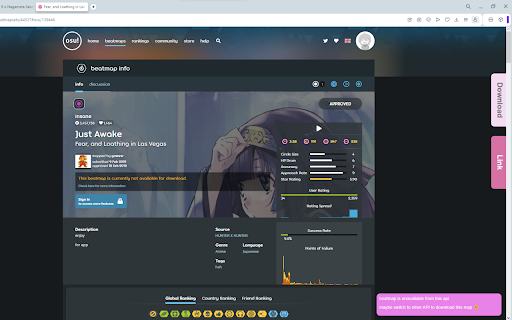


A lightweight extension for osu! players to download the beatmaps from third-party sites for the game without manually visiting the third-party sites or installing the third-party site application. Tip: pin the extension on your browser for the convenience for quick API switching

Censor Tracker – Proxy for Privacy & Security
A censorship circumvention extension. Stay safe online with our proxy extension. Censor Tracker for Chrome is an extension that allows you to bypass Internet censorship, notify about sites that pass information to government agencies and identify new blockages. Works in Russia, Ukraine, Belarus, Kazakhstan, Kyrgyzstan, Uzbekistan and other countries. The key features are: — Bypass blocking in Russia, Ukraine, Belarus, Kazakhstan, Uzbekistan, Kyrgyzstan and other countries, including DPI blocking — Stay anonymous with fast and safe proxies — Learn about sites that share your data with third parties (for Russia) — Open *.onion and *.i2p sites without using third-party software — Use your own HTTPS-proxy — Use your own list of domains that should be proxied

osu! PP calculator
Calculates pp values for osu! beatmaps page. Simple extension that can quickly calculate PP values for osu! Beatmaps in your web browser. Features: * Works on all submitted osu! Beatmaps * Up to date PP calculation based on latest PP rework * Can calculate PP based on various accuracies * Includes Hidden, Hardrock, DoubleTime and Flashlight modifications

osu! More Beatmaps Info
Adds to osu! beatmaps selection page additional details to help you choose the right beatmaps more efficiently and conveniently Easily pick your next beatmap with More Beatmaps Info — get detailed stats and calculate PP for a smoother gameplay experience!

osu! subdivide nations
Add regional flags on the osu! website. While Also updating osu! global score on profiles. Enhances osu! website and related websites with the following features: - Display regional flags next to national flags. - Adds Score Ranking to the profiles Regions data come from https://osuworld.octo.moe/ If you wish to have the regional flag on your profile shown you should log in there.
