
fmeabdadndledapjgaaheekjneoibhlp

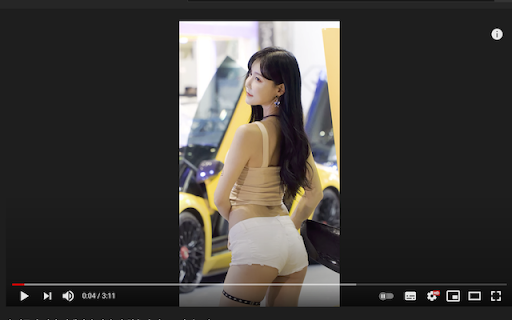
Rotate the Video Player to the angle you desire. 1. It is completely free. 2. Tested on the Youtube and other play page. 3. Press Ctrl+C to rotate the player in full screen. 4. Enjoy.

Pa3BoPoT Lite
The plugin turns entire web page 90 degree clockwise every time the button is pressed. Quite simple feature which is badly… The plugin turns entire web page 90 degree clockwise every time the button is pressed. Quite simple feature which is badly overlooked by the great company. For personal use only. For PRO version please contact me at andy.nikulin@gmail.com or https://t.me/andy_nik Benefits of PRO version: * Overridden keyboard keys according to screen orientation * Overridden scroll actions according to screen orientation * Settings page for web sites presets * Preset screen orientation upon web page initial load * Context menu (right click) rotation * Feature requests implementation * Enterprise support, prompt bug fixes * Pluses to karma Thank you a bunch for supporting the project! May the Force be with you.

REye
REye is a video assistant that can rotate the video screen. Supports bilibili, youtube .

Rotate YouTube Video
Enables seamless rotation between landscape and portrait modes for youtube Rotate YouTube Video is a simple yet effective browser extension designed for YouTube users who need to rotate videos by 90 degrees. Whether you're watching vertical videos on a horizontal screen or using a specific device setup, this extension provides a quick and hassle-free solution for adjusting the orientation. Features 1.90-Degree Video Rotation Rotate videos by 90°, 180°, or 270° with just a click to suit your viewing preferences. 2.Easy Controls Simple rotation options accessible through the extension's toolbar or an on-video overlay. 3.Lightweight Design Focused solely on 90-degree rotation, ensuring the extension is efficient and easy to use. 4.Optimized for YouTube Exclusively supports YouTube for seamless integration and reliability.

Rotate Youtube Video
Toolbar button for easier Rotate, Zoom, Mirror or ABLoop Youtube video Zoom / Mirror - support zoom (scale), translate x,y , mirror (flip) - support long press +,- button * the value will be reset after pressing the reset button or the rotate button * not affect youtube video preview * need to adjust value for normal mode and full screen mode ABLoop - set marker start/end by shift + click the button - click the button to toggle menu - support multiple markers and loop all markers in order - To view your Saved Markers, click the Action Button on the toolbar * If ads play while the loop is active, the AB Loop button and shortcuts will be disabled until the ads end Shortcuts - Show Options Page : ctrl+shift+1 - Rotate : ctrl+shift+9 - Mirror : ctrl+shift+8 Shortcuts with mouse - Zoom : on player > shift+scroll - Move : on player > shift+left-click+move Move (Lock Axis) : on player > • Windows/Linux : shift+ctrl+left-click+move • Mac : shift+alt+left-click+move - Reset Zoom/Move/Crop/Mirror : on player > shift+middle-click * You can check other options in Extension Options
