
fmaomgnpaefkghobanbljbbocbaolknl
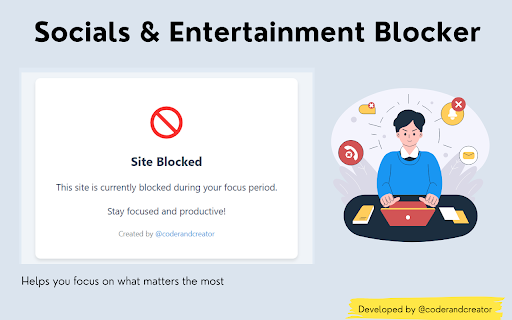


Stay focused on your studies or work by blocking distracting social media and entertainment websites. - Blocks popular social media platforms (e.g., Facebook, X, Instagram, etc.) to reduce interruptions while studying or working. - Prevents access to entertainment sites (e.g., Netflix, YouTube, Amazon Prime, etc) that can divert attention from important tasks. - Encourages better time management and productivity by minimizing online distractions. - It comes with session support, your sessions will be saved even if the browser accidentally closes. Preferred Audience: whoever struggles with focus while working, studying, or engaging in other productive activities. Goal: This extension is built to help people manage their online habits, improve concentration, and control their digital environment, empowering them to study or work without distractions. Get in Touch: Connect with me on : Feel free to reach out with any suggestions, updates, or reports to help make this tool even better!

Best AdBlocker
Best AdBlocker removes pop-up ads on streaming sites and blocks intrusive ads across the web Tired of pop-ups ruining your streaming experience? Best AdBlocker removes intrusive pop-up ads on streaming sites and blocks ads across the web — instantly, with zero configuration. Powerful Popup Blocker Catches unwanted popups and pop-unders before they appear. When a popup is detected, choose to allow, deny, open in background, redirect, or whitelist the domain. Multiple popups are stacked and counted so nothing slips through. Multi-Layer Ad Blocking Combines network-level filtering with CSS-based removal and advanced procedural blocking for comprehensive protection against even the most persistent ads. One-Click Whitelisting Click the extension icon to toggle protection on or off for any site. Easily manage trusted domains where you want popups or ads allowed. Real-Time Block Counter See exactly how many ads and popups are blocked on every page, right on the extension icon badge. Auto-Updating Filters Ad-blocking filters update automatically so your protection stays current against new ad techniques. Lightweight & Fast Built on Chrome's Manifest V3 architecture for minimal performance impact. All filtering happens locally on your device. Multi-Language Support Available in 15+ languages including English, Spanish, French, German, Italian, Portuguese, Japanese, and more. Perfect for streaming sites, news pages, and any website with aggressive ads. Just install and browse.

Blockify
Block distracting websites, page elements, and social media feeds. Blockify lets you block entire websites, social media homepage feeds, or surgically remove any element that steals your attention. Your browser, your rules. 𝐅𝐞𝐚𝐭𝐮𝐫𝐞𝐬: ✓ Block Entire Websites Add any URL to your blocklist and Blockify prevents you from visiting it. Remove temptation entirely. ✓ Block Social Media Homepage Feeds (beta) In one click, end endless scrolling! Currently in beta for Instagram, X, YouTube, and Facebook, with more coming soon! ✓ Remove Any Element Click on any element (homepage feed, sidebar, ads, recommended videos, notification bell, comment section), and Blockify hides it instantly. ✓ Persistent Rules Your blocks are saved and applied automatically every time you visit. Set it once, forget about it. ✓ Simple & Intuitive No complicated setup. Click the icon, add blocks, done. Built for speed and simplicity. 𝐇𝐨𝐰 𝐭𝐨 𝐔𝐬𝐞 𝐁𝐥𝐨𝐜𝐤𝐢𝐟𝐲: After installing Blockify, pin it to your browser. 𝐇𝐨𝐰 𝐭𝐨 𝐁𝐥𝐨𝐜𝐤/𝐔𝐧𝐛𝐥𝐨𝐜𝐤 𝐚 𝐖𝐞𝐛𝐬𝐢𝐭𝐞: Open the Blockify popup window. Type any domain in the input bar in the Sites tab. Press enter. The website will appear in the Blocked Sites list. To unblock a website, press the x button next to a website in the Blocked Sites list. 𝐇𝐨𝐰 𝐭𝐨 𝐁𝐥𝐨𝐜𝐤/𝐔𝐧𝐛𝐥𝐨𝐜𝐤 𝐅𝐞𝐞𝐝𝐬 1. Toggle the master switch to enable feed blocking in the Feeds tab. 2. Configure which platforms to block in the Configure Feeds page (accessible from the Feeds tab). 3. To unblock any feed, either toggle the master switch or switch off individual platforms in the Configure Feeds page. 𝐇𝐨𝐰 𝐭𝐨 𝐁𝐥𝐨𝐜𝐤/𝐔𝐧𝐛𝐥𝐨𝐜𝐤 𝐈𝐧𝐝𝐢𝐯𝐢𝐝𝐮𝐚𝐥 𝐄𝐥𝐞𝐦𝐞𝐧𝐭𝐬 1. Go to any webpage to block its elements. 2. Open the Blockify popup window. Click the Elements tab. 3. Click Pick Element. 4. Click anything on the webpage to block it. Click esc to cancel. 5. To unblock an element, remove it from the Hidden Elements list in the Elements tab. 𝐈𝐟 𝐘𝐨𝐮 𝐄𝐧𝐜𝐨𝐮𝐧𝐭𝐞𝐫 𝐚𝐧 𝐈𝐬𝐬𝐮𝐞: ✓ Visit chrome://extensions. Click the refresh button on the Blockify extension card. ✓ If the issue persists, email the developer or submit a bug report.

StayFocusd – Website Blocker & Focus Timer & Shorts Blocker
Boost your productivity by limiting the amount of time you spend on time-wasting websites. You sit down at the computer, and you swear you'll be productive. Next thing you know, it's twelve hours later. You've checked your email, updated your Facebook status, blown through 200 pages of Reddit, read every article in your Twitter feed, looked up your favorite band on Wikipedia, vanity googled yourself, cyber-stalked your ex, browsed through all your high-school crushes' Instagram feeds, and lost a week's pay playing online poker. What you haven't done is WORK. StayFocusd, by Sensor Tower, is a productivity extension for Google Chrome that helps you stay focused on work by restricting the amount of time you can spend on time-wasting websites. It provides analytics to help you understand and control your internet usage, ensuring you remain productive throughout the day. 📊 Website usage history: Get statistics of your daily website usage history. 🚫 Configurable blocking: Block entire sites, specific subdomains, specific paths, specific pages, or even in-page content (videos, images, forms, etc). ☢️ The Nuclear Option: This powerful feature allows you to block access to websites for the number of hours you specify on the days you choose. Once activated, it cannot be canceled, ensuring you remain focused and productive. 📱Require Challenge: To change any settings, you must complete a challenging task. This reduces the temptation to alter settings, helping you stick to your productivity goals. 🗓️ Active Days/Hours: Customize the days and hours during which StayFocusd will restrict your access to distracting websites. This ensures that your productivity is maintained during critical work periods. ▶️ In App Blocking: Block all distracting components on YouTube and other major social media platforms. Hide shorts, comments, recommended videos, and more. 🤖 Gen AI Analytics: Track and analyze your usage of AI chat platforms directly from the StayFocusd. 🔒 Privacy protection: StayFocusd does not collect personal data from the web pages you visit. 🔗 Sync Usage Limits across devices: Connect Android devices and other browsers to view website and mobile app usage and limits in one place. ✦ YOU ARE IMPORTANT We value your feedback! Please rate us 5 stars on the Chrome Web Store to help us grow. Problems? Questions? Suggestions? Effusive praise? Email support@stayfocusd.com PRIVACY NOTICE: When you install StayFocusd, it will ask you to grant a number of permissions, including “Read and change all your data on the websites you visit.” This permission is required in order for StayFocusd to run on any site which you may visit—without this permission, StayFocusd would not be able to block websites. While this permission technically grants StayFocusd the ability to read and change data, we will never collect personal data from the web page content that you are browsing.

SiteBlock
Stay focused and eliminate distractions with this simple site blocker extension! Easily block any website by adding keywords like “social media” or “news” — the extension will automatically block matching sites when you try to visit them. Enjoy unlimited site blocking, a convenient right-click menu option, and effortless control over your browsing habits. Take back your time and boost your productivity — install the extension today!
