
flihklbendkffliaoifabcckjlgecmgl

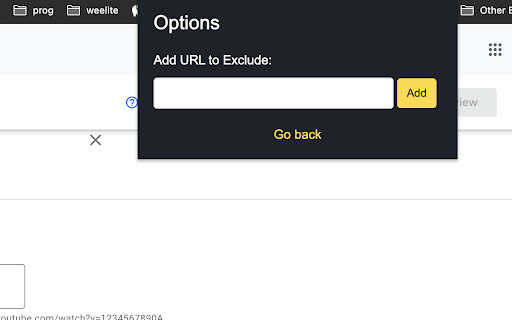
Toggle passwords in dev mode. Enhance development workflow with password visibility. Developer Mode Password Revealer is a powerful Chrome extension designed to enhance your development workflow. It allows you to effortlessly reveal passwords on webpages while in developer mode. With a single click, toggle the visibility of passwords and gain valuable insights during the development process. Whether you're debugging, testing, or simply need a quick peek at passwords, this extension simplifies the task, saving you time and effort. Unlock the power of developer mode with Developer Mode Password Revealer!

Password Reveal
One click password reveal. Just click the icon and any password that is hidden will become legible text.

PasswordViewer - Password Revealer
See what’s under the asterisks (saved passwords), a simple password revealer! Show your hidden passwords. Reveal your passwords that look like asterisks. If the password does not reveal itself automatically, you can click the extension icon to force disclosure. This can happen on login pages created with javascript frameworks like React, Vue or Angular. IMPORTANT INFORMATION: We do not store any of your data. Your passwords will not be stored or sent anywhere. The extension works completely "offline", it only reveals the information that is already masked in the password field. - Install the extension - Go to the page you need to see the password - Wait until the page loads completely - Place the mouse pointer in the password field to see it - Open chrome menu - Go to Extensions, Look for "PasswordViewer" uncheck the enable that’s it. - Tick it back to enable. Caso a senha não se revele automaticamente, você pode clicar no ícone da extensão para forçar a revelação. Isso pode acontecer em páginas de login criadas com frameworks javascript como React, Vue ou Angular.

Password viewer
Makes all password fields on the page visible by click on a button Want to see what are you typing in password field, but the platform do not provide show/hide button? Do not worry, here is why we created this extention. Simply click on a button, or use CTRL+B (Command+B on mac) and it will magically reveil what are you typing. We do not store any password information neither locally or remotely. The project if fully open-sourced and can be found on my github profile https://github.com/dmytro-afonin/pwd-viewer

Peek Password
Description: Peek Password adds a convenient and secure way to view and copy password fields on any website. With a clean, minimal interface that appears only when needed, this extension enhances your password management without compromising security. Key Features: • 👁️ Secure Password Peek - Hold to view, auto-hides on release • 📋 One-Click Copy - Instantly copy passwords to clipboard • 🔒 Zero Data Storage - No passwords stored, ever • 🎯 Site-Level Control - Enable/disable per website • 🌐 Works Everywhere - Compatible with all websites • ⚡ Lightweight - Minimal impact on page load • 🎨 Clean Design - Unobtrusive buttons appear on hover How to Use: 1. Enable the extension 2. Hover near any password field 3. Use the eye icon to peek or copy icon to copy 4. Manage site permissions through the toolbar icon Perfect for: • Verifying typed passwords • Copying complex passwords • Managing multiple accounts • Checking saved passwords Privacy Notice: This extension operates entirely on your device and never stores or transmits any password data. Your security is our priority. Support: Questions or issues? Visit our GitHub page for support and feature requests. Made with ❤️ for the privacy-conscious user.
