
fkpeciobfkaidkabnkhfkilphmcnneci
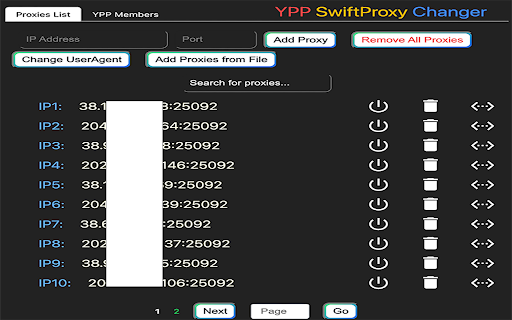
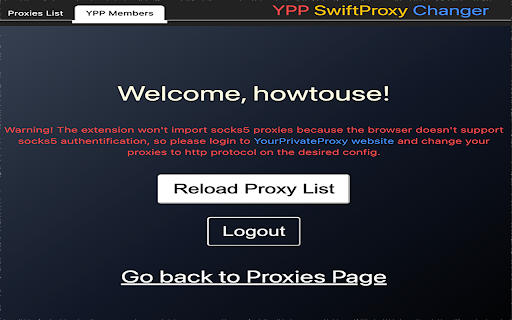
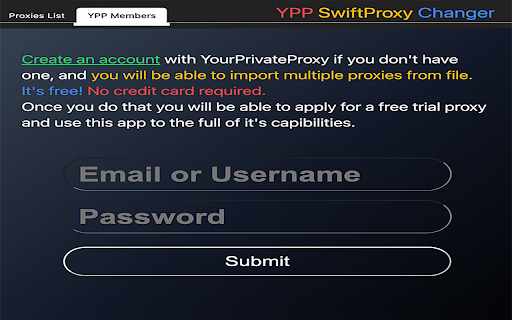
YPP SwiftProxy Changer, the ultimate extension. You can seamlessly switch between multiple proxy servers. Introducing YPP SwiftProxy Changer, the ultimate Chrome extension designed to simplify your proxy management experience! With YPP SwiftProxy Changer, you can seamlessly switch between multiple proxy servers, ensuring optimal privacy, security, and browsing freedom. New in Version 0.0.3 - Changed the Change UserAgent button with Configure Browser Settings button where you can select your User Agent and enabled/disable webRTC and iframes protection. New in Version 0.0.2 - Upgraded privacy with WebRTC protection, now fine-tuned and activated alongside headers for enhanced security. - Minor adjustments made to existing protection features, ensuring they are fully functional and up-to-date. - For added safety, iframes are now disabled on all pages if you activate Headers Faking to prevent websites from gathering your information. - Experience dynamic icon changes in Chrome for an immediate understanding of your privacy level: Red Icon: Alert! The sites have access to your real computer details and might obtain your IP address. Yellow Icon: Safer! The sites are blocked from accessing your real IP address, timezone, or language, but can see real browser user agent. Green Icon: Fully Secure! Congratulations, you are 100% protected with complete privacy assurance. 🌍 Instant Proxy Switching: Change your proxy settings with just a few clicks, enabling you to access geo-restricted content and bypass censorship effortlessly. 🔒 Robust Privacy & Security: Protect your privacy by masking your IP address, modifying headers, and altering the window.navigator object, ensuring that websites and third parties cannot track your online activities. 📍 Spoof Location & Timezone: YPP SwiftProxy Changer can also change your location and timezone, making it even more difficult for trackers to pinpoint your real identity. 🕵️ User-Agent Customization: SwiftProxy Changer also allows you to modify your browser's user-agent string, further enhancing your online anonymity. By changing the user-agent, you can disguise your browser and operating system, making it harder for websites and trackers to identify you based on your browsing fingerprint. ⚡ Lightning-Fast Connection: Our extension is optimized for speed, providing you with a swift browsing experience without compromising on security. 🔧 Custom Proxy Configuration: Add, remove your proxy servers with our user-friendly interface, making it simple to manage your proxy list. 🌟 Compatibility & Easy Integration: Our extension works seamlessly with Google Chrome, allowing you to enjoy a hassle-free browsing experience. YPP SwiftProxy Changer is perfect for users who value their online privacy, need to access geo-blocked content, or simply want a more secure browsing experience. Say goodbye to manual proxy configuration and start enjoying the convenience of YPP SwiftProxy Changer today!

Best Proxy Switcher
Use best proxy switcher with your proxy servers or let it download most recently checked list from our web site FREE for LIFETIME! Best Proxy Switcher was developed by the team, who provides proxy service since 2004 year. You can use Best Proxy Switcher with your own proxy or download most recently checked list from our web site automatically FREE for lifetime! For advanced users and web masters who needs more proxy servers, there is an option to register at our web site for 9.99 USD and get unlimited access to our database (please use 'register' button within extension to get special price) and unlimited access to our premium VPN proxy servers! Proxy-List.org web site offers more than 10.000 working proxy servers per day during 10 years! Our high quality service is confirmed by time and our clients! Important: To prevent other extensions from overriding our proxy settings, our extension automatically disables any other extensions that use proxy permissions.

Rotation UserAgent
This is an extension that switches UserAgent by screen orientation. Click the icon on the toolbar to set the user agent.

Proxy Switcher
Proxy Switcher is an extension that helps you easily switch proxies from toolbar popup UI. Simply open toolbar popup and click on the desired category. There are five categories available to choose from. Moreover, badge icon color changes according to the chosen category. Once the proxy is set, a notification popup shows you the current state. This addon supports PAC proxy as well. Moreover you can white-list any domain or website through toolbar popup UI. In order to white-list a domain, please add the desired domain to the bypass area in toolbar popup. For example, to white-list - https://www.example.com - please add - *example.com - to the filed. Please note that all the entries should be comma separated. Once you filled the bypass area, please mark the related checkbox as well (the checkbox next to the Bypass category). To set PAC proxy, please add a PAC URL or SCRIPT to the designated area (PATH input area). Please note that a PAC path should have a certain format. For example if your PAC file is located in - C:// - folder (on windows machine), please write - file:///C:/pac.data - in the PATH area. If you do not know how to write a PAC file, please read this (https://en.wikipedia.org/wiki/Proxy_auto-config) Wikipedia page. Once you made a correct PAC file, please add it to the PATH field. Note: To switch the popup interface theme to dark, please press the moon icon on the bottom toolbar. To report bugs, please fill the bug report form in the addon's homepage (https://mybrowseraddon.com/proxy-switcher.html).

Simple Proxy Switcher
A simple add-on to quickly switch your proxy servers Currently only supports http/s proxy
