
fkobfmmghjkfgmlhfomnfilighfcooke

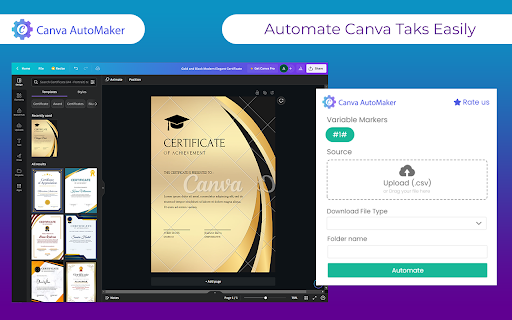
Automate Canva designs with Canva Automaker Chrome extension Automate Canva designs with Canva Automaker Chrome extension

Canva PowerTools
Your handy companion to supercharge your Canva.com experience! 🚀 Boost your Canva experience with Canva PowerTools! ⭐ Features ⭐ 🔹 Export Selection as New File Easily export any selected objects in your Canva design into a new file. Simply select the objects, right-click, and choose "Export Selection as New File." A perfectly sized new file is created automatically—just paste it with CTRL + V. 📂➡️📋 🔧 Planned Features 🔧 🔹Resize Canvas: Easily shrink or extend the page canvas without scaling the content. 🔄📏 🔹Rulers and Measurements: Define rulers and inspect the sizes of individual objects used in your design. 📐🔍 ❤️ Support & Feedback ❤️ Support me via buymeacoffee.com/martinbojnansky ☕ and suggest more features! Your feedback helps make Canva PowerTools even better. Let’s build the ultimate Canva toolkit together! 🛠️💡

Text2Color for Canva
Transform text descriptions into colors directly in Canva's color picker. Enhance your workflow with AI-powered color selection. Text2Color for Canva brings the power of natural language color selection to your Canva designs. With Text2Color, you can simply describe the color you're envisioning, and watch as it magically appears in your Canva color picker. 1. Seamless Integration - works directly within Canva's interface 2. Natural Language Input - describe colors in your own words 3. AI-Powered - utilizes advanced AI to interpret color descriptions 4. Time-Saving - quickly find the perfect color without manual adjustments 5. User-Friendly - simple, intuitive interface that matches Canva's design - Open any color picker in Canva - Find the new "Describe a color..." input field - Type in your color description (e.g., "sunset orange", "deep sea blue") - Press Enter or click the sparkle icon - Watch as your described color appears in the Canva color picker Perfect for designers, marketers, and anyone who wants to streamline their color selection process in Canva. Say goodbye to endless scrolling through color palettes, googling brand colors and say hello to intuitive, description-based color picking! To make the extension work, add your API key from Text2Color.com - you can create an account and generate colors for free, with a limited number of credits. Click on the Text2Color extension icon in your Chrome toolbar. In the popup, enter your API key from Text2Color.com and click "Save". Not affiliated with Canva.com

Canva sidebar open state
Persist the canva sidebar open state on reload. This extension maintains the open/closed state of the menu sidebar on the Canva web application across reloads. It improves the user experience of the site because the sidebar doesn't need to be closed every time the page is reloaded if it was closed when the page was reloaded.

Canvamatic
Canvamatic: Automate Your Canva.com Designs with Ease Streamline your design process with our automation tools for Canva.com. Create stunning designs effortlessly and save time on repetitive tasks. Simplify your design workflow with Canvamatic. Our automation tools for Canva.com help you create stunning designs quickly and easily.
