
fkmjagndgkjfnlengfmflkeaeendiinf


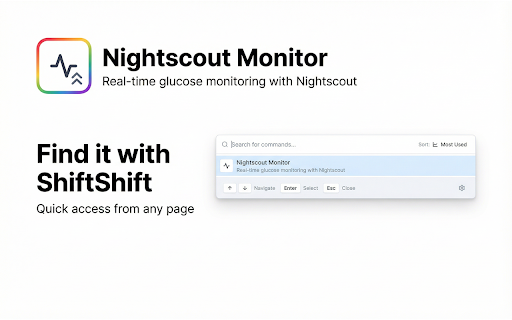

Monitor your blood glucose levels with Nightscout integration Monitor your blood glucose levels in real-time with this powerful Nightscout monitor Chrome extension. This tool helps you track glucose trends, insulin doses, and carbohydrate intake directly from your browser with seamless Nightscout integration that keeps your diabetes management data accessible. Do you struggle to check your glucose levels quickly while working? Are you tired of switching between apps and websites to view your Nightscout data? This Nightscout monitor Chrome extension solves these problems by providing instant access to your glucose information right in Chrome with automatic updates every 30 seconds. 1️⃣ View real-time glucose levels with automatic badge updates on the extension icon 2️⃣ Track glucose trends over multiple time ranges including 3, 6, 12, and 24 hour periods 3️⃣ Monitor insulin doses and carbohydrate intake directly on the glucose chart 4️⃣ Customize target ranges based on your Nightscout profile settings 5️⃣ Support for both mg/dL and mmol/L units to match your preferences ➤ Install the Nightscout monitor Chrome extension from Chrome Web Store ➤ Configure your Nightscout URL and select your preferred units and time range ➤ Test the connection to ensure your server is accessible ➤ View your current glucose level with trend arrows and time since last update ➤ Explore historical data on the interactive chart with insulin and carb markers This Nightscout integration extension displays comprehensive glucose information including current values, trend direction, active insulin on board, and active carbohydrates. The visual glucose chart shows color-coded ranges that help you understand when levels are in target, low, high, or critical zones. ▸ People with diabetes who use Nightscout for continuous glucose monitoring ▸ Parents monitoring their children's glucose levels remotely ▸ Healthcare providers tracking patient data through Nightscout systems ▸ Anyone who needs quick access to glucose data without opening separate apps ▸ Users of CGM systems integrated with Nightscout platforms Common use cases for this real-time glucose monitor: • Check glucose levels quickly while working or browsing the internet • Monitor trends throughout the day to identify patterns and make informed decisions • Track insulin doses and carbohydrate intake alongside glucose readings • Share glucose data with caregivers or healthcare providers easily • Receive visual alerts through color-coded badge indicators on the extension icon This glucose chart extension provides detailed historical data visualization. See how your glucose levels change over time with smooth line graphs that display readings from your Nightscout server. The chart includes reference areas showing target ranges, warning zones, and critical thresholds based on your personalized settings. Questions about this Nightscout monitor Chrome extension: How often does it update? The extension automatically refreshes glucose data every 30 seconds, ensuring you always see current information. The badge on the extension icon updates with your latest glucose level and color-coded status indicator. What Nightscout features are supported? This extension connects to your Nightscout API to retrieve glucose entries, treatments including insulin boluses and carbohydrate corrections, and profile information. It displays active insulin on board and active carbohydrates calculated from your treatment data. Is my data secure? All data processing happens locally in your browser. Your Nightscout URL and settings are stored securely in Chrome's storage system. No data is transmitted to external servers except your own Nightscout instance. Access this tool instantly using the ShiftShift command palette. Open it three different ways: 1. Press Shift key twice quickly from any webpage 2. Use keyboard shortcut Cmd+Shift+P on Mac or Ctrl+Shift+P on Windows and Linux 3. Click the extension icon in your browser toolbar Navigate the interface with keyboard shortcuts. Use arrow keys to move through options, press Enter to select, and Esc to go back or close. The command palette includes smart search across all your installed ShiftShift tools and quick access to settings. Customize your experience with built-in preferences. Choose between Light, Dark, or System theme to match your desktop. Select from 52 interface languages for complete localization. Sort your tools by frequency of use or alphabetically based on your workflow. Transform your ability to monitor glucose levels using this comprehensive Nightscout integration. Whether checking current readings, analyzing trends, or tracking treatments, you have professional tools at your fingertips that make diabetes management simple and accessible.

Surfboard
Simplify workflows by sharing links to Surfboard directly from your browser. Or sync LinkedIn connections to quickly identify leads. We’re all about making your life easier. And the Surfboard Chrome Extension does that in two convenient ways: Find an interesting article to share? Just open the extension and choose the workspace you want to share it with. Surfboard will automatically populate a company update with the relevant info. Any user in your workspace can connect their LinkedIn account to share 1st degree connections with you. This enables you to crowdsource leads and easily identify who can introduce you to the right customers, investors, and talent.

Substack Notes Scheduler + LinkedIn AI
NarraReach Publisher lets you Schedule and publish Substack notes and long-form articles and newsletters to multiple platforms — including Medium and Substack — instantly. Write once. Publish everywhere. Create, edit, and distribute your content across your connected writing accounts in a single click, perfectly formatted for each platform. Save hours every week on content distribution. Whether you're scheduling Substack Notes in advance or cross-posting to Medium and LinkedIn, NarraReach automates the entire workflow so you can focus on writing — not repetition. Who it's for Writers and newsletter creators who are tired of copy-pasting their stories between editors. Content creators managing multiple platforms need a simple automation tool that handles formatting, login, and publishing — NarraReach does exactly that. Key features - Publish to Medium, Substack, LinkedIn, and other connected platforms - Automatically format your content for each editor - Schedule posts in advance or publish instantly - Keep paywalled and free stories separate - Smart content calendar for planning your publishing schedule - 100% client-side — your credentials stay private - scheduling Substack Notes Privacy & Security NarraReach never stores or transmits your login credentials. All publishing happens locally in your browser using each platform's native editor and authentication flow.

Ether-Spell
Warning: Turning Spellchecking on can deteriorate your performance (especially on older computers and with more active participants.) As a very dyslexic person that is highly dependent on spellcheckers, and considers them as assistive devices. I'm increasingly frustrated that Etherpad does not provide a spellcheck solution. Again and again I found myself going for Google Docs instead of Etherpad or at least typing in another program with better spellcheck support. Which totally goes against the collaborative aspect of Etherpad… This stops now! … at least for me. And maybe it is also useful for you :) This plugin is still a work in progress, so if you find an Etherpad installation that does not function with this plugin, please reach out to me.

SoundWave - Audio Equalizer
Boost and customize audio with a 10-band equalizer, bass booster, 22 presets. Works on YouTube, Spotify, and all websites. SoundWave - 10-Band Audio Equalizer for Chrome SoundWave - Improve your browser audio with this powerful 10-band audio equalizer. Easily control bass, treble, and overall sound quality while listening to music, watching videos, or streaming online content. This extension works with popular websites like YouTube, Spotify, SoundCloud, Netflix, and any website that plays audio. Adjust the sound exactly how you like it and enjoy a richer listening experience directly from your browser. The extension includes 21 ready-to-use sound presets designed for different music styles and audio needs. Whether you like strong bass, balanced sound, or crystal-clear vocals, you can switch between presets instantly. You can also use the built-in bass booster and preamplifier to increase volume and enhance low frequencies without installing additional software. • 10-Band Audio Equalizer – Fine-tune your sound with precise control • 21 Built-in Presets – Perfect settings for different music genres • Bass Booster – Enhance deep bass for a stronger audio experience • Preamplifier Control – Boost overall audio volume safely • Works on All Websites – Supports YouTube, Spotify, Netflix, and more • Simple & Clean Interface – Easy to use for everyone • Real-time Audio Adjustment – Hear changes instantly Perfect For With this Chrome audio equalizer and sound booster, you can turn any browser into a powerful music player and audio enhancer. Install now and enjoy better, clearer, and more powerful sound while browsing.
