
findleoghfonpfjbofjmogljkhjkecbo
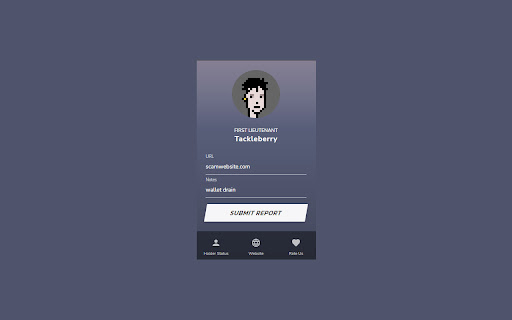
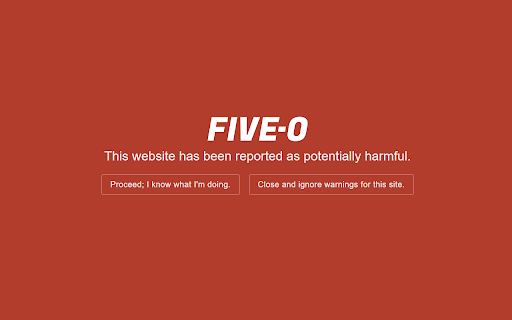
Protects the user from potential cryptocurrency scam websites. FIVE-O is an open-source browser extension designed to protect users from potentially harmful websites in the cryptocurrency space. The extension is free to use and available to all, displaying a warning when attempting to access a site from its growing database, ensuring that end-users can keep their assets secure. Holders of FIVE-O NFTs can unlock additional features, including the ability to submit reports directly from the extension and access to a curated list of trusted sites, which are marked with a green checkmark. The extension also displays a warning icon when the user accesses a site such as teamviewer.com that contains software commonly used by scammers. Non-holders, while not able to access these additional features, can still benefit from the core functionality of the extension, which provides an added layer of security to anyone navigating the world of web3. Join our discord to help make the web safer for cryptocurrency enthusiasts.

Twitch Kicker
Adds Kick.com streamers to the "following" section of the Twitch homepage Adds your Kick.com followed streamers to the following section of your Twitch landing-page. No login required! Just log into Kick.com as usual, follow your favorite streamers, and see them appear on Twitch.

Boss Hub | Link
BossHub Link| Sidebar, BOSS Link is Trusted by over 10000+ users. Bio Link solutions for personal & business needs. BossHub | Sidebar, BOSS Link is Trusted by over 10000+ users. Bio Link solutions for personal & business needs. Boss Link Supports Features: ✅ Bio link pages Create your own unique & highly customizable bio link page with ease. ✅ Shortened links Yes! You can use our service as a shortener as well. ✅ Host static sites Upload your website files and we will host them for you. HTML, CSS, JS, Video / Audio files. Analytics, password protected Automated tracking pixels and much more... ✅ Built-in analytics Easy to understand, yet detailed and comprehensive analytics for all your links. GDPR, CCPA and PECR compliant. ✅ File links Generate dynamic, advanced & downloadable links to files. ✅ Vcard links Create dynamic digital contact cards, tracked & downloadable. ✅ Event links Dynamically create downloadable & tracked calendar files. ✅ Splash pages Use custom made intermediary pages with countdowns for your links. ✅ Custom domains Connect your own domain or use our predefined ones. ✅ Projects Easiest way to categorize your managed resources.

Add to Benevolist.org Button
Benevolist.org extension simplifies the donation process to help increase the number donations for all your item collection drives. Add items from top-brand retailers to create the perfect drive for all of your charitable collection drives when you use Benevolist.org. With our “Add to Benevolist.org Button" extension, you can quickly and easily add items from any of our merchant partners (Walmart, The Home Depot and Target) to your drives on Benevolist.org. Streamline your charitable food, toy, clothing drives and more, while easily tracking the progress as your donors purchase much-needed items. You’ll be amazed at how Benevolist.org helps make your work so much easier and more efficient. And your donors will love contributing to the success of all your charitable donation drives.

Snap Environment Switcher
Switch between environments and modes in complex solutions like AEM. The Snap Environment Switcher Extension, also known as Exadel Environment Switcher for AEM, allows you to add projects with their corresponding environments (like DEV, QA, STG, PROD) and modes (like Publish, Edit, Admin). You can also specify relationships between environments and modes so that the environments will change alongside the modes. With Snap Environment Switcher/Exadel Environment Switcher for AEM, you can: - create an unlimited number of projects - configure several modes and environments - easily switch back and forth between your modes and environments - switch between environment domains - create several sub-environments (an environment with the same name that corresponds to another mode) - set up a relationship between your sub-environments and modes, so when you change the mode, the sub-environment and domain will change automatically, too - switch to a new mode or environment in a new tab - share plugin configurations between team members through the Import and Export operations - keep track of your current operating state—you’ll never be confused about which project, environment, and mode you’re in
