
fiagcnfiappolbdgnepgohenppnohnfi

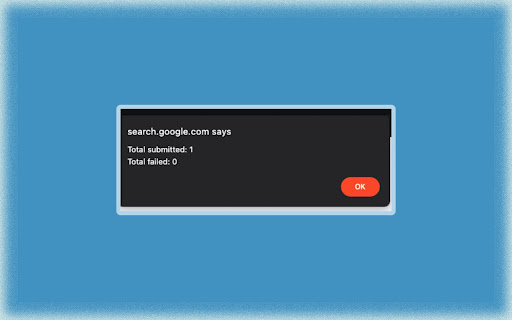
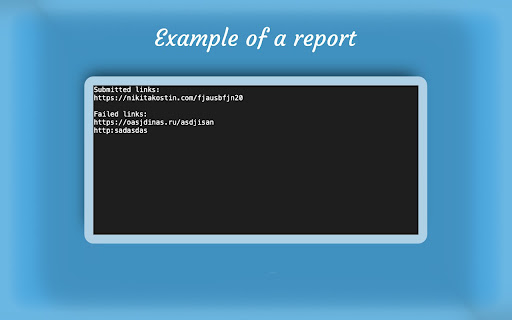
Dear Users, Our extension has faced an attack of negative reviews from our paid competitor. They come in batches of 3-4, not saying much about the problem, with a range of time of 1-3 weeks. Our extension will always be free, so you do not need to worry. If we helped you, please, leave a nice review! Introducing the Google Console Bulk URL Remover Extension, an efficient tool that makes managing your Google search results a breeze. This Chrome extension is carefully crafted for webmasters, SEO professionals and anyone seeking to maintain a organized presence. It simplifies the task of tidying up updating and streamlining your URLs in Google Search Console. FAQ (Please, read if you have a problem with the extensin): !!! Please, make sure to refresh the page before executing the extension !!! 1. Where should the extension be opened and run? - On the removals page of Google Search Console (https://search.google.com/search-console/removals); 2. How should I separate the links? - The links should be separated by a new line (Enter), in a new version we will introduce other types of separation; 3. What language my browser should be set to? - On the current version of the extension, your browser and the page are required to be set to "English" as the logic of the extension depends on it. 4. Why does Google show "Invalid sitemap address"? - The error usually pops up when you try to remove an URL from a website different from the one chosen in the top of the page (property). Version 1.86, Release log: - Added a caution about switching properties (Google Search Console bug), and the need for refreshing the page after for the script to work properly. Version 1.86, Release log: - A new feature of the Bulk Inspection and re-submitting for re-indexing if the URL is live. (Just press Start Inspection, or Start Removals for the old Removals). Version 1.8, Release log: - Added saving of links when closing the extension (if file uploaded/"Start" pressed). - Changing the Stylings. Version 1.7, Release log: - Increased performance. - Changed the Algorithm. - Decreased the size. - Added a How-To-Guide. Version 1.6, Release log: - Solved the bug when there are too many links to submit. - Solved the bug when the console is in the other versions of English (UK, Canada, India, etc). Version 1.5, Release log: - Added an alert every time a link is submitted/failed. - Added a prevention of running the script on a wrong page. - Added a prevention of running the script in a wrong language. - Added additional checks for the links format. We're continuously dedicated to enhancing our product. If you have any suggestions, ideas, or feedback on how we can make it even better, please don't hesitate to reach out to us. Your input is invaluable in helping us improve our offering and provide you with the best possible experience. Contact us anytime; we're here to listen and evolve with your needs.

WebMasterTools: Bulk Outdated Content Removal
This extension performs Google Webmaster Tools' "remove outdated content" against a list of URLs., so you don't need to enter… This extension performs Google Webmaster Tools' "remove outdated content" against a list of URLs., so you don't need to enter individual URLs manually one by one. ATTENTION: if nothing happens, please refresh the page and do it again. Also, your language settings must be in English. 1. Create a list of outdated urls to be removed and store them in a file. All urls are separated by . 2. Visit https://search.google.com/search-console/remove-outdated-content 3. Click on the red trash can icon and submit your CSV file. If you run into any issues, please file an issue on github: https://github.com/noitcudni/google-webmaster-tools-bulk-outdated-content-removal/issues

Ahrefs SEO Toolbar
Save hours with a complete toolkit in one SEO extension. Insights for on-page, keyword research, and link analysis on any webpage. Ahrefs toolbar is free and gives you detailed SEO insights without leaving your browser. 🌍 Global SEO research (No VPN needed) Switch regions, Google domains, languages, and get new keyword ideas directly in search results. 📃 On-page SEO data in 1 click Check titles, meta descriptions, headers, and technical SEO factors like canonical tags and indexation directives in one click. 🔗 Link analysis made easy Highlight links on the page, trace redirects, filter outgoing links, spot broken links, and export all the data to CSV. 🛠 Detailed SEO research tools Save URLs from open tabs or a SERP, switch user agents to see pages like Googlebot, read HTTP headers, and get performance data for page speed insights. ✨ Paid Ahrefs users unlock Ahrefs metrics: See domain and page-level metrics like keyword counts, traffic estimates, referring domains, and more - directly on every site or result. 📌 Note: Ahrefs subscription is required for access to Ahrefs metrics. The core tools of this SEO extension remain completely free.

Google Search Console – Bulk URL Indexing Tool
Automates URL input in GSC, handles dialogs, and tracks processing stats. Stops on quota. Manually indexing pages one by one in Google Search Console is slow and tedious. With our 100% FREE Chrome extension, you can bulk index multiple URLs quickly and efficiently! 🔧 How to Use: 1. Collect Non-Indexed URLs Identify the pages that are not indexed and copy their URLs. 2. Open Google Search Console Go to the URL Inspection Tool and search for any one of the non-indexed pages manually. 3. Launch the Extension - Open the extension - Paste all non-indexed links - Click ➕ "Add Queue" after each entry - Once all links are added, click ▶️ "Start Queue" 4. 📊 Monitor the Indexing Process Watch the logs in real-time as the extension submits each link. You'll see which URLs were successfully submitted ✅ and which failed ❌.

Bulk Url Removal
Works with Bing Webmaster Tools This extension can remove a list of URLs from Bing via Bing Webmaster Tools with one click. You don't need to copy and paste individual URL manually and click on the remove button one at a time. Instead, create a CSV file with all your to-be-removed URLs in it, "upload it", and click on remove. To learn more about the expected CSV format, please refer to the CSV Format section on https://github.com/noitcudni/bing-webmaster-bulk-url-removal/#csv-format. Click on the the blue trash can icon to upload your CSV file to kick off a bulk removal job.
