
fhnbggkhnhlpmcgllpclfmedgdancmpc
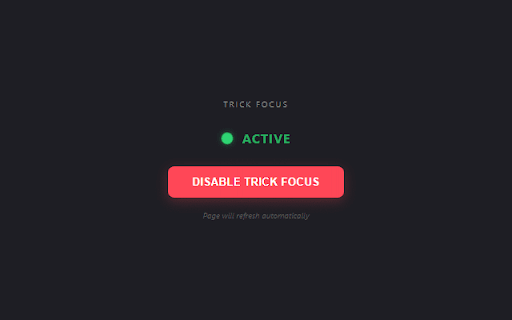
Tricks the browser into thinking the tab is always visible, even when you switch windows. Stop websites from pausing when you look away! 🚀 Tired of websites dictating how you browse? You switch tabs to check an email, and suddenly your video pauses, your game freezes, or your download throttles. Trick Focus gives you back control. It prevents websites from detecting that they are in the background. By simulating browser focus, it tricks pages into believing you are actively looking at them, even when minimized or on a different tab. 🚫 Multitask Through Ads: Hate it when a video ad pauses just because you switched tabs? Trick Focus keeps the site "active" so the ad timer finishes in the background while you do something productive. 🎮 Dominate Idle Games: Perfect for idle games that stop progression when inactive. Keep farming resources and leveling up without keeping the tab open on your screen. 📺 Uninterrupted Streaming: Prevent YouTube, Twitch, and other players from automatically lowering video quality or buffering to "save resources" when backgrounded. 📉 Real-Time Data: Keep crypto charts, stock boards, and analytics dashboards updating live. No more socket disconnections or frozen graphs. 💼 Stay Logged In: Bypass aggressive "Away" timers on corporate web apps that log you out for inactivity. 🔒 Privacy First: This extension works 100% locally on your machine. It acts as middleware between your browser and the Page Visibility API. We do not track your history, data, or passwords. 1. Navigate to the site you want to keep awake. 2. Open the Trick Focus extension and enable it. 3. Switch tabs freely. The site will never know you left!

Starify Links
Add star badges to links to GitHub, GitLab, Chrome Web Store, Reddit, and more Scans all links on a page and adds a stars badges to links pointing to GitHub user/project, Subreddits, Chrome/Firefox Extensions, Youtube Channels/Videos, Bluesky actors, Twitch players, HackerNews users, etc... Runs immediately on Google search results, StackOverflow sites, Github.com, npmjs.com etc. Use Alt+Shift+S or click the extension icon to activate on other pages. All badges and the shortcut are configurable.

KeepBackPlay - Background Playback Fix
Automatically keep media play in the background. Many browser automatically pauses media playback when you switch to another tab or application. This extension will keep the media playing in the background.

Always Play - Keep Video Playing
Prevents videos from pausing when you switch tabs or minimize the window. Keeps HTML5 videos and audio playing when you switch tabs or minimize the window. Uses a simple toggle and works across most websites without collecting any personal data.

Disable Page Visibility
Stops websites from detecting when you switch tabs or minimize the window. Prevent websites from detecting tab switches and window minimization. Whats new in Disable Page Visibility: • [v1.2.0] Action Icon - The action icon now changes based on the status of the extension. The Disable Page Visibility extension blocks websites from using the Page Visibility API to detect when you switch tabs or minimize your browser window. It also disables the blur event that triggers when the browser loses focus. This extension helps protect your privacy and can improve your browsing experience by stopping sites from detecting when you're not actively looking at them. Key Features: • Disables the visibilitychange event, preventing websites from detecting when you switch tabs. • Blocks the webkitvisibilitychange event on websites that use the WebKit version. • Prevents the blur event from firing, stopping websites from detecting when you minimize or switch out of the browser window. Why Use This Extension? • Privacy: Prevents websites from knowing when you're not actively viewing their page. • Reduced Tracking: Stops websites from tracking your activity based on tab visibility. • Improved User Experience: Stops websites from performing unwanted actions when you switch tabs or minimize the window. How It Works: This extension injects a script into every webpage that blocks the visibilitychange, webkitvisibilitychange, and blur events. By doing so, it stops websites from tracking when you leave or minimize a tab. It’s an easy way to keep your browsing habits private and free from unnecessary interruptions.
