
fhhjopnpcffigapogomdconahnbpflbi


Website monitoring and element tracking with periodic refreshing, customizable configuration, emails and notifications NEW UPDATE: Gemini based queries on the web content is now supported! WebsiteTracker allows you to keep track of changes on websites by running in your browser and monitoring pages that you choose. Receive email and chrome notifications at no fee. Keep a watch on the websites of your interest using WebsiteTracker! Some of the key features of WebsiteTracker include: * Website monitoring: An easy-to-read list view of the websites you're tracking for automatic monitoring * Element tracking: The ability to select multiple elements per webpage to monitor. Highlighted changes for quick identification * Periodic refreshing: Periodically refreshing the tracked websites and data fetching for the elements * Customizable configuration: Create, update or delete your trackers any time for the user-defined settings * Real-time updates: Email notification using your own Gmail account for secure and safe usage * Hassle-free Google sign-in process * Free and unlimited tracking of websites To get started with WebsiteTracker, simply open a webpage you want to monitor, click the WebsiteTracker drop icon in your browser toolbar, and select "Monitor this page". You can then choose which parts of the page to track and save your selections. To view your list of tracked webpages, click the WebsiteTracker icon and go to the Watchlist. If you need any assistance, feel free to reach out to us using this form: https://docs.google.com/forms/d/e/1FAIpQLSelGSyXRF-siM8dxC6Aiwe4-K61lwm7vo1JuhxhccWXTNnvlg/viewform. Support independent developers! Your donation will help me keep this extension free and up-to-date: https://www.paypal.com/donate/?hosted_button_id=Z3NS3AQLV6FW6

Element Alert
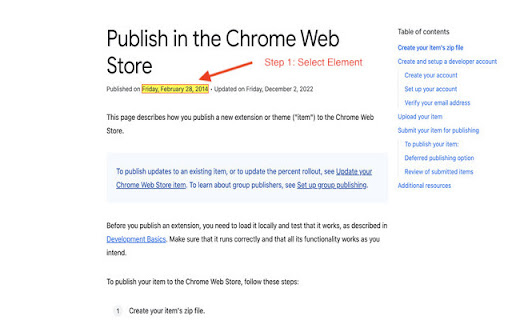
Monitor specific DOM elements on web pages and get instant notifications when they change. Perfect for tracking prices, stock availability, status updates, and any dynamic content on websites. • Multiple Monitoring Rules - Set up unlimited monitoring rules for different pages and elements • Visual Element Selection - Simply click on any element to start monitoring it • 10 Notification Sounds - Choose from 10 different alert sounds to match your preference • URL Pattern Matching - Use wildcards to monitor elements across multiple pages • Real-time Detection - Instant notifications using MutationObserver technology • Smart Notifications - Desktop alerts with page title and element content • Notification History - Keep track of all detected changes • Customizable Settings - Control check intervals, sound volume, and more • Price Monitoring - Track product prices on e-commerce sites like Amazon, eBay • Stock Availability - Get notified when out-of-stock items become available • Order Tracking - Monitor shipping status and delivery updates • Social Media - Watch follower counts, likes, or engagement metrics • News Updates - Stay informed when articles or headlines change • Content Changes - Monitor any text, number, or status on any website 1. Click the extension icon in your toolbar 2. Click "要素を選択" (Select Element) button 3. Hover over and click the element you want to monitor 4. Give your rule a name (e.g., "Price Monitor") 5. Save the rule 6. Receive notifications whenever the element changes! • Uses MutationObserver API for instant change detection • Periodic checking as fallback for maximum reliability • Manifest V3 compliant • Minimal performance impact • Works on all websites • No data collection or tracking 💡 PERFECT FOR Element Alert is open source! View the code, contribute, or report issues on GitHub: https://github.com/tomohiro-owada/element-alert ⭐ Support the project by leaving a review!

Site Spy
Track and monitor website changes with this web extension Know the moment any webpage changes. Site Spy monitors the sites you care about and shows you exactly what was added or removed with visual diffs. Use the extension or the web dashboard — your choice. Manage watches from the browser toolbar, or from the full dashboard at sitespy.app on any device. 🔍 Visual Diff Viewer — Side-by-side comparisons highlight every addition and removal. No more guessing what changed. 🖥️ Web Dashboard — Full dashboard at sitespy.app for managing watches, viewing diffs, and configuring notifications — works on any browser including mobile. 📸 Snapshot Timeline — Browse the complete change history of any tracked page. Compare any two versions. 🎯 Full-Page & Element Tracking — Monitor an entire page or target a specific CSS selector for precision tracking. 🏷️ Smart Tags — Organize tracked sites with color-coded tags. Filter and find what matters fast. 🌗 Dark & Light Themes — Clean interface that adapts to your preference. Two Ways to Track: • Track Current Page — One click adds whatever page you're viewing • Track Any URL — Enter any public website URL to start monitoring Great For: • Price and stock monitoring • Competitor website tracking • Documentation and changelog updates • News, blogs, and job postings • Any public webpage you want to keep an eye on Click the Site Spy icon in your toolbar Track the page you're on or enter any URL Get notified when something changes View exactly what changed with visual diffs

Quokka: monitor webpage data in one place
If you have a long list of websites that you need to monitor frequently, and all you need to watch on is a single number on each page, then Quokka is the tool you're looking for. Quokka helps to automate the repetitive work. You can easily organize all your number of interests in one place. Quokka captures all your data at the client-side, therefore it is totally safe to use Quokka to capture data even from password-protected webpages. Quokka will NOT and does NOT need to access or store your password or any type of access token in any mean. Until you login with a google id, all of your captured data will be stored in the client-side (the local storage) as well. Quokka server will NOT store any of your personal data, and will NOT track user behaviors on the user basis. As long as your machine is capable, numbers of data you can store is unlimited. For advanced usage, such as to monitor data in multiple devices, data backup, data visualization, and more advanced notifications (and more to come!), you will be asked to login with an account.

AlarmBot: ULTIMATE Web Monitoring & Smart Price Alerts
Track price, stock, and content changes on any website and get notified instantly when something changes. AlarmBot is a sophisticated web monitoring engine designed to detect and notify you of meaningful changes across any website. Whether you are tracking price fluctuations, stock availability, or visual updates, AlarmBot automates the process so you can stop manually refreshing pages. ## ⚡ Seamless Price Detection for Smart Shoppers Our **Instant Price Scanner** is built to recognize price structures across a wide variety of platforms without any manual configuration. You can easily catch sudden price drops on electronics at retailers such as Best Buy, stay updated on trending items through shopping platforms like Shop.app, or monitor unique handmade listings on marketplaces such as Etsy. It is equally effective for tracking daily rollbacks and deals at stores like Walmart. ## 🎯 Precision Tracking with Intelligent Visual Selection When you need to monitor more than just a number, our **Intelligent Visual Selector** allows you to track any element on a page. You can set up alerts for specific "back in stock" messages at stores like Target, monitor product availability at home improvement retailers such as Home Depot, or spot new flash sale banners and limited-time promotional codes on brand websites like Samsung. When websites redesign, your tracking doesn't break. **Smart Recovery** uses AI to automatically find new price locations—no action needed. For manual selections, **Reselect** lets you update your target in one click while preserving your complete tracking history. ## 📊 Business Intelligence and Professional Arbitrage Designed for advanced users, AlarmBot provides deep insights for competitive analysis and marketplace monitoring. You can compare price movements across auction platforms such as eBay, track essential inventory levels and pharmaceutical pricing at chains like CVS, or monitor regional pricing and availability changes at retailers such as Lowe's. All from a single dashboard to help you make data-driven decisions. To ensure compatibility with every corner of the web, AlarmBot utilizes two distinct monitoring modes: - **Background Mode**: Optimized for standard, static websites. - **Pinned Tab Mode**: Specifically engineered for complex, JavaScript-heavy, and highly dynamic pages that require real-time rendering. Never miss an update with our integrated alert system. You can receive real-time **browser push notifications** or **detailed email alerts** the moment a change is detected, whether it’s a restock, a coupon launch, or a price movement. 1. **Navigate**: Open any webpage you want to monitor. 2. **Scan & Select**: Use the one-click scanner or manually pick any text or badge. 3. **Confirm**: Set your preferred check interval and let AlarmBot handle the rest.
