
fhbkphgopfnhbbldhjgcncllngmkcndi


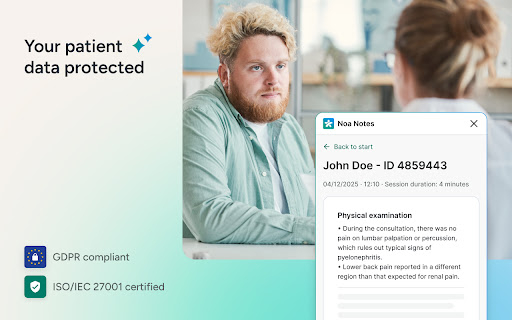
AI-powered medical note-taking assistant for healthcare professionals Save hours on visits documentation. Stay present with your patients. Noa Notes is your AI clinical assistant that works in the background during patient consultations. It listens to conversations, understands the clinical context, and automatically generates structured notes, without interrupting your workflow or diverting your attention from the patient. Trusted by more than 12.000 clinicians who've generated nearly 1 million visit notes across Europe and Latin America. The extension brings Noa Notes directly into your EHR/EMD interface as a floating window, so you never have to switch tabs or leave your patient record. Just open it when you're ready to document, and let it capture the visit while you focus entirely on care. What you gain: - Reclaim hours every week: Eliminate after-hours documentation work - Full patient presence: No more splitting attention between conversation and note-taking - Consistent, comprehensive records: Never miss important clinical details - Seamless workflow: Work entirely within your EHR, no tab-switching - Peace of mind: Healthcare-grade security with ISO 27001 certification and GDPR compliance Key features: - Voice-only background listening that never interrupts your workflow - AI-generated structured summaries based on speciality-specific templates - Floating window positioned anywhere in your browser-based EHR interface - Multi-language support with medical terminology understanding - Customise summaries before copying to records - Unlimited notes with no usage caps - We continually improve this extension and add enhancements based on clinicians' feedback. We continually improve this extension and add enhancements based on clinicians' feedback. Requirements: You'll need an active Noa Notes account to use this extension. Visit https://noa.ai/pl/ to create your account and set up your patient visit and specialisation templates.

Voa Health
Extensão que grava consultas, transcreve conversas e cria anotações médicas, otimizando seu tempo com os pacientes! 🩺 Nossa extensão para Chrome revoluciona a experiência do nosso SaaS de transcrição e anotação médica. Ela permite que médicos gravem consultas diretamente pelo navegador, independentemente do sistema de prontuário eletrônico utilizado. 🏥 Isso oferece maior flexibilidade e eficiência no fluxo de trabalho clínico. Principais benefícios: • 🎙️ Gravação de áudio integrada ao navegador • 🔄 Compatibilidade com diversos sistemas de prontuário • ⚡ Acesso rápido às funcionalidades do SaaS 🔒 A extensão se conecta de forma segura ao nosso serviço na nuvem para processar o áudio gravado. ✍️ Ela transcreve automaticamente a conversa médico-paciente e gera uma anotação clínica personalizada, seguindo o estilo preferido do médico. ⏱️ Isso economiza tempo valioso na documentação das consultas. Com a extensão instalada, você poderá: • ▶️ Iniciar e parar gravações com um clique • 📊 Visualizar o status da transcrição em tempo real • 📝 Acessar as anotações geradas diretamente no prontuário 🚀 Instale agora para otimizar seu fluxo de trabalho e dedicar mais tempo ao que realmente importa: o cuidado com seus pacientes. 💖

Cloudmark - Collaborative Bookmark Manager
Cloudmark is a collaborative bookmark manager that allows you to save and organize your bookmarks in the cloud. Introducing Cloudmark Chrome Extension: Your Collaborative Bookmark Manager in the Cloud Cloudmark is the ultimate collaborative bookmark manager designed to revolutionize the way you save, organize, and access your favorite online resources. With the Cloudmark Chrome Extension, keeping track of your bookmarks has never been more effortless and efficient. Gone are the days of worrying about losing your bookmarks due to browser crashes or device changes. Cloudmark empowers you to store your bookmarks securely in the cloud, ensuring that they are accessible from any device with an internet connection. Also, it allow you to create folder to share links with your team. 1. Cloud-Based Bookmark Storage: Cloudmark takes your bookmark management to the next level by providing a secure cloud-based storage solution. Say goodbye to the limitations of local bookmark folders, as now all your bookmarks are backed up and readily available whenever you need them. 2. Collaborate and Share: Sharing bookmarks / links with friends, family, or colleagues has never been easier. With Cloudmark's collaborative features, you can effortlessly share collections of bookmarks, fostering seamless collaboration and knowledge-sharing. 3. Intuitive Organization: Cloudmark lets you create custom folders enabling you to efficiently organize your bookmarks. 4. Sync Across Devices: Seamlessly sync your bookmarks across multiple devices, ensuring you have access to your favorite webpages, articles, and resources, no matter where you are. 5. User-Friendly Interface: Cloudmark's intuitive interface makes bookmark management a joy. Our user-centric design ensures that both beginners and seasoned users can maximize the full potential of the extension effortlessly. Get started with Cloudmark Chrome Extension today and embrace a smarter, more collaborative approach to bookmark management. Streamline your web browsing experience and never lose another valuable resource again. Discover the freedom of cloud-based bookmarking, and stay connected to your favorite links, wherever you go.

BBR Helper
This provides some advanced stats (game score, simple player rating and game box plus-minus) on multiple pages for NBA, WNBA, G-League, international leagues and college basketball. Including: - average stats by season on the player page - average stats by playoff series on the player page - average stats by player on the team_season page - average stats by player on the team_player page - average stats by player on the season_player page - single game/half/quarter stats by player on the game_boxscore page - single game and average stats on the gamelog and split pages - top 5 and top 20 average stats players on the season page - top 20 average stats players on the team_season page - top 20 average stats seasons rankings on the player page - top 50 career stats rankings on the player page - multiple stats rankings on the leader page - player awards column on team season page gBPM = (-0.55 * fga + 1.04 * fg3 + 1.39 * fg - 0.25 * fta + 0.79 *ft + 0.17 * orb + 0.27 * drb + 0.24 * (trb - orb - drb) + 1.34 * stl + 0.43 * ast + 0.64 * blk - 0.34 * pf - 0.95 * tov) / g """ , where orb is treated as 0.3 * trb and drb is treated as 0.7 * trb approximately when stats are not complete in early years.

New Window to the Right
Opens a new window directly to the right of the current window and wraps when the window reaches the edge of the monitor. # New Window to the Right A Chrome extension to avoid having new window open off screen or partially off screen. This Chrome extension opens new windows directly to the right of the current window (instead of Chrome's default cascading behavior). Like many people, my Chrome window is always set to take the maximum vertical space on my monitor (but not the maximum horizontal space). Unfortunately, whenever you open a new Chrome window, Chrome cascades new windows down and to the right by default. This means that every new window starts off with part of its window off screen. 1. **Disables cascading:** Opens new windows directly to the right of the current window. 2. **Right edge protection:** Protects against opening a new window having any part of its window off screen to the right. If a new window has any portion of its window off screen, the new window will open on the left side of the screen, instead. 3. **Multi-monitor support:** New windows always fully appear on the same monitor from the window they were spawned from. (Note: The source monitor is determined by the location of the top left corner of the last focused window.) This keeps windows from opening with their window split across multiple monitors or having a window appear on a different monitor than the one you were originally working on (less mental context switching). * Note: The source monitor is determined by the location of the top left corner of the last focused window. I hope you find this as useful as I have!
