
fgihbddokdanababhboifajoeipopdih
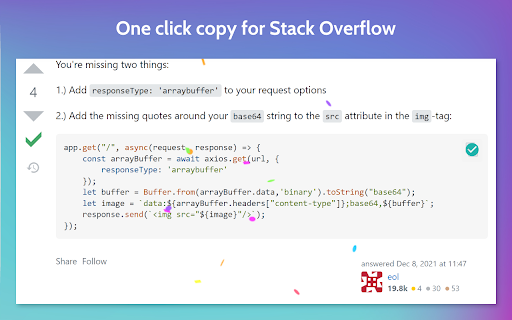

Copy button for Stack Overflow Now you can easily copy and paste code blocks from Stack Overflow to your clipboard or editor with a single click. Find past code snippets in your Dashboard for easy access. No need to re-visit that same Stack Overflow page on how to center a div.

Learning Suite Confetti
Celebrate Every Submission with LS Confetti! 🎉 Transform the mundane task of assignment submission into a moment of accomplishment and joy by throwing virtual confetti on the screen! Reward your hard work with a customizable spectacle of effects. Choose your favorite – from serene snowflakes to exuberant steel wool sparks – and make every submission a reason to celebrate! Dive into the code on GitHub and help spread the cheer! - https://github.com/nthnlwilson/LS-confetti-extension

Confetti Celebration
Celebrate every win in style. You deserve this. Transform every achievement into a moment of joy! With Confetti Celebration, shower your screen with vibrant confetti at the click of a button. Tap once, twice, or ten times - fill your entire screen with celebration! 🎊 WHY YOU'LL LOVE IT: - Instant celebration with one click - Optional "Ta-da!" sound effect (easily toggle on/off) - Click as many times as you want - more clicks, more confetti! - Works anywhere, anytime - Completely private - zero data collection, no tracking - Light, fast, and secure - No ads, no popups, no permissions needed* Whether you've finished a task, reached a goal, or just need a burst of happiness - you deserve this celebration! Because life's wins, big and small, are worth celebrating with as much confetti as you want. HOW TO USE: 1. Click the extension icon 2. Toggle sound on/off as you prefer 3. Hit "Launch Confetti" (as many times as you like!) 4. Watch the magic unfold! Privacy First: This extension operates entirely on your device. We don't collect data, track usage, or require any personal information. Celebrate freely and privately! Add some sparkle to your digital victories today!

GitHub TOC Sidebar
Put the GitHub README TOC in the sidebar GitHub TOC Sidebar enhances the accessibility on the readme of GitHub projects. It utilizes the builtin TOC (Table of Contents) component in GitHub, when scrolling down, the TOC will be opened and stick on the right side of the page, making it easier to view the outline of the content, and quicker to navigate around different sections. It's quite helpful when viewing projects that has long readme with multi-level table of contents. Please note that this extension only works when all the circumstances are met: 1. You are viewing the home page of a project on GitHub, meaning that the URL must match the format https://github.com//, not subsidiary pages like https://github.com///blob/master/readme.md 2. The project has a readme file written in a markup language such as Markdown or RST 3. The readme file has headings that split content into multiple sections with titles 4. You scroll down the page further than the bottom of the right sidebar To test if this extension works, you can open this page as an example: https://github.com/reorx/awesome-chatgpt-api

confetti-a-page
shoots confetti all over the screen Shoots confetti all over the screen on any page. You can customize how much confetti it shoots
