
fgcpkofcgicoihkkpfmbjgllkgkbpkpe
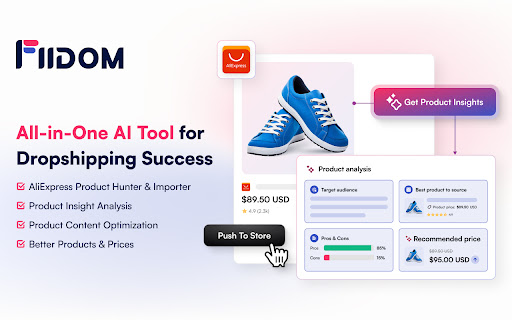


Save time and scale your profits with Fiidom AI for content marketing and dropshipping. Available on Shopify. Fiidom simplifies eCommerce with AI-driven tools that help merchants optimize, automate, and scale their businesses effortlessly. Whether you're running a dropshipping store or a traditional online shop, Fiidom equips you with exclusive features to boost efficiency and profits. Use the Fiidom Chrome Extension independently or in combination with Fiidom's Shopify apps for advanced capabilities. 🏆 Fiidom AI Dropship ✔ Discover Winning Products – Access real-time, trending, and best-selling AliExpress products tailored to your niche. ✔ Get Smart Insights – No more guesswork. Fiidom AI provides in-depth product analysis and winning strategies to stay ahead of competitors. ✔ Import in One Click – Seamlessly copy product details and images from AliExpress to your store. ✔ Optimized Pricing – AI-driven pricing recommendations help maximize profit and ensure market competitiveness. ✨ Fiidom AI Content ✔ SEO-Optimized Product Descriptions – Generate engaging, structured, and keyword-rich product content that attracts buyers and boosts search rankings. ✔ AI-generated content adjustments, AI Blogs, AI Ads, AI Email Marketing, and AI Social Media Posts. ⚡ Fiidom Chrome Extension: 1. Install the Fiidom Chrome extension. 2. Sign up with your Google account. 3. Browse AliExpress products and click the Fiidom bar or icon on the right to see product insights. 4. Visit any Shopify store, select a product, and click the Fiidom bar or icon on the right to reveal store and product insights. 🛒 Fiidom Shopify App: 1. Install the Fiidom apps from the official Shopify App Store: https://apps.shopify.com/partners/fiidom 2. Access powerful AI tools directly in your Shopify store. 🚀 Grow Your Business With AI-Powered Tools at No Cost! Enjoy Fiidom’s powerful features with free monthly credits. — For questions or feedback, reach us at support@fiidom.com

ShionImporter
Effortlessly Import products with reviews and sync inventory for Seamless Dropshipping Attention all Shopify Dropshippers! Do you want to take your business to the next level and increase your revenue? Stop wasting time manually copying and pasting product details for hundreds of products on Shopify. Instead, try ShionImporter, the tool that allows you to leverage the massive product catalogs of Temu, Emmacloth, Fashionnova and other e-retailers in the world for your dropshipping needs. Say goodbye to manual labor and hello to business growth with ShionImporter.

Zopi - Dropshipping Sidekick for AliExpress & Shopify
Enhance dropshipping with AI insights. Find trending AliExpress products, analyze store public data with predictive analytics. Zopi Extension is your all-in-one tool for product research, store insights, and seamless product imports. Using AI-powered analysis and historical trends, Zopi helps you discover winning AliExpress & Temu products and gain valuable insights into publicly available Shopify store data—without accessing private user information. Key Features of Zopi Extension: ◾️ Import Products from AliExpress, Temu & eBay Easily add products from AliExpress, Temu & eBay to your Shopify store in just a few clicks, streamlining your sourcing and fulfillment process. ◾️ AliExpress Product Discovery Find trending AliExpress products with supplier ratings, sales estimates, and advanced filters to make data-driven sourcing decisions. ◾️ Store Insights Analyze top-performing stores using publicly available data. Identify product trends, marketing strategies, and pricing tactics to refine your approach—without extracting private store information. ◾️ Sales & Trend Analysis Leverage AI-based trend detection to monitor market shifts and optimize your product listings and pricing strategies. ◾️ Price History Monitoring Track AliExpress price fluctuations in one place and receive alerts for significant drops, helping you maximize profit margins effortlessly. How to Get Started with Zopi Extension: 1. Install the Zopi Chrome extension for easy access. 2. Click the Zopi Extension icon in your browser to open the sidebar. 3. Import products from AliExpress, Temu & eBay to your Shopify store with ease. 4. Explore AliExpress products and analyze Shopify store trends using public insights. 5. Use AI-powered tools to streamline your dropshipping business and improve decision-making. Support & Feedback Need assistance or have suggestions? We’d love to hear from you! Contact us at support@zopi.io and let us help you succeed.

AutoDS - Dropshipping Helper
Sell dropshipping products with the helping hand of professional automation. Import products and accept sales using any of 20+ supported US, EU & CN suppliers. AutoDS is the only companion you will need to rise to the top of the dropshipping world. Take regular breaks as we automate all your key processes like orders, returns and imports. Try it for free! Dropshipping can be a time-consuming slog when you are not partnered with the right tool. Use AutoDS to automate your entire dropshipping business. This AutoDS extension provides you with all of our automation benefits directly from your toolbar. Just click to explore your store’s performance in one easy dashboard. How AutoDS saves you time daily Search and Import Products: 1. Select the stores you want to import products to. You can choose more than one at the same time. 2. Choose the suppliers you want to search and import from. 3. Select the shipping region (“Ships From”) you want products to come from. 4. Enter the product keyword in the search bar (e.g., headphones). 5. Click "Search Now". The extension will open all the supplier websites in new tabs automatically. To import a single product, simply click the “+” button on the product image while browsing the supplier’s site. To import multiple products at once: 1. Click the AutoDS Helper icon (DS logo) on the page. 2. A table will appear with all the detected products. 3. Use the checkboxes to select multiple items, then click + Import. By default, products are added as Drafts. If you want to publish directly to your store: 1. Click the gear icon (:gear:) in the extension. 2. Change the setting from “Draft to Store” to “Publish to Store.” 3. Update the setting to apply it. Speed up your manual order fulfillment with the new Order Address Copier! This feature allows you to quickly copy buyer shipping addresses from the AutoDS Orders page and effortlessly paste them into supplier checkout pages like eBay, Amazon, AliExpress, and Walmart: 1. Copy buyer addresses in one click: Choose to copy the full address or address without the phone number. 2. Quick paste to supplier sites: Automatically fills checkout forms on supported suppliers. 3. Supported platforms: eBay, Amazon, AliExpress, Walmart. 4. Save time, reduce manual errors, and streamline your manual order process. Perfect for dropshippers using manual ordering workflows who want to speed up their daily operations! Start automating your dropshipping today! Add our AutoDS Chrome extension for free.

CJDropshipping
How to use CJ Chrome Extension: https://cjdropshipping.com/2018/11/06/how-to-use-cj-google-chrome-extension-for-1688-taobao-drop-shipping/ A. CJDropshipping APP Features -Import products to your stores with just a few clicks -Products sourcing service, and thousands of POD products -Sourcing from 1688 and Taobao directly 1. Easily list and source any products into your stores, normally price lower than Aliexpress or eBay, we also have thousands of POD products; 2. Process your orders and have them shipped in just a few clicks everything automatically sync with your stores, CSV orders available too; 3. As fast as same day processing, shipping from US warehouse directly to your US customers; 4. Brand packing and insert available, quality control before dispatching, almost one by one checking; 5. Track your orders anytime and make the delivery analysis; 6. The team working with your team and almost 7*24 online support; B. How CJDropshipping APP works -Easily Import Dropship Products Import dropship products from our marketplace. After you find the product you want to import, just click the LIST button and change the price you want to sell, it is ready to be published in your store. -Connect Existing Products Connect products you’re already selling on your store to CJ APP. The system only generates orders that products have been connected from your store with CJ’s. You need not change listing on your store, our system will import orders automatically from your store. -Hide Your Business Secret We will hide your business secret, once you have top seller products that belong to you only. We will not tell our other customers the products, nor about the sales. -Post a Sourcing Request If the products do not exist in our APP, you can post a sourcing request to us, and you will be able to list it or connect it once the sourcing success. -Fulfill Orders Automatically To ship a product to your customer, just click “Add to Cart” and confirm the orders. Everything else is automatically done by CJDropshipping. -Bulk DropShipping Orders by EXCEL or COPY and PASTE If you still like to use excel or CSV orders model, then you can use the Import Excel Orders button, there will be two options for upload EXCEL or COPY and PASTE for this style. The system will calculate the amount itself, you will be able to download tracking numbers anytime you like. -Pre-order Inventory with CJDropshipping and US warehouse shipping To keep a full inventory could improve your orders processing speed. For stocked products, we can process them as fast as the same day. You can order inventory for the hot products with discount price. Also, we have our own US warehouse for order processing. -Shipping Cost Calculation and Shipment Tracking A tool to calculate shipping price for any available shipping methods. Know where your orders are at all times, it can make the delivery analysis.
