
ffohhoojcdeepdapcpailonehiecffhj

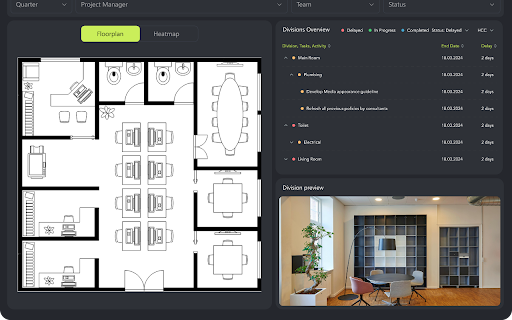
Power BI PDF Export Chrome extension Overview Browser extension to help Power BI users export any dashboard in PDF without going to the Power BI portal. This also allows the users to export any page, even if it has Non-Certified Power BI Custom Visuals. Our browser extension is designed to simplify the process of exporting reports from Power BI to PDF format. With our extension, you can easily save your reports as PDF files directly from the Power BI interface without the need for additional tools or complex procedures. Report export: Simply select the report you want to export and click the extension's icon. Ease of use: Our extension integrates directly into the Power BI interface, providing simplicity and convenience. With our extension, PDF export becomes fast and convenient, allowing you to easily save important data and share it with colleagues and stakeholders.

What to watch on Apple TV TMDb ratings
Not sure what to watch? Here’s our advice: don’t waste your precious time on bad productions. Now you can see if the movie is worth watching directly on Apple TV+. Check what others like and increase your chances of finding real gems among the high-scored titles. Film Scores for AppleTV displays TMDb ratings ⭐ Picking something to watch has never been easier! All you need to do is add Film Scores for AppleTV extension to your browser. It's as simple as that! Known issues: - Missing scores - please note that some ratings may be missing, depending on their availability. - If you experience empty rating circles on AppleTV, please try reloading them first by navigating to the movie detail page and clicking the Refresh Scores button. Disclaimer : AppleTV+ is a trademark of Apple Inc. This website & extension hold no association or affiliation with AppleTV+ or any third-party companies.

TestFiltering+
TestFiltering+ automatically monitors your internet connection to ensure your filter is correctly blocking illegal/harmful content We work with specific partners to host test URL's on various lists and have test pages hosted where they will be blocked. This service was setup in response to the introduction of statutory guidance for schools in the UK about appropriate levels of filtering and monitoring of school internet connections. The UK Safer Internet Centre first published its filtering and monitoring definitions in 2016 to help both schools and providers understand what should be considered as ‘appropriate’.

Power BI Slider
Display Power BI dashboards as slideshows on TVs and other screens. Control page rotations, refresh intervals, and more. With Power BI Slider, you can automate the presentation of your Power BI reports on TVs and other screens. All you need is a valid Microsoft Power BI account. The platform offers automation features such as rotating report pages, viewing time for each page, and intervals for checking data updates. The extension will be automatically enabled when you access your report through the Power BI Service (https://app.powerbi.com). By pressing the presentation button in the extension's popup, Power BI Slider will request your permission to access your report. Simply grant access and you will be automatically redirected to the presentation settings screen. If you need to create a presentation using more than one report, the platform even offers an exclusive feature called “Compositions,” which allows you to build your presentation using multiple reports.

Michael's Upgrade for TrakED
Upgraded features for TrakED in the THS. (This extension is not an official product of the THS or Intersystems TrakCare software.) Upgraded features for Trak ED in the LGH. Features: - Re-enable spell check in the triage page - Use the enter key when logging in - Handover sheet for ED Main Floor and EMU - ED Main Floor filters and persistent sort - Triage Summary print out - Filter and count results of an enquiry - Count patients currently breaching length of stay targets -- This extension is not an official product of the LGH or InterSystems Trak software.
