
felcpnemckonbbmnoakbjgjkgokkbaeo
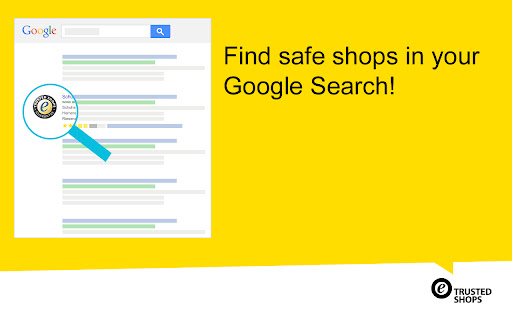
Find secure shops in your Google search: install the official Trusted Shops extension The Trusted Shops browser extension • is free of charge and installed with one click • shows shops with the trustmark and money-back guarantee in the search results • warns you before entering a fake shop The official Trusted Shops Google Chrome extension shows you which online shops have the Trusted Shops trustmark directly in the search results. These shops offer you the comprehensive money-back guarantee no matter which payment option you've chosen. In addition, you are actively warned with a pop-up when you enter a shop that Trusted Shops has classified as fraudulent.

GMX MailCheck
The safe way to access your personal mail. With the MailCheck extension, you only need to log in once with your GMX credentials in order to gain quick and simplified access. From then on, you merely click on the envelope icon in your browser for instant access to all of your emails (e.g. GMX, WEB.DE, Outlook). No more searching for your email provider in a search engine then directing toward the sign-in page, and finally entering your login details—skip all of this with easy one-click login with MailCheck from GMX. E-Mail notification in the browser Access to all your email accounts in only one tool (e.g. GMX, WEB.DE and mail.com) * Write new emails with only one click * Directly delete unwanted unread emails from the email preview panel * Manage several email accounts in one tool * Customize the (optional) notification sound * Mark mails as read in the email preview panel * Use the GMX search through the contexmenu Encrypted SSL connection and password protection with highest security standards.

eID Chrome Extension
Chrome extension for the Belgium eID card The eID Chrome Extension gives access to the eID card within the Chrome web browser. The eID Chrome solution has been integrated within our eID Identity Provider and Digital Signature Service.

SFL
Type simple commands in your browser address bar to improve your web search Type commands in the address bar of your browser and expand your browsing experience: -- sfl find [keyword] with [provider] -- Replace [keyword] with any word or phrase that you want to search for and replace [provider] with a search provider of your choosing, such as Google, Ecosia, Amazon or DuckDuckGo. When the command is entered, SFL opens the webpage of your chosen provider with the direct search of your keyword or phrase. -- sfl open [provider] -- Replace [provider] with a search provider of you choosing. When the command is entered, SFL opens the main webpage of the chosen search provider. -- sfl set default to [provider] -- Replace [provider] with a search provider of you choosing. When the command is entered, SFL sets your default provider to the specified search provider meaning that all your address bar searches will be redirected to the preferred provider. -- sfl delete all cookies -- When the command is entered, SFL deletes all cookies from your browser. -- sfl open user manual -- When the command is entered, SFL opens the user manual for further help.

Mailvelope - Secure your email with PGP
Protect your email conversations and attachments on Gmail, Nextcloud, Outlook & more with PGP and end-to-end encryption. ➡️ Email encryption for individuals & businesses Mailvelope enables PGP for a wide range of webmail services, providing secure end-to-end encryption for emails and attachments. It can be used as a free solution for private users and as an enterprise-grade tool for organizations requiring enhanced security and compliance. ➡️ Mailvelope Business – Advanced encryption for organizations For businesses and large teams, Mailvelope Business provides an encryption solution with enhanced features and premium support. In order to sign up for Mailvelope Business, visit our website after downloading the extension. Mailvelope Business is currently available for Nextcloud and Google Workspace. Mailvelope Business for Outlook on the Web is coming soon. ➡️ Mailvelope for You – Secure emails on almost any provider Mailvelope's free version enables private users to encrypt their emails on nearly all webmail providers, including Gmail, Outlook, Nextcloud, Yahoo, and many more. Through our partnerships with WEB.DE, GMX, and Posteo, Mailvelope offers deep integration into their webmail services. With an intuitive interface and seamless browser integration, Mailvelope makes OpenPGP encryption accessible to everyone. ✅ End-to-end encryption – Encrypt emails directly in your browser before they leave your outbox. Only you and your recipient can read them. ✅ Works with major webmail providers – Compatible with Gmail, Yahoo, Outlook.com, and self-hosted webmail clients like Roundcube. ✅ Mailvelope Business – Secure email encryption for businesses, ensuring compliance with strict data privacy regulations. ✅ Mailvelope key server – A managed and protected key server, simplifying PGP key distribution and verification. ✅ User-friendly & seamless integration – Mailvelope integrates smoothly into your workflow, making encryption simple for everyone. ✅ Secure key management – Your private encryption keys are stored securely on your device, never exposed to third parties. ✅ GDPR & compliance ready – Protect confidential business emails and meet privacy and data protection requirements. ✅ Open source & transparent – Mailvelope's code is publicly available for security audits and community contributions.
