
fedchalbmgfhdobblebblldiblbmpgdj

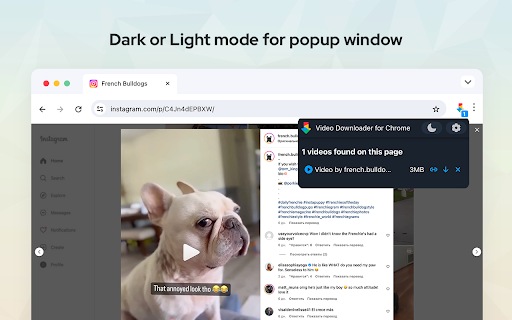
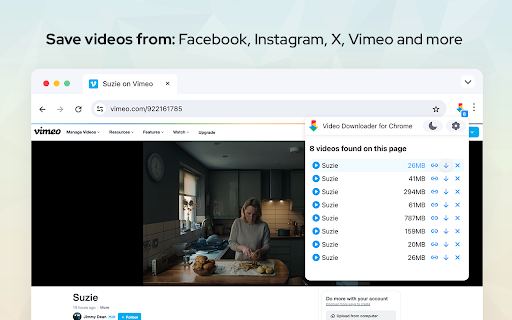
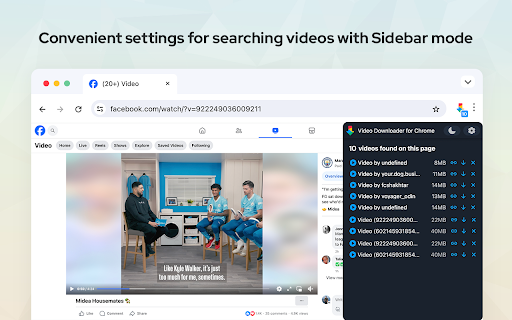
Video downloader is useful Chrome extension for downloading online videos. Save any video in just one click. Video Downloader for Chrome detects all videos on the website and shows them at the popup menu. Watch favorite moments with friends or show useful guides to business partners even if you aren't online. Save interested video files to review them later on your PC. Just click to the needed video file from the list and video will be saved to your pc shortly with the same quality as you see it online. Use extension for free without any registration. Among the other useful features download videos as a file to your PC and gives an opportunity to review it later offline. Save in different available formats and qualities according to your needs. With this Chrome extension tool, you can download online videos from your favorite websites. You can save the video in original high-definition quality, or get it in standard definition (m3u8, mp4 or hls). The Video Saver for Chrome supports all popular video formats. Run downloaded video later at any time even without an internet connection. Save files and share with friends funny moments. Keep downloaded files on your PC for future watching. Important information: Video Downloader is not a Youtube Downloader. Due to restrictions of the Google Web Store Policies and Developer Program Policies we can not download Youtube Videos. Thank you for understanding. We really hope that our extension will be useful to you! We look forward to your feedback and ratings! Also write your suggestions for improving the functionality.

RazorWave Video Downloader
Download Videos from Vimeo, Other Websites, and HTML5 Sources, Absolutely Free! RazorWave is a powerfull video downloader extension. ✅ Wide Range of Compatibility: RazorWave supports a multitude of platforms such as Vimeo as long as with standard HTML5 videos ✅ Versatile Video Formats ✅ Simple and Intuitive 🆓 Absolutely Free Please note: ❌ No YouTube Support: Please note that RazorWave does not work with YouTube videos

Video Downloader Web
Download videos from popular websites in different resolutions and watch it later with video downloader. One click to save video. Video Downloader Web is a Chrome extension for downloading video from websites you want (with possible restrictions by the website’s privacy and copyright policies.) Download videos from websites and watch them offline! The extension works on sites - Twitter, Facebook. These platforms offer an endless stream of engaging videos, from news clips to viral memes and music videos. However, most of these platforms do not have a built-in download feature, which makes it challenging to save videos offline for future reference. Video Downloader is an easy-to-use tool for downloading videos from various websites and saving them for offline use. Using extension is easy: 1. Install the Video Downloader extension and open a web page with a video. 2. Click the extension icon. 3. In the Video Downloader pop-up window, select the video you want to download – and it will be saved to your device in the best quality available. Thanks to Video Downloader Web, you can save your favorite videos and watch them later: When your device goes offline during a commute, long-haul flight, or internet outage, you’ll still have access to your downloaded videos! Use video downloader for free without any registration.

Video Downloader for U
Video downloader extension allows users to save videos from various online platforms in just a few clicks. Save videos for free. Video Downloader for U is a powerful extension for the Chrome browser to save videos from popular video hubs. This tool is the easiest and fastest way to save online videos from mainstream websites. Run saved video later at any time even without an internet connection. Save files and share with friends funny moments. Keep downloaded files on your PC for future watching. Find and download online videos from different sources and gather your own collection of music clips, funny cats, or fitness workouts. Take videos with yourself and run them offline at any time. Training videos or jokes from websites, exciting travels from Vimeo, or even entertainment once, all these and even more are available now for online downloading. Video downloaders have become an increasingly popular way to save videos from various online platforms like Facebook, Twitter, Vimeo, Dailymotion, and others. These platforms offer an endless stream of engaging videos, from news clips to viral memes and music videos. However, most of these platforms do not have a built-in download feature, which makes it challenging to save videos offline for future reference. One of the essential features of a video downloader extension is the ability to download videos from multiple platforms. For example, Facebook, Twitter, Vimeo, and Dailymotion are some of the most popular video-sharing platforms, and users may want to save videos from any of these platforms. - some web pages need you to start playing the video first to help this video downloader find it. - due to the privacy policies and terms of use of Google and YouTube, videos are not downloaded from YouTube. However, you can use it to download and save any video you want on many other websites. Use video downloader for free without any registration.

video downloader
Video Downloader extension that enhances your Chrome browsing experience, enabling downloads of videos in multiple formats. Video Downloader - Your Ultimate Video Saving Tool Video Downloader is your ultimate solution, offering a convenient, fast, and efficient way to download videos from various websites. This extension simplifies your browsing experience, making it effortless to save your favourite videos. - Supports multiple formats and resolutions for video downloads - Automatic detection of video streams on supported pages - No configuration required (simple and user-friendly interface) - Works with all sites (YouTube™ excluded due to Chrome Web Store policy) - Consistently delivers reliable and fast downloads - Completely free and regularly updated If you find Video Downloader helpful then please leave positive review. Note: The extension check updates periodically from our server by using the "alarms" permission, but without tracking or storing of any personal information. This keeps your extension up to date and running as smoothly as possible.
