
fdnfhjijilklnkkinbjjhmhjkkkekfcp
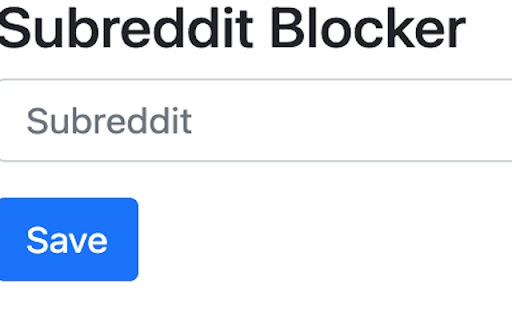

Block subreddits from feeds such as /r/all and /r/popular This extension block subreddits from feeds such as /r/all and /r/popular. On reddit.com/r/all and reddit.com/r/popular you see a variety of "cards" on these sites and these cards come from a variety of different "subreddits". On the website there is currently no way to alter which cards you see on this site, it's determined by reddit itself. Using this extension you can add "subreddits" which will then be blocked from the website and so when you go to reddit.com/r/all and reddit.com/r/popular you will no longer see the "cards" of these blocked "subreddits".

Block Reddit Posts
Block posts from certain sub-reddits or with certain keywords from appearing in r/All or r/Popular Block posts from certain sub-reddits or with certain keywords from appearing in r/All or r/Popular 1. Block subreddits directly - Go to r/all or r/popular and there should be a "Block" button on the top right of each post. - Clicking on it will automatically block that post's sub-reddit and add it to your saved preferences. 2. Through extension icon - Click on extension icon at the top right of Chrome window (pin it for easier access). - This will allow you to block new subreddits and keywords or modify existing ones. - IMPORTANT: If using this method, make sure to click on the save button at the bottom to sync to your saved preferences. - Will save your preferences to your Google Account so it will be synced to every device you are logged in to Chrome - Everything is logged in Chrome developer tools: do Ctrl+Shift+I and go to the Console tab to see what has been filtered and why - Clear all filters (e.g. make sure that you don't have any single letter keywords for blocking titles) - View the logs through developer tools: CTRL+SHIFT+I -> Console, and see why posts are being filtered

Reddit Keyword Filter
Very simple extension that lets you add keywords to filter posts (by title) on Reddit, also lets you filter out ads. There are some pre-defined keywords for politics, but you can manage the keywords in any way you would like. The code is on GitHub, feel free to use it or create pull requests :) Permissions - Storage: To save your filter keywords and settings. - Host: To read and interact with the content on www.reddit.com. Support: For any issues, suggestions, or feedback, please feel free to leave a comment or contact me. Disclaimer: This extension is not affiliated with or endorsed by Reddit. Use it at your own risk. Filtering may not be perfect and some posts may still appear despite filtering.

Advanced Reddit Filters
Nuke threads and filter posts by keyword, user, domain, and subreddit. Poof! Works on both Reddit and Old Reddit! Allows you to hide posts and comments based on keywords, subreddits, domains, and users! Works on both Old Reddit and New Reddit! Features The Nuke, which bans all users that posted or commented on a given thread! This extension is open source! Check out the code here: https://github.com/JosephKan3/redditFilters

SubMute
Adds a mute button to each subreddit in r/popular for quick muting. Mute a Subreddit: Go to r/popular. Click the Mute button next to the subreddit you wish to hide. Manage Muted Subreddits: Click the SubMute icon in the Chrome toolbar. View your muted subreddits and click Unmute to remove any.
