
fdlmmbckcdkbjgeinpokkhfihblalpjl
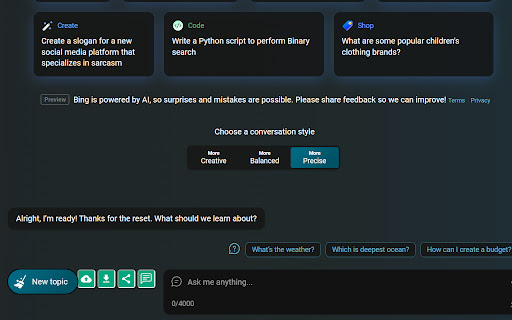

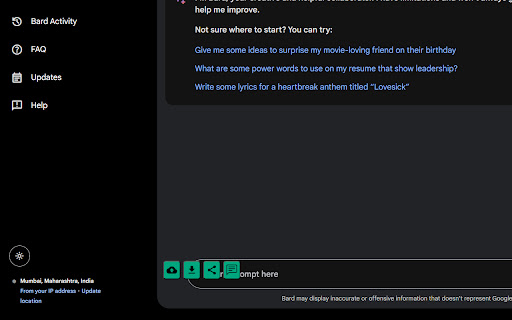
✓ Seamlessly upload images, MP3, and MP4 files on ChatGPT, Google Bard and BING AI chat ✓ Instantly obtain accurate text… ✓ Seamlessly upload images, MP3, and MP4 files on ChatGPT, Google Bard and BING AI chat ✓ Instantly obtain accurate text transcription from images, audio, and video. ✓ Effortlessly search using screenshots. ✓ Download your output in various file formats, including Word, PPT, HTML, and PDF, while ensuring high-quality images all done on ChatGPT, BING AI chat and Bard AI ✓ Experience the convenience of viewing the output videos directly within the extension.

PromptSync
Ask ChatGPT, Bard AI, and Bing Chat with one single prompt! Unlock the power of four dynamic chat platforms with a single prompt! Introducing PromptSync, your all-in-one solution for chatting with ChatGPT, Bard AI, and Bing Chat, through a convenient Chrome extension. Multi-Platform Chat Engage in conversations effortlessly with ChatGPT, Bard AI, and Bing Chat from a single prompt. Get diverse perspectives and responses to your queries. Customizable Experience Tailor your chat experience to your liking! Enable or disable individual chat platforms according to your preferences through the settings menu. Efficient Workflow Streamline your workflow by accessing multiple chat services without switching tabs. Save time and stay productive as you harness the combined intelligence of four powerful chat systems.

Translator: LinkedIn Jobs
A multi-language translator for LinkedIn job descriptions. Ever wanted to apply for a role on LinkedIn but the job description was written in a foreign (unreadable) language? With our tool, now you can translate any LinkedIn job description into the language of your choice by a simple click! Here's how to use it: 1. Go to LinkedIn and click on any job post. 2. Open the extension and pick a language you want the job description to be translated in. 3. Click on "Translate Now".

Coursera Mini Video Player Resizer
You will be able to resize Coursera mini video player. Usage: 1. Open any Coursera course. 2. Open the video of the course. 3. It show Coursera mini video player when you scroll the page. (If you don't see it, widen your browser window.) 4. Hover over Coursera mini video player to see the knobs of resizer. 5. You can resize Coursera mini video player to any size by dragging and dropping the resizer.

GPT Based - A Powerful ChatGPT Prompt Generator
GPTBased is used to generate effective prompts for ChatGPT in a few simple steps Unlock the full potential of ChatGPT prompt generation and master effective prompt engineering with our Chrome extension. Enhance your writing, brainstorming, and productivity with advanced AI capabilities right in your browser.
