
fdjghmbmljbhojdgegmhhbkhgoacgdcb


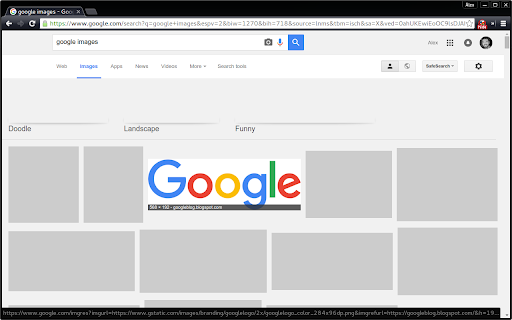
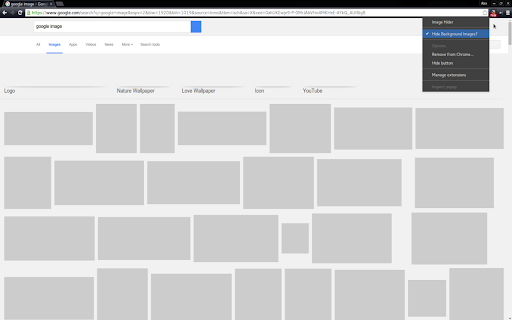
Chrome extension to hide all images by default and show images again with click of icon. Hides images on a website, shows images temporarily on hover. Shows images again by clicking the extension icon. Hide/Show preference works on a per-domain basis, meaning you can have one website hide images and another show them. This is an open source project under the MIT license.

Blur. The Image and Video blur extension
A browser extension that blurs all images on a page, for when you want to be discreet or don't want to look at certain images. Celebrating 100,000 installs, we've updated your favourite browser extension with a new look and feel! Here's to many more years of blurring! Watch this space as we continue to roll out new and exciting changes. The Blur Team. We’ve all had those times when we've 'accidentally' searched for something online and ended up seeing images we didn't want to see. Or maybe you’ve experienced browsing Facebook or Instagram at work or in a public place, only to catch someone glancing at your screen. Or perhaps you just want to read an article without being distracted by all the images and videos. Well, now you can. This add-on blurs all images and videos on a webpage, so you can concentrate on what’s important. You can choose to view the content or not. To see or not to see? The choice is yours. Shortcuts: ALT + K: Blur or unblur an image or video when hovering over it ALT + L: To quickly enable or disable the extension Language Support: We now support over 5 languages including English, Mandarin, Russian, Arabic, Bangla, Hindi and Urdu. Simply change your preferences via the settings tab. Themes: Change between light and dark theme or choose the system default. Two additional fun themes have been added, install to find out what they are. Allow list: You can also white list websites, simply open the extension and add the site to your allow list!

One-Click Image Saver
A browser extension to save images with one click. Save image with a customizable keyboard + mouse shortcut or via context menu. Note: to make it truly one click, you need to turn off "Ask where to save each file before downloading" in your Chrome settings. Otherwise Chrome will ask you for each file where to save.

PhotoShow
Hover to zoom and view high-definition images. Instantly enlarge visuals, crafted for all your favorite websites—and for you. PhotoShow is a tool for browsing and downloading high-definition images by hovering mouse on image thumbnails, working on most websites and carefully crafted for over 400 popular ones of your daily use, including Amazon, Facebook, Google, Instagram, YouTube, etc. - Viewer control: Esc: Close viewer X: Suspend viewer while held Space: Switch to reading mode while held A / F / L / M / P: Switch view mode V: Toggle between last two used view modes - Image control: Shift + Ctrl + ← / →: Rotate image counterclockwise/clockwise Alt + Ctrl + ← / → / ↑ / ↓: Flip image horizontally/vertically ← / → / ↑ / ↓: Scroll image left/right/up/down PgUp / PgDn: Scroll image up/down by page Home / End: Scroll image to the top/bottom - Image actions: Tab: Open HD image in new tab S: Save HD image C: Copy HD image Alt + C: Copy HD image address Shift + C: Copy image caption PhotoShow comes with a rich set of settings designed to adapt to your browsing needs, from customizing how the image viewer appears, to adjusting controls, shortcuts, and behaviors. Whether you prefer a clean, distraction-free interface or a feature-packed experience, PhotoShow lets you fine-tune the viewer to suit your style. - Whitelist Mode: Disable PhotoShow globally, then enable per site with its popup toggle. - Viewer Trigger: Require an assist key press to show the viewer. - Thumbnail Types & Viewer Exceptions: Control which thumbnails trigger the viewer. - Viewer Positions: Default is beside the thumbnail, but you can allow fullscreen by choosing "center". - Image Info Display: Show captions, dimensions, formats, or file sizes. - New Tab Opening Behavior: Choose whether new image tabs open in the foreground or background. - Transition Animation: Smooth animations, or reduce/disable them. - Viewer Color Scheme: Choose either "light" or "dark" theme for the viewer. - Keyboard Shortcuts: Enable/disable specific shortcuts. - Image Download: Customize filenames with placeholders (e.g. "my images//"). - Assistance & Enhancements: Extra tools like marking viewed images or enabling/disabling context menu items. - Settings Management: Export/import your settings to transfer between devices, or reset either global or site-specific settings. For more information, please refer to the Options page (global settings) and PhotoShow’s popup window (site-specific settings).

Image Downloader Pro Tool
Download all images from any website in one click. Fast, easy, and bulk image downloader for Chrome. mage Downloader Pro Tool is a powerful and feature-rich extension for Google Chrome, specifically designed for convenient searching, viewing, and downloading of images from any webpage. Whether you're a designer, marketer, content manager, student, or simply someone who regularly saves images from the internet, this extension will significantly streamline your workflow. No longer will you need to manually save each image separately—now you can instantly locate images, conveniently filter them, and download entire batches simultaneously, saving time and resources. With its intuitive interface and well-thought-out functionality, Image Downloader Pro Tool will become your reliable assistant when working with visual content. 🔹 Key Features: Automatic Image Detection — instantly identifies and displays all images on the current webpage, including background and hidden elements. Convenient Filtering — sort images by format (JPG, PNG, WEBP, SVG), size, resolution, or keywords in the URL. Batch Downloading — select multiple images at once and download them with a single click. Automatic File Renaming — apply naming templates for quick and neat organization of downloaded images. 🚀 Advantages Over Competitors: High Processing Speed — enhanced algorithms ensure maximum speed in loading and processing images compared to similar extensions. Advanced Search Settings — advanced filters make your search results as accurate as possible, saving your time. User-Friendly Interface — simplicity and ease of use make this extension suitable for both beginners and professionals. Minimal Resource Usage — optimized for stable, fast performance without slowing down your browser, even when downloading large numbers of files. Image Downloader Pro Tool is an effective solution that will make working with images in your browser simpler, faster, and more enjoyable. Try it and see for yourself!
