
famepaffkmmhdefbapbadnniioekdppm
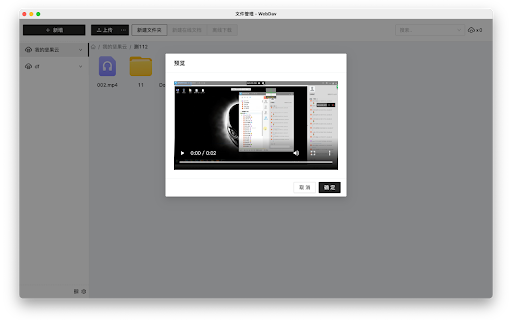

The file manager is a tool that helps you browse files online. It supports the webdav protocol and can be used with online disk drives that support the protocol, allowing you to easily manage files. Its ease of use and powerful features make your file management more efficient. With it, you can view, edit, and delete files anytime, anywhere, making it convenient and quick. If you need a tool that can meet your file management needs, try the file manager. If you encounter any problems during use, please don't panic. Negative reviews cannot solve the problem. You can provide feedback via the link below and I will follow up promptly. If this has been helpful to you, can you please give me a good review? 🌹

Enhanced File Explorer for Chrome
A beautiful file explorer for Chrome with 14 themes, custom colors, and font options IMPORTANT: Enable "ALLOW ACCESS TO FILE URLS" in the extension settings for it to work properly. ✨ Features: • 14 built-in themes (Light, Dark, Ocean, Midnight, Forest, and more) • Create and save unlimited custom color schemes • 14 font options (Montserrat, Inter, Roboto, Fira Code, etc.) • SVG icons or emoji style • Quick settings toolbar for instant changes • Live preview in settings

File Explorer
Transform local folders and directory listings into a powerful file browser with search, filters, previews & shortcuts. Files Explorer enhances both web-based file indexes and Chrome’s built-in local file viewer (file://) with a modern, user-friendly interface. Turn boring file lists into a fast, powerful browsing experience. Key Features: ✨ Beautiful grid and list views with smooth animations 🔍 Real-time search across files and folders 🎨 Color-coded file types (Images, Videos, Audio, Documents, Code, Archives) 👁️ Media preview with navigation for images, videos, and audio files 🎯 Advanced filtering by file type 📊 Live file statistics dashboard 🖼️ Optional thumbnails for images and videos 🌓 Light and dark theme support ⌨️ Keyboard shortcuts (Ctrl+F, G/L for views, 1–9 for filters) 📱 Fully responsive design ♾️ Infinite scroll for large directories 💾 One-click file downloads Perfect for: - Browsing Apache / Nginx directory listings - Exploring local folders in Chrome (file://) - Navigating downloaded files and media collections - Managing shared folders and file servers - Viewing large file directories quickly Activate with Alt + Shift + F or click the extension icon on any directory or local folder page.

SP File Manager
The extension allows users to specify a customized download folder path in the Chrome browser. The extension allows users to customised .txt file download folder path.

Commerce Cloud WebDAV+
Google Chrome extension to transform Commerce Cloud WebDav browser view into an advanced WebDav client. Including features like sort on date, friendly log files view, drag and drop files and directories directly to the server and download them as well. The logs are automatically sorted upon last modified first.
