
epfcbfnadaigbokbekcipecemoaiaeni
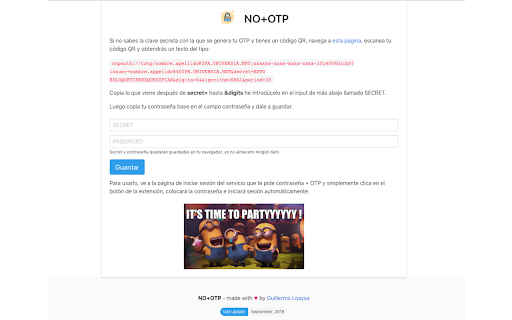

Add to the input your password + OTP Version 3: - Popup re-design - Fixed an issue where leading zeroes weren't added along the pass. - Added English translation Version 2.2: - Fixed bugs preventing the popup from opening after restarting Chrome (thanks to Drutol!). - Improved QR code detection via the webcam. - Made the default plugin behavior (direct password input filling) more explicit on the plugin's Options page. Version 2.0: - Now you can choose to copy the OTP to the clipboard or display a popup that allows you to decide whether to copy it to the clipboard or directly fill in a password each time. ____ Tired of typing your password and then adding an OTP to access work systems? OTPs, like the ones generated by Google Authenticator, are a great security measure that, unfortunately, is sometimes misused by system administrators 🙁 With this extension, you can add your password with the OTP included with just one click 😃 Give yourself a little gift, install this extension, and save minutes of work. You won't have to reach for your phone or open any other browser window to copy that pesky key. After installation, right-click on the extension button and go to Options, then follow the steps. This extension doesn't store any user information. None. Your credentials will be stored encrypted in your browser.

OTP Generator
Generate secure One-Time Passwords (OTPs) directly in your browser with our OTP Generator Chrome extension. Ideal for two-factor authentication (2FA) and secure access to your favorite online services, this tool ensures you have a fresh, time-based OTP code available whenever you need it. Key Features: - Easy Setup: Enter a secret key or phrase to generate unique OTPs. Instant Access: Click the "Generate" button to quickly get your OTP. - Time-Based Security: Each code refreshes every 30 seconds, ensuring secure access. - User-Friendly Interface: A clean, simple layout with a prominent countdown for the next code. - Copy-to-Clipboard: Easily copy your OTP with one click for quick pasting.

2FA Authenticator
Free 2FA Authenticator. Generates two-factor codes in your browser. Alternative to Google Authenticator. No phone needed. Secured. You no longer need to use your phone to authenticate. This 2FA TOTP authenticator extension gives you 2-step verification codes directly in your browser, and the added layer of security that TypingDNA’s AI-based typing biometrics authentication provides (optional). Key features: - Verification TOTP (time-based OTP) codes in your browser - One-click to copy verification codes - Secret keys vault functionality - Scan QR codes directly from websites - Show QR codes for quick scan - Import/Export codes to/from file - AI-based typing biometrics authentication as a security layer (Premium only) How the TypingDNA authentication works: - Type your email and secure pharse (or optionally, a password) - Typing pattern authentication happens at TypingDNA.com in the background - Once your typing pattern is verified, a master encryption key is released and unlocks your security codes locally in order to generate your TOTP 2FA codes right in your browser One-click to paste codes: You can get your 2FA codes by simply selecting an account from the list, copy-pasting the OTP code directly into the webpage or other apps. Vault and authenticator, 2 in 1 Keep all your secret keys safe. Generate your 2FA TOTP codes whenever needed and also reproduce the initial QR code for a quick phone rescan. This feature is not available with other authenticators, not even with phone based ones (like Google Authenticator). Download the 2FA Authenticator app and enable Two Factor Authentication for free. Generate your two-factor authentication (2FA) codes in no time. Our FREE and Premium 2FA Authenticator apps work with any platform that has a 2FA with QR OTP-based authentication method. TypingDNA’s typing biometrics technology performs authentication as individuals simply type on their keyboard. By using proprietary artificial intelligence technology we analyze an individual's unique typing pattern and match it against previous recordings (for Secured accounts/Premium only). We are a behavioral biometrics company, being used primarly by online financial services and educational institutions to prevent identity theft and fraud. Check our website and see more use cases and tailored solutions: https://www.typingdna.com/ Can I use the 2FA Authenticator completely Free? Yes! You can use the 2FA Authenticator for Free. The main difference between Free and Premium versions is that the Free version is not secured (like all other TOTP authenticators on Chrome store). Therefore we don't recommend it for sensitive work and personal accounts. However, our Premium version comes with the secured experience. That being said, the Free version experience is faster, as it doesn't require login. Many users prefer this experience. Want to use 2FA Authenticator in your organization? For commercial use, contact us through the form on our website (typingdna.com). We offer discounted premium licenses for teams and organizations. Please note that the 2FA Authenticator comes "as is", and "as available". We do not provide any warranty, whether express or implied, of any kind regarding the Service including any warranty of merchantability, fitness for a particular purpose, title or non-infringement of right. We are not liable for any loss, damages or expenses of any kind incurred or suffered by you arising from or in connection with your use of or inability to use the Service, or any failure, breach or error. Important: We do not have access to your secret codes and do not offer any warrany for any loss of your codes. Your secret codes are stored (local or sync) in your Google Chrome account only. In order to prevent any loss, keep copies of your most recent secrets separately. Use the "Export secrets..." button to download the secrets in a text file then, encrypt and keep these secrets in a separate location.

TOTP Authenticator
Get 2FA OTP instantly from your mobile. Works with TOTP Authenticator mobile app. This extension empowers you to easily transfer and access the 2-factor authentication codes from your mobile to your browser. No need to manually type in the codes ever again! Now available with push notification support, send code request straight to your phone through the extension (current support only for Android devices). 2-factor authentication adds an extra layer of security to your accounts. In 2FA, apart from your email and password, you also have to enter a security code to log in. This temporary code is generated by a secure algorithm. Enabling 2FA can prevent you from upto 80% of the cyber attacks. 2FA is supported by majority of the online services including: Google, Facebook, Github, Epic Games, Evernote, etc. The extension only acts as a supplement to the TOTP Authenticator mobile app. To use this extension, please install and setup the Chrome Extension feature of the app. Read the complete setup guide: https://www.binaryboot.com/totp-authenticator/guide/android/chrome-extension

Open Two-Factor Authenticator
An open-source two-factor Time-based One-Time Password (TOTP) authenticator with SHA-256 secure storage Open Two-Factor Authenticator aims to provide an open-source two-factor authentication to browsers and Android devices with synced storage. By using this extension, you can have your encrypted keys stored in the browser's synced storage. This allows you to sync them across multiple devices. This extension uses the public key/private key method to encrypt stored data (SHA-256). Currently, Open Two-Factor Authenticator supports Firefox on Desktop, Firefox on Android, Chrome, Edge, and Opera browsers. Standalone Android implantation is still in progress. Features: 1. Stores secrets securely using AES-CBC encryption. 2. Does not store passwords 3. Does not have any server-side activities whatsoever 4. Uses synced storage, so secrets are securely shared between multiple devices. 5. Supports custom number of digits and custom validation period
