
epamlgdeklcjkldoaclgjdmjnchdgbho


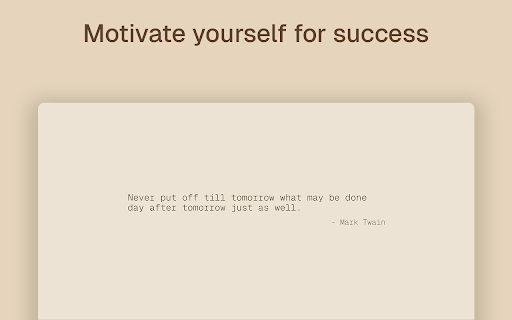

Time restrict websites, block websites, control your browsing patterns and beat procrastination. Time Snatch allows you to block or limit the amount of time you spend on distracting websites. You can limit the amount of time you can spend on distracting websites or outright block them. When navigating to a blocked website you will be redirected to a productive one of your choice or to our default inspiring web page that will throw motivating quotes at you. Time Snatch is lightweight, reliable and secure. It gives you the flexibility to block and manage each website individually. The "Read your browsing history" permission is needed to check whether the current website you are visiting matches any of the ones you have blocked. The extension never saves, sends or uses any of this information for other purposes. You can verify this by checking the open-source code at https://github.com/Thinkorswim/time-snatch.

Cadence - Pomodoro Focus Timers
Custom pomodoro timers for focused work and restful breaks. Cadence helps you stay focused with customizable Pomodoro-style timers (work/break cycles). You can set personalized work and break intervals that match your rhythm and energy levels. Cadence also helps you stay on track with features like project tracking, productivity stats, and daily goals - giving you insight into how you spend your time and helping you build better habits. During focus sessions, you can block distracting websites to maintain momentum and avoid temptation. Cadence is lightweight, reliable, and intuitive. It never saves, sends, or uses any of your information for purposes other than its core functionality. You can verify this by checking the open-source code at https://github.com/Thinkorswim/cadence.

SurfPal: Limit Screen Time · Block Website · Stay Focused
Track and limit your browsing time on each website to help you stay focused, combat addiction, and enhance productivity. Track, analyze, and limit your time spent on each website. SurfPal is an in-browser screen time management app that helps you measure and improve your online habits. Centering on time management, SurfPal organically combines data observation and behavioral intervention, providing many powerful and flexible features that can meet the different needs of most people. If you want to know specifically where your time goes, or find yourself addicted to certain distracting websites and unable to extricate yourself, then you are likely someone SurfPal can help. Install and experience SurfPal now, and let it become your capable assistant for self-improvement! Automatically tracks browsing duration for each site, helping you clearly see which sites your time is spent on and identify frequent usage across social media, short video platforms, entertainment sites, and more. ★ Screen Time Data Analytics View site usage data by day, week, or month. Supports time range filtering, site filtering, trend charts, detail lists, total duration, average duration, active days, and other statistics. ★ Site Blocking and Access Limits Set access limits for distracting sites. Supports Block by Schedule and browsing duration limits to help reduce unconscious web browsing, video watching, and social media scrolling. Use a plan to manage target sites, excluded sites, execution days, time slots, max duration, and reset time, flexibly adapting to work, study, rest, and other scenarios. Adds a short wait and confirmation before visiting target sites, interrupting the habit of unconsciously opening distracting sites and reducing impulsive visits. Displays today’s browsing duration for the current site on the browser toolbar. It reminds you in advance when a limit is about to be triggered, helping you control your screen time in time. Supports exporting site usage data as CSV for further analysis in Excel, Numbers, or other tools. ★ Cloud Backup and Multi-Device Sync SurfPal Pro supports backing up data to your own Google Drive and syncing it across multiple devices or browser profiles. SurfPal does not read specific webpage content or modify webpage content. Browsing duration data is stored only locally in your browser by default. After cloud backup is enabled, the data is saved only to your own Google Drive.

Limit - Set Limits for Distracting Sites
Limit your time spent on distracting sites. Limit is an extension that allows you to set time limits for distracting websites. When you control your time on distracting websites, you’ll find you have far more time to focus on the things that matter most. To use Limit, simply enter the websites you find distracting and choose a daily time limit. For example, you could limit yourself to ten minutes a day on Facebook, or half an hour a day on Duolingo. When you approach your limit, Limit gently notifies you your time is almost up, so you can wrap up. And when you've reached your limit, you'll be directed to Freedom's calming Green Screen when you try to visit a limited website. - You can add or delete any website from the list of sites - Your time limit for each site is configurable, from 5 to 500 minutes - Limit comes pre-seeded with 10 distracting sites Limit is a product of Freedom Labs, where we develop new tools to help you balance your relationship with technology. Like our other extensions, Limit is highly privacy-conscious. None of your data is sent anywhere (the cloud, our servers, etc.) It remains secure on your own device. Learn more about Freedom here: https://freedom.to We hope you find Limit to be a simple and useful tool for developing healthier online habits and routines. Please note: Limit 1.0.3 is third release with Manifest 3 compatibility. You may experience slight differences in behavior due to the significant changes required to comply with Manifest V3. Please send us your feedback at support@freedom.to and we'll continue to improve Limit. Thank you! Release notes - 1.0.3: 🐞 Fixes a bug with our countdown timer notifications

AppBlock - Block sites & Stay focused
Block distracting webs and stay focused on your work. Block distracting websites and stay focused on your work. AppBlock is a powerful website blocker that helps you stay focused and on task by blocking distracting websites on your computer. With AppBlock, you can easily block any website with just a few clicks and even block websites based on keywords. Whether you're trying to focus on work, study, or just want a break from social media, AppBlock makes it easy to stay on track and achieve your goals. New Features: - Schedules: Users can now set specific times and days for blocking websites or keywords. - Keyword Blocking: Enhanced blocking based on keyword appearance within URL or website text. - Timer Quick Block: Quick Block feature now supports a timer for temporary blocking. - Pause for Schedules: Users can set a temporary pause on scheduled blocking, giving more flexibility during the workday. - Instant Blocking This version of the AppBlock extension for Google Chrome brings the same functionality to your browser that you know from the mobile app, now enriched with new features. Keep your time and focus in check with easy browser-based website blocking. Use your time more efficiently and increase productivity with AppBlock, which blocks distracting websites. This extension is easy to use and highly customizable, making it the perfect tool for anyone looking to increase their productivity and stay focused while working on their computer. Did you know that up to 20% of all adults procrastinate? For students, it's up to 95%! That's a lot, and you're missing out on precious free time that you could be spending with your family or on self-development. Luckily, there's AppBlock! With AppBlock for Chrome, you can easily set up sites that distract you and start blocking at the touch of a button. While the block is active, you won't be able to visit the sites of your choice, so you can focus on work or studying. Download AppBlock today and get your free time back. AppBlock is also available for iOS and Android devices, where you can block entire apps in addition to websites to streamline your experience by blocking on all your devices.
