
eooijdfjlfcgoehcjemehakgnndeppee
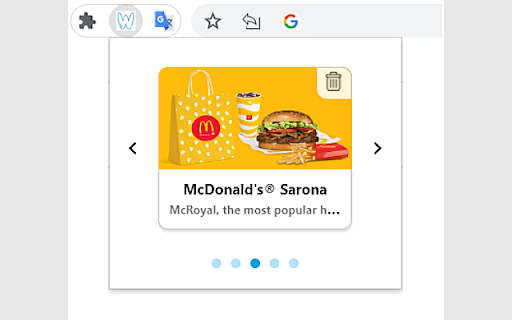


Woltor identifies temporarily offline restaurants on Wolt.com and allows you to track the restaurant availability *New feature: now you can tracking a closed restaurant. Wolt.com provides food delivery services around the world. Each restaurant operates on certain days and hours. Any restaurant can change its status to temporarily offline when the load in the kitchen and/or the amount of deliveries is too high for the restaurant's capacity at the moment. If a user wants to order from a temporarily offline restaurant, the user must wait until the restaurant is back online. To identify when that happens, the user has to stay on the restaurant page, or every few minutes go back to it, refresh, and hope that the restaurant is back online. This process is tedious, and frustrating and requires a lot of time and attention from the user. That's why most users are giving up, ordering from another restaurant, and actually compromising on their not-first priority restaurant. Woltor is here to solve exactly this problem! Woltor identifies temporarily offline restaurants on Wolt.com and allows you to track the restaurant availability, you would like to order from. Woltor will wait for you until your favorite restaurant is back online. When that happens, Woltor will pop up a notification in your Chrome browser that enables you to go directly to the restaurant page on Wolt.com and start your order.

Zucker for Facebook
Zucker is a chrome extension that blocks ads and facebook features. Zucker gives you full control over your Facebook experience by letting you hide the clutter and ads that Facebook pushes on you — so you only see what you actually came for. Block ads and sponsored content across the entire site, and use granular toggles to hide distracting feed noise like "Suggested for You", Reels, Stories, "People You May Know", and paid partnerships. Clean up the left-hand sidebar by removing links you never use — Marketplace, Gaming, Meta Quest, Fundraisers, and more. Even Meta AI can be hidden from your contacts and sidebar. If you want a faster, quieter Facebook without installing a full ad blocker, Zucker is for you.

SearchUnify Intranet Extension
Accelerate Employee Engagement, Productivity and Onboarding with SearchUnify's Cognitive Search for your Enterprise Intranet. SearchUnify’s Intranet Chrome Extension is a powerful knowledge findability solution that seamlessly integrates with your browser, making it easier than ever for your employees to access critical information from across enterprise resources and stay up-to-date with the latest company updates, without switching tabs. This extension turns your enterprise intranet into the dynamic collaborative environment it was meant to be, by unleashing the knowledge wealth tucked away in repositories, closed networks, and siloed file systems. 🔎 Key Features and Benefits ➡ Lightning-fast Search: OOTB connectivity with leading workplace platforms like Jira, Confluence, Google Drive etc. ensures that employees can quickly find information from various sources such as internal documentation, knowledge bases, wikis, and more, without tab hopping. ➡ Contextual Recommendations: SearchUnify’s advanced algorithms analyze employee persona and behavior and proactively recommend hyper-personalized results. ➡ Unified Dashboard: Stay organized with bookmarked articles, recently viewed content, and a history of your searches. ➡ Increased Collaboration: Foster a culture of knowledge sharing and accelerate employee onboarding by leveraging the power of the extension to collaborate more efficiently. ➡ Intelligent Notifications: Receive real-time alerts about new articles, policy changes, upcoming events, and more, ensuring that you never miss crucial information. ➡ Customization and Control: Customize the layout, themes, and search settings to create a personalized browsing experience that aligns with your workflow. 🔎 Configuration Steps ➡ Create a search client within your SearchUnify instance. This will serve as the foundation for connecting and retrieving content from your enterprise sources. ➡ Next, establish a connection between the intranet content sources and the search client you created. ➡ Simply navigate to the Chrome Web Store and locate the extension. Click "Install" to add it to your browser. ➡ To activate the extension, configure the token - the token. The token uniquely identifies your search client within the SearchUnify instance, while the instance URL points to your organization's specific instance of SearchUnify. 🔎 About SearchUnify SearchUnify is an agentic enterprise platform, by Grazitti Interactive, and is built on a core of cognitive technology, machine learning and an insights engine. The platform boasts a suite of AI-powered products, including Cognitive Search, Intelligent Chatbot (SUVA), Agent Helper, Knowbler, and Community Helper. Leading enterprises globally rely on SearchUnify for revolutionizing information discovery and elevating support outcomes. Visit www.searchunify.com or email your questions at info@searchunify.com

EZching
EZching - Chrome Extension EZching saves the money of its members when they shop in an affiliate store. We help our members by saving their spendings in the form of cashback. We are giving competitive cashback rates and percentages for most of the affiliate stores. Our members can also earn by sharing their referral link and code. Just feel free to get in touch.

Pimp my Wolt
Are you using Wolt everyday at work? Are you sick of inviting your team one by one to your lunch order? Are you using Cibus for splitting a shared order payment? Wouldn't it be great if your Wolt's order could be auto-split on Cibus? If the answer for all of the above is Yes, you should definitely try this extension. For more details and setting up your team, please follow: https://github.com/amitmarx/pimp-my-wolt
