
eoccdpbaigkllhflcgidhpcedgmlckkp
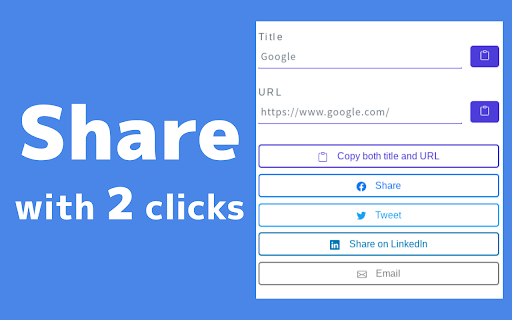
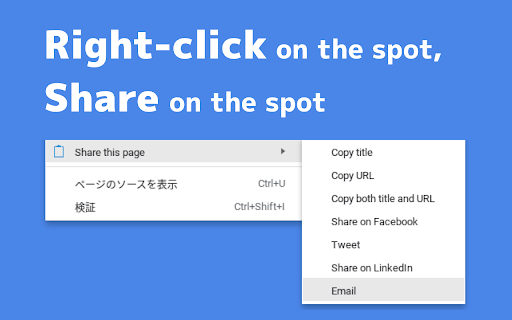
"Easy Page Sharing" makes it easy to share the page you are viewing. This is an extension that allows you to copy the title or URL of the page you are viewing and share it on various social media sites. It's easy to use and quick to share. Features: 1. UI for sharing with as little effort as possible This extension is designed to allow you to share pages with as few clicks as possible, while maintaining a rich feature set. You can also use this extension from the context menu. 2. Minimum permissions By minimizing the permissions required by the extension as much as possible, we have ensured that users can use it with peace of mind. Also, the extension does not collect any information about users. For more information, please see the "Privacy practices" tab.

Share Helper
Helps to share title and url. "Share Helper" helps to share title and url. How to use 1.Click "Share Helper" icon to get title and url of current tab. 2.Click "copy to clipboard" to copy title and url.

Share to Mastodon
Share to Mastodon is a browser extension for quickly sharing links and tabs to the Mastodon social network. You can click the Mastodon button in the top bar (or the keyboard shortcut) to share the current tab, or right-click a link on any page. You can also select text and pick Mastodon in the context (right-click) menu to share a snippet. The browser extension can store multiple server options, and synchronize them with your browser's settings. It uses the share dialog hosted by the selected server, so no API access or account permissions are required. Share to Mastodon is compatible with any Mastodon server, as well as platforms that have implemented Mastodon's share URL scheme, such as Calckey and Misskey. It also works with the Elk Mastodon web client. This project is not affiliated with the Mastodon project or Mastodon gGmbH. The code is open-source on GitHub: https://github.com/corbindavenport/share-to-mastodon

prune
A browser extension to help you trim your garden of tabs. prune can help you manage your tab growth by: - Preventing you from opening duplicate tabs (focusing ones you already have open instead!) - Hiding or removing old tabs (you decide how old is too old!) - Setting a limit on the number of tabs you have open (pick what works best for you!) - ...and more! This project is free, open-source, and can be found at https://github.com/tbrockman/prune

Share page information
Convert page information to Wiki notation, etc. Copy the page title and URL in a format that is easy to share. - Title URL - Hiki (Wiki clone) Format: [[Title | URL]] - Textile (Redmine) Format: "Link text: Title": Link destination: URL - Backlog format: [[Title> URL]] - Markdown format: [link text] (URL "Title (tooltip)") - Link (for products such as Office that support HTML copying)
