
enmbjdakofcbdjbamdfffndnancpdboc

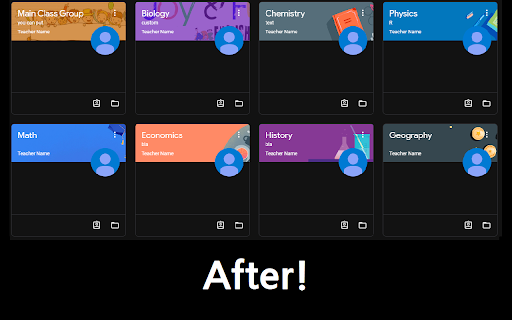
A Chrome extension which allows renaming of Google Classroom Subject and Section names locally for students who's teachers keep… A Chrome extension which allows renaming of Google Classroom Subject and Section names locally for students who's teachers keep keeping similar names for all of their classes.

Google Classroom Grade Finder
You can now calculate grades in Google Classroom using this Chrome extension. Calculate grades, the easy way! No hassle! Don't have to ask teacher for their calculation. Calculate it yourself. Grades now! Authors: Arthur Luk-Solarz and Charley Wolf How to use? Go to the View Your Work section of a class in Google Classroom. Make sure to scroll to the bottom to load all the assignments. Then, go to the extension popup window and see your grade.

Better Classroom
Better Classroom is a Google Chrome extension that lets users create folders to organize their classes in Google Classroom. Better Classroom is a simple yet powerful extension that enhances your Google Classroom experience by allowing you to organize and rename your classes with ease. With Better Classroom, you can create folders to group your classes, making it easier to manage and navigate through them. Say goodbye to cluttered and disorganized classrooms, and hello to a more efficient and streamlined experience. Get Better Classroom today and take control of your Google Classroom organization!

Enhancer for Classroom™
UI improvements for Google Classroom This browser extension adds some quality of life features to Google Classroom™. > Cosmetic > Reduced padding and margins across the whole website > Increased border radius of all elements > Use a lighter shade of white for background color in light mode This add-on does not collect data and respects users' privacy. Updates to the Classroom site may break this extension in the future, please open an issue if you encounter any bugs, or have any new feature suggestions.

ClassAway
ClassAway is a smart and intuitive Google Chrome extension designed to declutter your Google Classroom by hiding the classes of your choice. This allows you to focus on what's important, whether that's current classes, specific projects, or just reducing visual clutter. Hide Classes: Simply type in the name of the class you wish to hide, hit 'Enter', and voila! That class is now hidden from your Google Classroom dashboard. This helps to clean up your dashboard and lets you focus on the classes that are most important to you. Manage Hidden Classes: With ClassAway, you are always in control. You can see all your hidden classes at a glance and make changes as you wish. Made a mistake or want to unhide a class? No problem, just click the 'Edit' or 'Delete' icons. User-Friendly Interface: ClassAway is designed with simplicity and user-friendliness in mind. It provides a clean, easy-to-navigate interface that doesn't require a learning curve. Safe and Secure: ClassAway respects your privacy. It doesn't collect any personal data, and all operations are performed locally on your browser. So why wait? Add ClassAway to your browser and take the first step towards a more organized, distraction-free Google Classroom experience.
