
eninbjdhgaccikhclpomppfcclammnoc
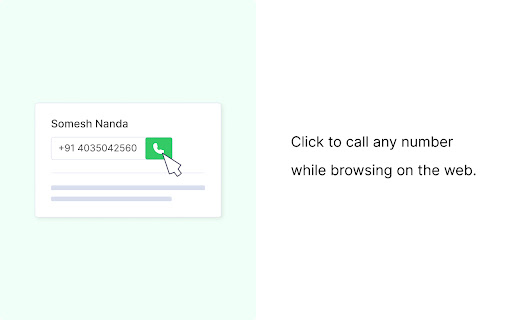
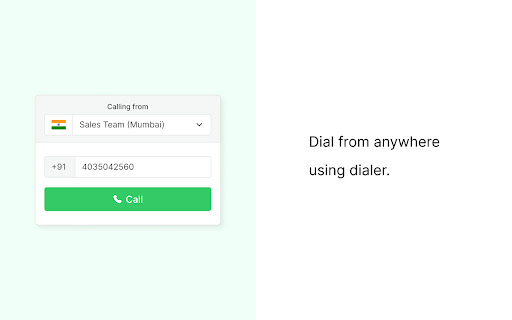
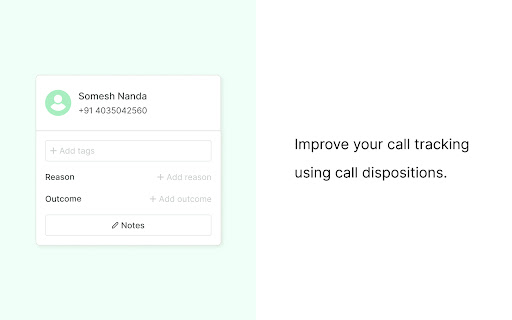
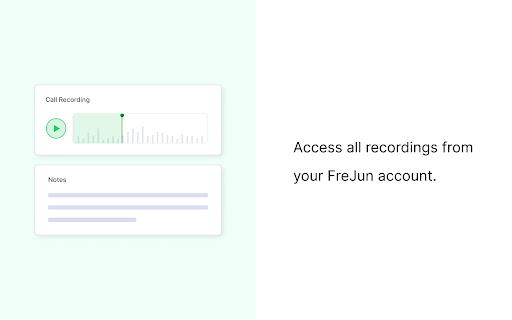
Make your business calls in India with a single click! FreJun enables you to make business calls, with a single click using cloud telephony. FreJun identifies the phone number on your webpage and enables you to directly make calls with just a click. Or you can also make calls using the Dialpad. All the calls are recorded and saved in your account. FreJun Chrome extension allows you to Call any landline or mobile phone numbers in India. Receive calls from any numbers. Capture all your business calls. You can create account by clicking on the following link, https://product.frejun.com/

X0PA Recruiter Extension
Score and match any candidate on Linkedin with this amazing Chrome Extension! Score and match any candidate on Linkedin with this amazing Chrome Extension by X0PA! Go to any Linkedin profile and match the profile against any job that you are hiring to see how suitable the candidate is ( you will need subscription with x0pa's hiring platform for this feature). With Platform subscription 1) Import the candidate 2) Score Candidates against a job for their suitability, Loyalty ( retention probability with the job) and probability of their performance for the role with our patented predictive analytics! 3) Match the best candidates to the job Download the free extension!

HeyReach
A simple extension to link your LinkedIn account to HeyReach Link your account to HeyReach, in just a click. NOTE: This extension only allows you to connect your account to HeyReach, and does NOT add any other functionality for collecting data or automating any tasks.

TurboHire Connect
Send candidates resumes from any page directly into your TurboHire database with just one click! TurboHire Connect is a free tool to help recruiters source and manage candidates better. The tool helps recruiters: 1. Centralize candidates from LinkedIn into a single platform 2. Convert resumes into smart-cards & take notes 3. Launch email campaigns and surveys to candidates That's not it, you can utilize the rich filters and easy views of candidates to find the right candidates, every time. Give it a try and let us know your feedback.

Klenty: Email Outreach & Tracking from Gmail
Klenty is a engagement platform that can help sales teams reach out to prospects by sending personalized emails and automated follow-ups at scale. Using Klenty, you can automate all the repetitive activities involved in your sales process like sending cold emails, follow-ups, tracking engagement metrics, etc - so that you can focus more on activities like building relationships and closing deals. WHAT CAN YOU DO WITH KLENTY CHROME EXTENSION? Klenty’s chrome extension can help salespeople: - Send one-to-one personalized emails, schedule follow-ups and track them from Gmail. - Engage with your contacts from Pipedrive, Salesforce, and Freshsales CRM without having to switch between tools. KLENTY CHROME EXTENSION IN GMAIL This chrome extension is perfect for outbound and inbound sales reps using a Gmail account to engage with leads. You will be able to save a lot of time and improve your productivity. - Know what happens after you click send. With Klenty’s extension, you can keep a track of email engagement like opens, clicks, and replies. - Create personalized emails instantly using our template library from within Gmail - Avoid the hassle of remembering to follow-up. Let Klenty do that for you. Write your emails and schedule to send them later. - Set-up reminder notes and tasks for yourself and Klenty will remind you by sending you an email. - You can easily add prospects to klenty cadence from Gmail and send perfectly-timed automated follow-ups. - Track the daily performance of your emails instantly using the live feed. HOW DO YOU INSTALL AND USE IT IN GMAIL? - Get Klenty chrome extension from the chrome webstore. - Sign in to Klenty. If you don’t have an account, create one. - Go to Gmail and when you hit compose, the Klenty options will show up at the bottom of the window - Now, you’ll be able to perform tasks like tracking your emails, setting up reminders, and all the other functionalities mentioned above. This chrome extension is perfect for outbound and inbound sales reps using Pipedrive, Salesforce, and Freshsales CRM to manage leads and engage with them by sending personalized emails, automated follow-ups, and tasks. - Push prospects from CRM to Klenty without leaving the CRM - Select multiple contacts and add them email campaign in a single click - Send hundreds of personalized emails easily using mail merge - Never miss out on an opportunity to follow-up with your prospects. Create tasks in Klenty see them in your CRM HOW TO INSTALL AND USE FROM CRM? - Get the chrome extension from chrome webstore - Connect your CRM and Klenty - Login to your CRM and open the Klenty extension within the CRM - Klenty will automatically detect all the prospects in your CRM - Now, you can perform any of the tasks that you’d like to do - push prospects to Klenty and other prospect actions
