
enfbcfmmdpdminapkflljhbfeejjhjjk
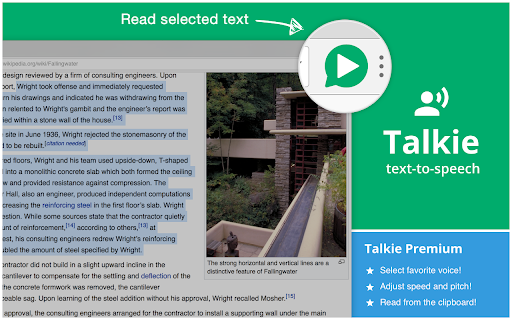


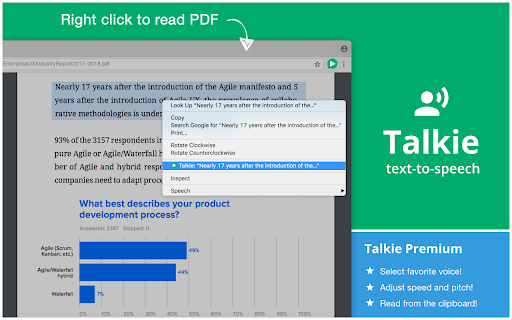
New voices, languages, dialects can be downloaded for FREE for your operating system from for example Microsoft, Apple, and Google. Once installed correctly, Talkie will auto-detect them. 1. Select desired text on any web page. 2. Click the Talkie button in your browser bar You can also select the text, then right click on it, and choose Talkie in the menu. This way also works in PDF-files and some special types of pages in Chrome. A convenient option is to use the Talkie shortcut keys: ☑ ⌘+Shift+A on macOS ☑ Ctrl+Shift+A on Windows, Linux, Chrome OS ☑ ⌘+Shift+1 or Ctrl+Shift+1 to read text from the clipboard in any program (Talkie Premium feature) If the key does not work, please check that it is not already in use by another extension. How to check or change the Talkie shortcut key: ☑ Lets you listen to the selected text on any part of a page -- a short snippet or an entire news article. Just highlight what you want to hear read aloud and hit play. ☑ Automatically detects the text language per-page, and chooses a voice in the same language to match it. ☑ Uses your browser's built-in Web Speech API for text-to-speech (TTS) known as Speech Synthesis. ☑ All text and speech is processed internally by your browser. While ultimately depending on your specific browser, all processing is expected to be done on your own machine and not use a server. ☑ The available voices may differ depending on your operating system, browser, browser version, and any other installed extensions/software. ☑ Select your favorite voice per language! ☑ Adjust the speed and pitch per language! ☑ Read text from the clipboard in any program! For open source code (GPL-3.0) and more, see the project web page:

Read Out Loud
Use Read out loud to read aloud on any site. This online TTS tool lets you enjoy text to speech and read text out loud easily. 🎧 Try Read out loud – your friendly voice that reads everything for you Tired of staring at screens for hours? Let Read out loud take over and turn any text into speech. Whether it’s an article, a document, or a long email – this Chrome extension to read text out loud is here to help. With a few simple clicks, enjoy natural voices reading your content back to you. Why is Read out loud good? 🎤 It sounds real: Enjoy human-like voices for a smoother listening experience. 🎤 It’s easy: Just a few clicks and it starts reading out loud. 🎤 It’s private: We don’t use or share your personal data. 🎤 It works where you work: Supports PDFs, Google Docs, and more. What can it read? 1. Long articles and blog posts 2. Emails and newsletters 3. Google Docs and PDFs 4. School essays and reports 5. Any passages on websites How to use it? 1️⃣ Install Read out loud from the Chrome Web Store — it takes seconds. 2️⃣ Click the extension icon on any website, PDF, or Google Doc you want to read. 3️⃣ Choose language or adjust the speed by clicking on the widget. 4️⃣ Click “Play” in the widget / Select the excerpt you want to hear and right-click it. 5️⃣ Listen as the passage is read aloud with clear, natural voice. Who is it for? 💡 Students who want to read essay out loud before submitting 💡 Professionals who prefer listening to reports via a text reader tool 💡 People with dyslexia or visual impairments using a voice generator for accessibility 💡 Language learners who want to hear pronunciation while reading text out loud Key use cases ⭐️ Reading out loud your notes before a presentation ⭐️ Listening to long blog posts while doing chores ⭐️ Using it as a voice generator for proofreading ⭐️ Text to voice conversion for efficient learning ⭐️ Turn articles into audio for long commutes Features you’ll love 📚 Adjustable reading speed 📚 Choose your favorite voice 📚 Highlight as it narrates 📚 Resume where you left off Reasons to use Read out loud extension With just a few clicks, turn text to speech using natural voices that actually sound human. Whether you need to listen to a website, a document, or just want the internet to read my text out loud while you do something else — we’ve got you covered. Use Read out loud to… - Narrate your essay before submitting it to catch typos or awkward phrasing - Turn text to voice during revision, helping you absorb the content better - Read text aloud while cooking or cleaning, so you can stay productive - Use it as a simple way to reduce eye strain and improve focus when reading Multiple ways to listen ▸ Read text out loud from almost any webpage ▸ Read aloud text to speech for documents ▸ Online TTS with real-time voice ▸ Your personal text to speech reader Why Read out loud stands out 🌟 Delivers realistic text to voice quality that sounds natural and easy to listen to 🌟 Respects your privacy — no data is collected or shared with third parties 🌟 Works instantly with no setup or learning curve needed 🌟 A read aloud extension designed to be simple, helpful, and user-friendly 🌟 Supports text to speach in PDFs, Google Docs, and many other formats Customize your reading experience ➤ Choose text to read out loud ➤ Find your comfortable pitch and pace ➤ Listen to websites in different languages ➤ Use it like a mini TTS reader right in your browser FAQ – Frequently Asked Questions Q: Does Read out loud work in Google Docs? A: Yes! You can read document directly from Google Docs. Q: Can it read my PDF files? A: Absolutely. Use it to read PDF out loud with just a click. Q: Is my data private? A: Absolutely. We don’t track, store, or sell anything. Read out loud works without any personal data. Q: Do I need an account to use it? A: Nope. No account, no signup. Just install and start reading text out loud. Q: Can I choose different voices? A: Yes, we have a variety of languages and voices, find your match! Q: Will it work offline? A: This extension requires an internet connection to work properly. Q: Is it safe for children or students to use? A: Definitely. It’s ad-free, tracks nothing, and makes reading text out loud easier for learners of all ages. Q: What is this tool exactly? A: It’s a read out loud extension and a tts reader. It's great if you want text to speech, a natural reader, or just someone to read to me. Ready to listen? Download Read out loud - text to speech online tool now and start enjoying the freedom to listen to websites anywhere, anytime. Whether you need a natural reader while you do your chores or simply to have a break from screen fatigue — just click and ask to read it to me.

Read Aloud: Text to Speech (TTS, Listen to Text)
Text to Speech (TTS) reads aloud text, PDFs & e-books with natural voices. Create high-quality text-to-speech of web pages and specific articles. Free. No registration. Text to speech - read aloud web-page articles, books, and PDF files. Generated speech can be easily modified (adjust tone, control voice or volume) TTS for generating voiceover with customizable speech and text overlays. Create a complete webpage TTS narration or select specific sections with an ability to edit, and listen the audio on your PC. The app runs directly in your browser, saving you time. Simply click the extension icon to choose between all text voice synthesis or a selected section. You won't strain your eyes reading large text or small fine print. Why waste time when all you need is text to speech? Our tool combines advanced text-to-speech (TTS) and summarization functionalities to provide a complete solution for both auditory and visual content consumption. Want to read your text aloud for cases like learning classwork, reading technical documentation, or listening to articles? Here are the reasons to choose TTS Text to Speech: ✔ Text to Speech conversion on multiple languages; ✔ Text to Speech male or female voices; ✔ Customizable voice settings and speed; ✔ Read aloud any webpage or document; ✔ Compatibility with additional file formats such as PDF and eBooks; ✔ Natural-sounding voice generation; ✔ Read offline files using built-in browser text-to-speech; ✔ No login or registration required; ✔ Generate summaries of YouTube videos, PDFs, and web articles. Open any webpage you want to listen to (or upload any document), then click extension icon, select "Play", and listen as text-to-speech engine reads the selected text, pause, rewind, or fast forward using the on-screen controls that appear once TTS starts reading. Reload page after installing extension before using text-to-speech (Chrome loads extension on every page). Text to Speech TTS extension is free and easy to use. If you find it helpful, please give us 5 stars!

Text to Speech TTS AI | Readvox
Read aloud Web articles, Google Docs, Kindle, PDF with natural, lifelike voices. Beautiful text to speech AI TTS. Turn Your Browser into a Personal Narrator with Readvox. Feel like you're drowning in a sea of text? Imagine transforming that torrent into a soothing stream of speech that flows with you, from your morning coffee to your evening unwind. Readvox is here to liberate you from the screen, turning any text into engaging spoken words right from your Chrome browser. Why read when you can listen and learn, enhancing productivity and comprehension along the way? ⏺ Why Choose Readvox? In today’s digital age, efficiency is key. Readvox enhances your ability to multitask, allowing you to absorb website content through high-quality audio as you go about your day. It’s the perfect companion for anyone looking to optimize their online interactions without the strain of constant reading. ➤ Natural, Humanlike Voices: Experience the web spoken aloud by some of the most natural sounding voices available in text to speech technology today. Our advanced voices bring articles, blogs, and web pages to life in a variety of languages. ➤ Seamless Integration: Readvox integrates directly into your Chrome experience with minimal fuss. Activate Readvox on any web page with just a click, turning text into speech instantly. ➤ Personalized Listening: Tailor your listening experience with adjustable speeds and tones. Speed through content when you’re on a tight schedule, or slow things down when you want to fully absorb complex material. ➤ Ease of Use for Everyone: Whether you have visual impairments, learning disabilities like dyslexia, or simply prefer auditory learning, Readvox makes the internet more accessible and enjoyable. ⏺ How Readvox Transforms Your Browsing Experience: ➤ Instant Audio Conversion: With a simple click, Readvox activates on your current web page, instantly converting text to engaging audio. It’s perfect for those who prefer listening over reading. ➤ Selective Listening Made Easy: Focus on what's important to you. Highlight text and Readvox will narrate only your selected sections, ideal for absorbing key information. ⏺ Empower Your Web Experience Join countless users who have already transformed their reading habits with Readvox. This tool isn’t just about listening—it’s about enhancing your understanding and enjoyment of the web. Readvox is an invaluable asset for students, professionals, and casual browsers alike. Students: Whether cramming for exams or managing heavy reading lists, Readvox turns your browser into a study buddy. Listen to lecture notes, research materials, and educational content effortlessly as you take notes or even rest your eyes. Business Professionals: Time is money, and with Readvox, you can listen to industry reports, important documents, and daily news briefs while multitasking. Turn your commute or gym time into a productive session to stay ahead in your field. Kindle Book Lovers: Dive into your favorite novels or non-fiction without ever picking up a physical book. Readvox can read aloud directly from your Kindle library, allowing you to enjoy books while you cook, or relax. Blog Post Readers: Keep up with your favorite blogs without being glued to your screen. Whether it’s tech, fashion, or lifestyle, Readvox delivers the latest posts to your ears, letting you stay informed and entertained hands-free. People, working with Google Docs: For those who work extensively with Google Docs, Readvox is a game-changer. Listen to your draft documents or review shared files audibly, making editing and collaborating more efficient and less strenuous. People with Visual Impairments or Reading Disabilities: Readvox is committed to making the web accessible for everyone. Our text-to-speech technology supports those with visual impairments or dyslexia, making web content more accessible and enjoyable. Podcast Enthusiasts: If you love podcasts, you'll appreciate how Readvox transforms articles and web pages into a podcast-like experience. Keep up with your interests and industry news by listening on-the-go, just as you would with your favorite podcast. ⏺ Enhance Your Digital Life with Readvox Every web user deserves a customizable, accessible, and enjoyable browsing experience. With Readvox, you're not just installing a tool; you're upgrading how you interact with the digital world. Don’t just read—listen, learn, and accomplish more with Readvox.

Speechify — Text to Speech
Read aloud any Google Doc, PDF, webpage, or book with text to speech (TTS). Natural sounding voices in 60+ languages & 1,000 voices. Have a question? Just ask – Speechify already has context from the articles, books, and documents on your screen. It’s like talking to ChatGPT, but faster and with more context. Want to type faster? Speak naturally and Speechify will type every word for you. Speechify combines the world’s most human-sounding text to speech (TTS), voice typing dictation, and voice assistant technology. ➤ Listen at any speed Hear anything up to 4.5× faster (900 wpm). Learn more in less time with voices that sound natural even at high speed. ➤ Listen on desktop or mobile devices. Your library syncs instantly across desktop and mobile. Start reading on Chrome, continue on iOS or Android – anytime, anywhere. ➤ Human-like voices Speechify voices feel real, including official partners like Snoop Dogg, Gwyneth Paltrow and 200+ others. ➤ Screenshot image to audio Take a picture or screenshot of any text and Speechify will read it aloud instantly. ➤ Floating widget Always at your fingertips – move it, dock it, or hide it entirely for a distraction-free experience. ➤ Talk to Speechify Ask: “What are the main takeaways?” or “Quiz me on this essay.” Speechify understands your articles, documents, and anything on your screen – it’s your personal AI reader, assistant, and tutor in one. ➤ Other features • Active highlighting for reading along. • Inline player on every site. • One subscription synced across all devices. == Use cases == ➤ Students Read, listen, and talk your way through study materials. Ask Speechify to summarize long readings, quiz you on key ideas, or type out your essays as you speak – perfect for faster learning and retention. ➤ People with Dyslexia, ADHD, or Vision Challenges Originally built by founder Cliff Weitzman, who has dyslexia and ADHD, Speechify removes every barrier to reading and writing. It reads aloud, types what you say, and answers your questions about the text, helping millions learn and communicate more easily. ➤ Professionals Whether you’re drafting emails, summarizing reports, or reviewing PDFs, Speechify works like your personal AI assistant. Dictate notes hands-free, ask for quick takeaways, and breeze through reading-heavy workloads effortlessly. ➤ Parents Turn story time or homework time into an interactive experience. Speechify can read aloud, help kids write by voice, and even answer their curious follow-up questions about the stories they love. ➤ Productivity Hackers Automate your reading and your writing. Listen to webpages or dictate responses while multitasking, then ask Speechify to summarize, rephrase, or explain anything you’re working on. ➤ Podcast & Audiobook Lovers Turn any article, PDF, or blog into something you can listen to or talk about. Ask Speechify to explain or expand on what you’re hearing – it’s like having a co-host that knows your reading list. ➤ Avid Readers Listen to books, documents, and research at any speed, then engage with them conversationally – ask for insights, notes, or summaries. With Speechify, reading becomes a two-way dialogue.
