
emlbogjofmkhpbmpjfgpecpdkjjjdfkm
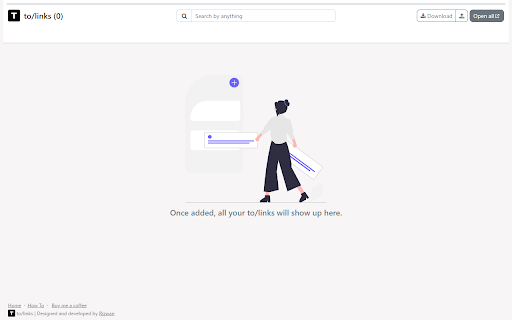


Save long URLs as memorable to/ shortcuts, organize bookmarks with tags, and open links instantly for faster browsing. ToLinks turns long URLs into memorable to/ shortcuts so you can open pages instantly, organize with tags, and launch focused tab groups faster. Stop digging through bookmarks and start navigating by intent. ToLinks helps you create memorable shortcuts like to/docs, to/billing, and to/dashboard so your most important links are always one quick command away. What you can do with ToLinks: - Create custom to/ aliases for any page - Open links instantly from the address bar - Use omnibox suggestions while typing - Organize links with tags, pinning, and smart sorting - Search by alias, title, URL, or tags - Switch between compact and detailed views - Open filtered links together in one tab group - Generate QR codes for quick sharing - Import Chrome bookmarks to get started quickly - Export and upload your link library as HTML backups Why teams and power users love it: - Faster daily workflows with fewer clicks - Cleaner browser organization without bookmark clutter - No account required - Local-first data storage in your browser Built for Chromium browsers: Works on Google Chrome, Microsoft Edge, Brave, and other Chromium-based browsers with Manifest V3 support.

proBookmarkly Smart Visual Preview Bookmark Manager for Power Users
This extension helps you organize, preview, search, and open bookmarks efficiently — whether you manage dozens or thousands of links 🔖 Smart Bookmark Manager for Power Users Take control of your bookmarks with a fast, visual, and productivity-focused bookmark manager designed for modern workflows. This extension helps you organize, preview, search, and open bookmarks efficiently — whether you manage dozens or thousands of links. Select multiple bookmarks and open them all instantly in new tabs — perfect for research, daily workflows, or project setups. Every new bookmark gets a visual preview image, so you can recognize links at a glance instead of reading long titles or URLs. You can manually upload visual bookmark preview as well. Quickly filter bookmarks by folders or custom tags to keep everything structured and easy to access. Seamlessly import your current Chrome bookmarks and continue working without losing anything. Save time with bulk operations: • Mark multiple bookmarks as favorite • Archive multiple bookmarks at once • Delete multiple bookmarks at once ⚡ Built for Productivity • Clean and fast UI • Optimized for large bookmark collections • Works perfectly as a Chrome extension, with web and mobile support planned If bookmarks are part of your daily workflow, this tool helps you work smarter — not harder.

Onlyshortcuts - Quick access to links with shortcuts
Reach frequently used web links faster by using pre-set, easy-to-remember shortcuts instead of typing out the full URL. Sometimes typing a URL is faster than opening a bookmark. ⚡️Onlyshortcurs extension is built for people who often access some websites this way. The extension makes it even quicker, more reliable & predictable. 1. Set the shortcut and the link it should open (like "e" = example.com); 2. Type the shortcut into the browser search bar and hit ↵Enter; 3. Instead of your search engine page, the extension opens the page you defined. ✅ Extension RUNS LOCALLY on your device. No data/request is ever sent or received. Note: to achieve a natural feel, and due to technical limitations, the search results page actually opens. Then the extension reads your search request. If it matches one of the shortcuts, the page gets immediately replaced with the set page. This is why the extension requests access to your search engine page. 💻 Browsers: Chromium browsers, FF and Safari 1. Get straight to the needed page (avoid home, welcome, and other pages on your way to your everyday content). Example: Open your project management application boards bypassing the home page 2. Open the same pages with different accounts. Example: Google uses different URLs to open different accounts for Gmail, Calendar & other products. You can set 'g1' to open your personal Gmail and 'g2' - for the work one. 3. Open your company page without typing the exact URL. Example: Usually, organizations have multiple pages on their domain. SaaS companies can additionally have app subdomains. Because of this, when you type http://company.com/ or http://app.company.com/, many suggestions appear, which do not always match what you need. Set 'app' for your SaaS app page, 'ccom' for the company home page. It makes entering the page quick and reliable, just type the shortcut and you're guaranteed to open that exact page. 1. To avoid coincidence with your real search requests use short text for your shortcuts that is unlikely to ever become the word you search for. 2. You may use special characters at the beginning of the shortcuts to make it even less likely to be your search request. For example, you can use a dash '-ccom'.

Quick Bookmark
Quickly bookmark a page or open a bookmarked page via fuzzy find. Ctrl + D to bookmark a page. Alt + F to open a bookmarked page (Ctrl + Enter to open in new tab and Ctrl + Shift + Enter to open in new tab at end of all tabs). May have to set shortcuts manually in Chrome extension settings: chrome://extensions/shortcuts

Linkifyer Link Shortener
Easily shorten, manage, and track your URLs directly from your browser with Linkifyer. Linkifyer is a powerful and easy-to-use Chrome extension that lets you shorten, manage, and track URLs directly from your browser. Seamlessly integrated with the Linkifyer platform, it’s the perfect companion for digital marketers, content creators, and everyday users who need fast, customizable, and trackable links. With just a few clicks, you can: - Shorten URLs instantly without leaving your browser - Use custom domains and aliases for branded links - View and manage your recently shortened URLs - Quickly shorten links via the right-click context menu - Access enhanced analytics and tracking via the Linkifyer dashboard Whether you're sharing links on social media, email campaigns, or any online platform, Linkifyer helps you stay efficient and professional.
