
ekljakmipadncemihdnjamakjflfgnkg
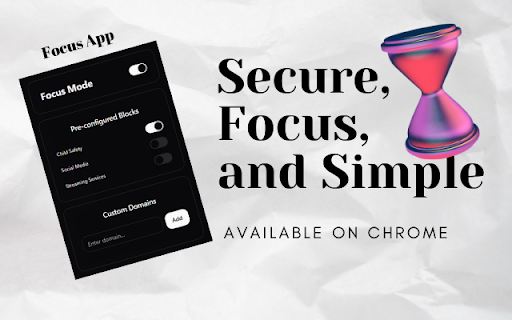
Boost your productivity with Focus & Productivity Booster Focus & Productivity Booster: Boost Your Productivity and Eliminate Distractions Take control of your digital experience with FocusApp, a simple yet powerful tool designed to help you stay focused and productive. Whether you're working, studying, or simply trying to limit distractions, FocusApp empowers you to create a distraction-free browsing environment. Key Features: 🌟 Distraction-Free Browsing: Block distracting websites to maintain your focus. ⏳ Customizable Focus Sessions: Set timers or schedules to optimize your productivity. 🔒 Parental Control: Create a safe online space for children by restricting access to unsuitable content. 🎯 Simple and Intuitive: Easy-to-use interface designed for everyone. FocusApp is perfect for students, professionals, and parents who want to create a balanced, focused, and distraction-free online experience. With FocusApp, you’ll turn your browser into a productivity powerhouse.

Sound Boost Hub
Boost Your Audio With Powerful All-In-One Sound Enhancement Tools 🎧 FREE Booster Key Features (Included for Everyone): 🔊 Boost Volume Up To 900% ✔️ Maximize Sound Without Any Distortion – Even At High Volumes, Experience Clear And Powerful Audio. ✔️ Smooth Transitions – Enjoy A Seamless Fade-In And Fade-Out For A Professional Audio Experience. 🔲 Fullscreen Mode With Boosted Audio ✔️ Keep Enhanced Volume Even In Fullscreen Mode , Perfect For Streaming, Gaming, Or Presentations. 🎵 Bass Boost For Deep, Rich Sound ✔️ Experience Cinema-Quality Sound With Enhanced Bass For Music, Movies, And Gaming. 🔄 Instantly Restore Boosted Settings for Each URL ✔️ One-Click Restore To Your Preferred Volume Level – No Need To Adjust Every Time! ⌨️ Quick Mute Shortcut (Ctrl+M) ✔️ Instantly Mute Any Tab With A Simple Keyboard Shortcut – Fully Customizable In Settings. 🔑 Open Extension With (Ctrl+B) ✔️ Quickly Access The Extension Anytime With A Simple Keyboard Shortcut (Ctrl+B). 🔇 Website-Specific Muting ✔️ Automatically Mute Specific Websites And Save Your Preferences For A Distraction-Free Experience. 🎯 Focus Tab Mode ✔️ Keep the Active Tab Unmuted While Silencing All Others. ⚙️ Manage Muted Websites With Ease ✔️ Easily Add, Remove, Or Organize Muted Sites From The Options Page For Full Control. 🌟 Premium upgrade available anytime from the extension menu. 🚀 Custom Volume Input ✔️ Set your own exact boost level — go far beyond 900%, set any number you want. 🎚️ Advanced Bass Boost Slider ✔️ Fine-tune your bass levels precisely — customize the depth and intensity for any type of content. ⌨️ +10% / -10% Volume Keyboard Shortcuts ✔️ Quickly increase or decrease the volume in 10% steps using your keyboard — no need to open the extension. 🗑️ Clear All Muted URLs ✔️ Remove your entire muted website list in one click — ideal for starting fresh. 💾 Import / Export Muted URLs ✔️ Easily backup or sync your list of muted websites — convenient for users across multiple devices or profiles. 📝 Add Notes to Muted Websites ✔️ Write short notes for each muted site — remember why you muted it or what it’s used for. 💬 Live Chat Support ✔️ Get priority help through live support — fast answers and guidance directly from the developer. 👑 Premium Badge ✔️ Display your Premium status inside the extension — show support and unlock full functionality. ✅ Music & Video Lovers – Elevate Your Listening Experience With Enhanced Bass And Clarity. ✅ Gamers & Streamers – Enjoy Consistent, High-Quality Sound Across All Your Tabs. ✅ Remote Workers & Professionals – Control Background Noise In Shared Spaces Or Meetings. ✅ Anyone Who Wants Superior Audio Control In Chrome 🔒 100% Private – We Do Not Track, Collect, Or Store Your Data. 🚀 No External Servers – Everything Runs Locally In Your Browser For Speed And Security. 🔧 Regular Updates – We Continuously Improve Performance Based On Your Feedback. 🔹 Optimized For Chrome – Lightweight, Fast, And Smooth. 🔹 No Distortion – Even At 900% Volume Boost, Enjoy Clean And Clear Audio. 🔹 Customizable & Smart Features – Personalize Your Sound Settings To Match Your Needs. 🔹 100% Free & No Ads – No Intrusive Ads, Just Pure Audio Control. 🆕 We Are Always Improving Based On Your Feedback! 🚀

Dharana - Productivity & Stretch Timer
A productivity and focus timer with guided stretches to help you maintain concentration and wellness. Boost productivity while protecting your health with intelligent work intervals and guided desk stretches. In today's digital world, we spend 9+ hours daily hunched over computers, leading to chronic pain, poor posture, and declining productivity. Dharana solves this by seamlessly integrating scientifically-backed work intervals with guided stretching exercises designed specifically for desk workers. Smart Timer - Customizable focus sessions (default 45 min) with automatic break reminders Guided Stretches - Video demonstrations targeting neck, shoulders, back, hips, and wrists Auto-Cycling - Seamlessly transitions between focus, stretch, and break phases Progress Tracking - Monitor sessions completed and wellness journey Flexible Control - Pause, skip, or adjust to fit your workflow Benefits: ✓ 23% productivity boost (research-backed) ✓ Reduced back/neck pain ✓ Better posture and energy ✓ Healthy habits on autopilot ✓ Zero learning curve Perfect for: Developers, designers, writers, remote workers - anyone at a computer all day. Unlike basic timers, Dharana provides expert-designed stretches with visual guidance, ensuring you move correctly and actually feel better. Timer now runs in the background The focus and stretch timers continue counting down even when the popup is closed. You can keep browsing normally and Dharana will notify you when it's time to stretch. Stretch timer fixed The per-stretch countdown on the stretch page now works correctly from start to finish. Auto-start during work hours Set your work hours and days in Settings and Dharana starts your first focus session automatically each morning, cycling through focus, stretch, and break until your workday ends. No more remembering to hit Start.

Focused
Improve focus and increase productivity by blocking distracting websites while working or studying. Focused is an open-source, lightweight extension that helps you to improve focus and increase productivity by blocking distracting websites. It's super simple to use. Just add distracting website domains to the blocked list once, and the extension will prevent you from visiting them. After work, you can turn off the focus mode and surf the internet without limitation. A list of the blocked websites is being saved only in your Browser storage. Therefore only you have access to it. Moreover, the software is an open-source project, meaning its source code is open to everyone, which is an assurance that your data is accessible only within your browser. Source code of the project: https://github.com/dimimikadze/focused

Tab Manager Plus
Drowning in tabs? Reclaim focus and boost productivity with Tab Manager Plus – your all-in-one command center for organizing and controlling browser chaos. 📂 Smart Grouping: Automatically sort tabs into categories like Work, Social, or News, or create your own. Developers get a dedicated group for GitHub, Stack Overflow, and more. 💾 Session Snapshots: Save and restore entire windows of tabs in one click. ⏰ Focus Mode (Snooze): Hide distracting tabs temporarily and bring them back when you’re ready. ⚡ Power Tools: 🔍 Instant Search – find any tab by title or URL ♻️ Duplicate Closer – remove redundant tabs instantly 🔠 A-Z Sort – organize windows alphabetically 📌 Pin & 🔇 Mute – manage your most important or noisy tabs 🎨 Personalization: Choose custom colors, dark mode, or a dedicated power-user window. 🚀 Why You’ll Love It ✅ Get More Done: Spend less time hunting for tabs. 🧹 Declutter Your Browser: Stay organized and stress-free. ⚡ Boost Performance: Free memory and speed up your computer. 🔒 Never Lose Work: Restore your workflow anytime with Session Snapshots. Take control of your tabs today – install Tab Manager Plus and transform the way you browse!
