
ekhbcipncbkfpkaianbjbcbmfehjflpf
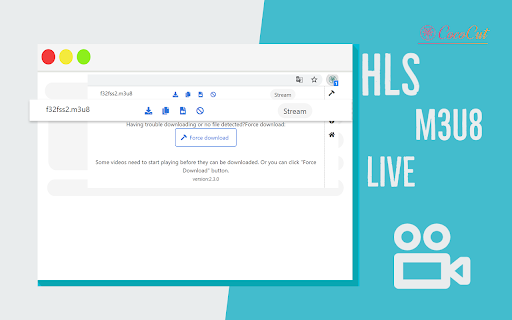
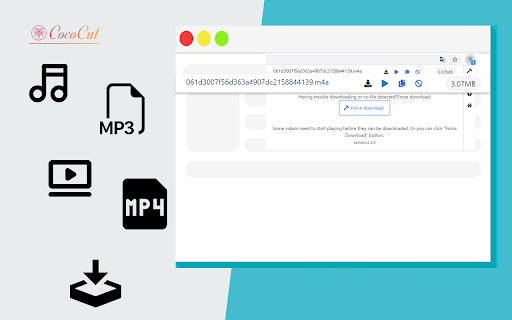

Best video downloader Chrome extension, this video downloader for Chrome can download video,music free,safe in one click. Best Video Downloader Chrome extension, download video or audio in Chrome quickly and easily. With this video downloader you can download any videos from thousands of websites. It's also an HLS streaming downloader. It can detect M3U8 files and download the TS files from them. All HLS streaming will be downloaded and merged into MP4. It can download videos of any formats. It can download audios of any formats. It allows you to keep the live show you love! You can download the Live broadcasts in your disk now with this video downloader! You can preview the video before downloading it. You can see the video size and format before downloading. You can choose the quality in downloading page before downloading. You do not need to register an account to use this video downloader. You can download any video or audio without register. This video downloader is for free to use. Use this professional video downloader for Chrome browser to get video and audio from websites you like. It's easy to use. Add this video downloader extension to Chrome browser in one minute. Click on the icon of this extension on the target website, you will begin to download in no time. It's easy, safe and free. You will download video and audio fast and free. Try it. You will like this extension. Please note: some web page need you to start playing the video first to help this video downloader find it. Add this video downloader to your website browser and it works at once. It can accompany you when you are surfing on the internet and you will not be failed downloading videos from now on. Just one click helps you to keep the video you want. It's easy and it saves your time and energy! This extension is not responsible for the content you download. It is recommended to check the copyright and permissions of the content before downloading.

Free VPN for Chrome - VPN Proxy 1clickVPN
Free VPN for Chrome, Unlimited Data, Fast Speeds, Secure Encryption, No-Logs Policy. Install 1clickVPN to protect your privacy 1clickVPN - Free VPN for Chrome | Fast, Secure & Unlimited Access Install 1clickVPN, a free VPN for Chrome that lets you hide your IP address, unblock websites, and browse privately with fast, secure servers worldwide. Get instant access to a powerful extension built for speed, privacy, and unrestricted internet access - no registration required. Free VPN - Use a fast and secure connection for Chrome with no cost and no hidden limits Premium Upgrade - Unlock more servers, higher speeds, and advanced features Fast Connection - Connect to the best server instantly with one click Secure Encryption - Protect your internet traffic with advanced SSL (TLS) encryption No Logs Policy - Your browsing activity and IP address are never stored Unlimited Bandwidth - Stream, browse, and download without limits AdBlock Protection - Block ads, trackers, and malware while browsing IP Address Changer - Hide your IP and change your virtual location anytime Chrome Extension - Lightweight and optimized for Chrome WebRTC Leak Protection - Prevent IP leaks and keep your connection secure User-Agent Switcher - Control how websites detect your browser Cross-Platform Support - Available on Windows, macOS, iOS, Android, Linux, and more 24/7 Support - Get help anytime from the support team What You Can Do Unblock Websites - Access restricted websites and services from anywhere Browse Privately - Keep your activity hidden with a secure connection Hide IP Address - Protect your identity and location online Bypass Censorship - Access the open internet in restricted regions Secure Public Wi-Fi - Protect your data on public networks Stream and Download - Enjoy unlimited access to content Block Ads - Improve speed and remove ads while browsing Advanced Features and Benefits Access Blocked Content Bypass geo-restrictions and censorship with global servers and unrestricted access Unlimited Usage Enjoy unlimited bandwidth for streaming, browsing, and downloading Privacy Protection Protect your personal data with encrypted traffic and avoid tracking One-Click Setup Install the extension and connect instantly to the fastest available server Public Wi-Fi Security Secure your connection on public networks and protect sensitive information High-Speed Performance Connect to fast servers worldwide and improve page loading speed Advanced Encryption All traffic is protected with strong encryption protocols No Logs Policy Your browsing history, IP address, and activity are never stored Multi-Device Access Use one account across multiple devices with consistent performance Install and start using instantly Free access with fast and stable servers AdBlock included in one extension Built for Chrome with Manifest V3 compatibility Designed for privacy, security, and unrestricted browsing Privacy and Security 1clickVPN does not collect or store personal data. Your activity, IP address, and browsing history remain private and protected. 1clickVPN (also known as 1 click VPN, Chrome extension, or VPN proxy for Chrome) complies with Chrome Web Store policies and supports Manifest V3.

TikTok Video Downloader — Save Videos
Download TikTok videos without watermark, save TikTok clips in Chrome, and use a fast TikTok video downloader in one click TikTok Video Downloader — Save Videos helps you download and save supported TikTok videos directly from TikTok.com in Chrome. Use it as a simple TikTok video downloader, TikTok video saver, and browser download tool for keeping TikTok clips on your device. Instead of copying links into online downloader websites, opening extra tabs, or using separate apps, you can save supported TikTok videos while browsing TikTok. The extension adds a simple download option to supported TikTok pages. When a supported video is available, you can click the download button and save it quickly, including without watermark when available. You can use it to: • download supported TikTok videos • save TikTok videos directly in Chrome • download TikTok clips in one click • save videos without copy-pasting links • keep TikTok clips for offline viewing • collect videos for personal reference, research, or content planning TikTok Video Downloader works inside your TikTok browsing experience. You do not need to copy a video link, paste it into another website, wait for processing, or switch between multiple tabs. 1. Install TikTok Video Downloader — Save Videos 2. Open TikTok.com in Chrome 3. Find a supported TikTok video 4. Click the download button 5. Save the video to your device Useful for creators, marketers, and everyday users This TikTok downloader can be useful for content creators, social media managers, marketers, researchers, and regular TikTok users who want to save clips for later. You can keep trend examples, organize useful videos, or build a personal collection of favorite TikTok clips. • save TikTok videos for personal reference • collect trend videos and creator examples • keep useful clips before they disappear • organize TikTok content without third-party downloader sites • save favorite videos directly from your browser Simple and focused TikTok Video Downloader — Save Videos focuses on one task: helping you save supported TikTok videos from TikTok.com quickly and easily. Please respect creators’ rights and only download videos when you have permission or when your use is allowed.

Video Downloader Global - videos & streams
Video Downloader for Any Website – Save Videos and Live Streams Looking for a way to save videos from websites and social media? This extension allows you to download video content from multiple platforms, including Facebook, TikTok, Instagram, Twitch, and many others. Capture live broadcasts or save videos in MP4 or WEBM formats with ease. Whether it’s a short clip, a long video, or a live stream, this tool provides an efficient way to store your favorite content directly to your device. Features and Capabilities ✔ Download videos from a variety of websites and social networks ✔ Save MP4 and WEBM files for offline viewing ✔ Capture live streams and download them later ✔ Works on major platforms, including Facebook, Instagram, TikTok, and more ✔ Quick and simple process – no extra steps required Supported Websites and Platforms This extension provides video saving functionality for various online services, including: - Facebook – Save videos from feeds, pages, and even live broadcasts - Instagram – Download reels, stories, and video posts - TikTok – Capture videos directly from profiles and feeds - Twitch – Record and store live streams for later - Vimeo – Save high-quality clips from different creators How to Use the Video Downloader - Add the extension to your browser - Open a website or social media page containing a video - Check the extension icon – if it turns red, a video is detected - Click to start downloading or recording a live stream All saved videos will be stored in your browser’s default download folder. ✔ Convenient and user-friendly – No complicated settings, just click and save ✔ Works with different formats – MP4 and WEBM supported ✔ Compatible with multiple websites – From social media to streaming services ✔ No account required – Download videos directly without sign-ups Whether you want to store a tutorial, save a favorite moment, or keep an important video, this extension provides a simple and efficient way to do it. Try it now and start saving videos effortlessly!

Telegram Video Downloader - download telegram video
Download videos and images from any Telegram group or channel in one click with our fast, secure Chrome extension. Telegram Video Downloader is a powerful Chrome extension designed to help you effortlessly download Telegram videos, movies, and video content from private groups, channels, and restricted Telegram content directly to your computer. Whether for personal or academic use, this tool provides a seamless way to save your favorite Telegram videos with one click. Fast, secure, and Telegram video downloader supporting all video formats including MP4, MOV, AVI, and more. High-quality video downloads with original resolution preserved. We advise users to refrain from downloading copyrighted material without permission. 💥 Key Features One-Click Multi-Select Download: Easily select and download multiple files or a single resource with just one click, making the process quick and smooth. Wide Format Support: Download a variety of media formats, including videos, images, photos, GIFs, music, and audiobooks, all in one convenient tool. Save Content from Restricted Channels and Groups: Easily save audio and video files from restricted Telegram channels and groups directly to your local computer, ensuring you never miss out on your favorite content. Extract Private Content: Safely save audio and video content from private channels and personal shares. No Passwords or API Required: Simplified user experience with no need for additional information to start downloading. 24/7 Support: Enjoy round-the-clock technical support to resolve any issues you may encounter. Effortless Download of 1GB+ Content: Handle large downloads with ease. Full Compatibility: Our Telegram video downloader supports both A and K versions of channels and groups, allowing you to access your favorite content effortlessly. Getting Started with Telegram Video Downloader 💥 Install the Chrome Extension Install the Extension: Download and install the Telegram Video Downloader extension from the Chrome Web Store. Pin the Extension: Click on the "Extensions" button next to your profile icon in the browser. Locate the newly installed plugin and click the "Pin" icon on the right to fix it to the toolbar for quick access. 💥 Access Telegram Web Open Telegram Web: In your browser, go to Telegram Web: https://web.telegram.org/k or https://web.telegram.org/a. 💥 Download Content from Chat Dialogs Browse Chat Dialogs: Navigate to the chat dialogs of the channel or group you wish to download content from. Check Resources: The plugin icon in the toolbar will display the number of resources it has fetched. Select and Download: Click the plugin icon in the toolbar to open the plugin window, select the desired content, and easily perform a batch download. 💥 Download Content from Group Info Access Group Info: Go to the channel or group you are interested in and view the group information. Download Media: Click the "Download All Media" or "Download Media for the Current Month" button to quickly retrieve all media files within the group. 💥 Download Individual Files Select Individual Files: In the chat dialog of a channel or group, you will see a "Download" button below each music file, audiobook, video, or image. Download: Click the "Download" button to download the individual file, making the process convenient and fast. 📝 Disclaimer This plugin is independently developed and is not affiliated with the official Telegram app or website. Please ensure compliance with relevant laws and regulations before use.
