
ejobfbmfkodjnoemgfpcokifmnjnfngn
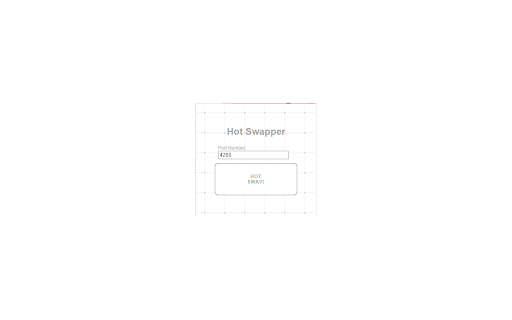
Swap the root domain for localhost on your active tab. Swap your current url to => localhost or localhost with a port number. The extension will remember your last entered port number.

Dynamic Website Blocker
Smart Block Site helps users stay on task through "reward" and "punishment", without outright restricting websites. For every minute a user is on a "merit site", they can earn points. For every minute a user is on a "demerit site", they lose points. The "demerit site" gets blocked once there are no more points left, and the user has to earn points again to re-access the "demerit site". Features: • Autofill Common Sites: Auto fills block sites with common distractors. • Merit Weight: Points added per minute on merit sites. • Demerit Weight: Points subtracted per minute on demerit sites. • Enable/Disable Settings: Once enabled, points will reset if disabled. • Maximum Points Accumulated: • Reset Points After Closure: Once enabled, points will reset if browser is closed. • Permanent Block List: Permanently blocks websites. • Block By Category: Permanently block websites by category (adult).

Auto Local: Reload Local Host Automatically
Auto-reload localhost pages when switching tabs or windows with this extension and save time on manual refreshes. Automatically refresh your localhost pages when you switch between windows, programs, or browser tabs with this efficient Chrome extension, designed specifically for developers. Say goodbye to constant manual refreshing and enjoy an uninterrupted workflow with pages that update in real-time every time you switch focus. ➤ Refresh all URLs associated with localhost instantly, for example: localhost:5000 localhost:488/all-sub-domains localhost:3000/all-sub-domains 127.0.0.1:5501 127.0.0.1:5501/all-sub-domains.html ➤ Choose exactly when the reloading occurs: Reload on switching between applications or browser tabs, or both. Toggle auto-reload on or off with a simple button in the extension’s popup for ultimate flexibility. ➤ Boost Your Productivity: Ideal for frontend and backend developers, it reduces the repetitive hassle of manual refreshing, keeping your localhost pages up-to-date so you can focus on the code. ➤ You can also see how many hours you've spent on localhost, giving you a better sense of your productivity and helping you track your development time.

Localhost Banner Alert
Add a banner to your browser when you're on a local development site Localhost Banner Alert is your companion for local development! This Chrome extension adds a visible banner to your browser to remind you when you're browsing localhost sites. The banner is displayed if the URL of the current tab contains one of these elements: You can manage several parameters. Simply click on the extension button and then on "Go to settings": * Banner enabled: Yes / No * Banner Text : the text on the banner *(default: Localhost)* * Banner Position : Top Left / Top Right *(default)* / Bottom Left / Bottom Right * Banner Theme : Orange *(default)* / Red / Yellow / Blue / Purple / Green * Exclude URLs : fill in the URLs that should not have the banner. One URL per line without http(s). The extension does not collect any user information or other information. Only extension-related parameters are stored. Source code is available here: https://github.com/shevabam/extension-localhost-banner-alert

PaperPunch
Track your office hours, complete your workday on time, and stay on schedule — without doing the math. Punch in your arrival time. PaperPunch calculates when your workday is done — no math, no clock-watching. Finish Time at a Glance: Enter when you arrived and see your end time instantly. A live timeline shows your full day — arrival, breaks, and how far through you are. Break Tracking: Log breaks as you take them. PaperPunch adjusts your end time automatically. Set up presets for lunch, coffee, and anything else you take regularly. Task Timer: Track time against specific tickets or tasks from the home screen. See exactly where your hours went throughout the day. History: Review past days to understand how your time was spent across the week, months or years. Reduced-Hours Schedules: Set custom date ranges with different daily hours — for Ramadan, part-time weeks, or any period where your schedule changes. Sync to Phone: Pair with the PaperPunch web app on your phone so your day stays in sync across devices.
