
ejkiikneibegknkgimmihdpcbcedgmpo
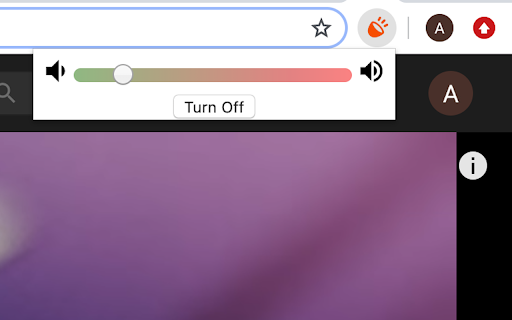

Chrome Extension for Boosting Volume Past Max Settings The FIRST extension to increase and amplify your max volume! 20 MILLION TOTAL INSTALLS! Join OVER TWO MILLION happy WEEKLY ACTIVE users! Boost your volume up to 1000%! Unleash the power of sound, no matter what speakers or headphones you're using. I made this extension so I could blast music on my laptop. Pick how much louder you want the sound to be on audio from any chrome tab. This will work on any audio coming from any tab, and has been successfully tested on both Mac and Windows. If you are on Windows and are having issues with Fullscreen, press F11. If you are on Mac, maximize the window and then press cmd+shift+F. If using earphones or small laptop speakers, moving the slider past the 1/4 of the slider will lead to crackling noise. I am not responsible for any damage done to your speakers/earphones. Please use this extension with care, especially with moving the slider to the red section. I also don’t want anyone to hurt their ears by playing anything too loud — so be careful! I’ve chosen to add support for the Hearing Health Foundation to this extension, so when you use it and buy stuff online, they get some free donations. That means I added some affiliate links within the extension to generate those donations, but you can always turn off the entire donation functionality at any point.

Volume Booster AI – Sound Enhancer & Equalizer
AI Volume Booster & Equalizer with presets, fullscreen support and smart audio controls. Volume Booster AI helps improve browser audio with customizable sound controls, equalizer settings and smart audio tools. Adjust sound levels for videos, music, meetings and streaming websites directly from your browser. PRIVACY: • Local audio processing • Minimal permissions • No account required • Built with Manifest V3 Designed for videos, music, meetings and everyday browser audio.

Sound Booster Plus
Take your audio to the next level with SoundBooster - the ultimate volume booster The Sound Booster extension for Chrome will allow you to boost the volume of your system. It comes with the capability to raise volume levels to 1000%. How to use Volume booster Chrome extension: -Install the extension -Pin it in the toolbar -Click on the extension icon and enable the sound booster. -Then, click on the extension icon and slide right to boost the Sound level. We want to make it explicitly clear that we have no intention of obtaining information about your identity, preferences, or any personal details about you. This commitment is outlined in our privacy policy. (https://www.boostvolume.net/privacy-policy/)

Louder
This addon enables you to enhance the sound beyond the maximum level. The extension is useful when the sound on a webpage is too quiet despite setting it to the maximum volume. It can sometimes help to balance the volume of sound when it varies significantly over time. It works on both video and audio elements on pages that allow it. The extension is activated by clicking the left mouse button on its icon. After clicking on the extension's icon with the right mouse button, a menu with additional options appears, which can be useful in certain situations. To fully reset the sound after adjusting the volume using the extension, it is recommended to reload the page. Known issues: - On some pages, it is not possible to adjust the volume of the played elements. This is due to how the specific page is designed. - On some pages, when clicking on the extension button, the browser may mute the sound. This is due to the security configuration of the specific page or the server it is hosted on and unfortunately cannot be detected from the extension's point of view. If you find this extension useful, you may consider supporting the author with a donation of any amount. Check the menu by right-clicking the extension button.

Ultra Volume Booster
Introducing the game-changer in audio enhancement: Ultra Volume Booster! Elevate your sound experience to unprecedented heights with our cutting-edge browser extension. Use Cases: - Watch your favorite movies and TV shows with immersive audio that fills the room. - Enhance your music streaming sessions by amplifying the volume and enjoying every beat. - Attend virtual meetings and webinars with crystal-clear audio that captivates every participant. - Immerse yourself in educational content and podcasts, catching every detail with pristine sound. Key Features: - Amplify volume in a specific browser tab, allowing you to customize the audio experience effortlessly. - Set up amplification levels precisely to your liking, with options ranging up to a staggering 500% boost. - Rest assured, our advanced technology prevents any sound distortion, ensuring optimal audio quality. Experience the transformation as Ultra Volume Booster empowers you to unleash crystal-clear sound on any website. Elevate your audio journey and immerse yourself in a world of enhanced audio with our intuitive browser extension. Don't settle for mediocre audio. Upgrade your sound game today with Ultra Volume Booster. Discover a new dimension of audio excellence, where every website becomes a symphony of immersive sound.
