
ejfmffkmeigkphomnpabpdabfddeadcb

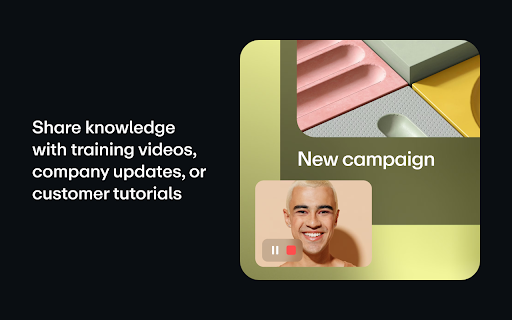


Record and share free video messages from your browser Record and share free video messages from your browser Did you know we speak up to 7x faster than we type? Next time you’re thinking about sending a long email or a chat message, consider whether a video recording might communicate your ideas better—and faster. Whether it's a product demo, design feedback, or a knowledge transfer session, with Vimeo’s screen recorder you can quickly record and share video messages. Choose to record your screen, voice, face or a combination. Once you’re done recording, you can instantly share your video with a private link. Every recorded video is automatically uploaded to Vimeo, which gives you a variety of tools such as organizing and replacing videos, customizing the player, sharing videos with your teams, adding chapter markers, and much more. Join over 200M users who have chosen Vimeo as the home for their videos. ***HOW TO SET UP SCREEN RECORDING*** + START RECORDING FAST: Our extension takes you directly into Vimeo so you can record from your browser in just two clicks. Screen record with audio, webcam, or both: Select the entire screen or an app. Camera on or off. + SHARE PRIVATELY OR EMBED ANYWHERE: Instantly share your recording with a private link or embed it on your website or social channels. + VIEWER ANALYTICS: Get notified when someone watches your video and get insights into your audience. + REVIEW AND COMMENT: Collect and resolve feedback from team members or clients to keep projects moving. + UPLOAD VIDEOS: You’ve got videos. We’ve got the place to host and organize them. Upgrade to do so much more with Vimeo’s online collaboration tools: + ADD CHAPTERS AND CTAS: Make it easy for your viewers to navigate your video and get the information they need with chapter markers and calls-to-action. + INVITE THE WHOLE TEAM: Add team members to keep everyone in the loop with notifications. + SECURE WITH SSO: Easily administer access to the team with single sign-on. ***WHO USES VIMEO’S SCREEN RECORDER?*** CREATIVE TEAMS, FREELANCERS, AGENCIES Record a walkthrough of your work, collect feedback, and streamline the approval process. HR MANAGERS, TRAINERS, EDUCATORS Simplify knowledge sharing by creating reusable tutorials and onboarding videos for employees and customers. PRODUCT, DESIGN & ENGINEERING Submit bug reports, review designs and code, demo products, and share feedback and ideas without scheduling another meeting. CUSTOMER SUPPORT Resolve issues fast with a visual walkthrough of what you’re seeing. EXECUTIVES Record and send company updates with a humanizing touch. ***WHY USE VIMEO’S SCREEN RECORDER*** RECORDING IS FREE Access to the Vimeo screen recorder is free, allowing you and your team to get started quickly and easily. Plus, upload any video file and use a variety of tools to organize, manage, and publish your videos. TAKE BACK CONTROL OF YOUR TIME Sending a video message can provide the context and value of a meeting in a fraction of the time. Simply record your screen and start talking to get your message across. CONNECT ON A PERSONAL LEVEL A lot gets lost in translation with text. Be understood and build strong relationships remotely by expressing yourself through your voice and face as you would in person. Convey tone, emotion and empathy. TRANSFER KNOWLEDGE INSTANTLY Spend less time training and re-training. Record reusable assets like how-to videos, demos, presentations, and walkthroughs to onboard and educate team members and customers and resolve support tickets. SIMPLIFY THE FEEDBACK PROCESS Consolidate and resolve feedback directly in your video recordings. Comment and tag your teammates to keep projects moving. SECURE ACCESS FOR THE WHOLE TEAM Organize your recordings in team folders to automatically notify anyone with access to the folder of new content. Set permissions and invite clients and stakeholders as viewers to specific folders.

Screenshot & Screen Video Recorder
An effective screenshot and screen recording tool to quickly share screens and capture entire pages and edit. Capture, record, annotate and instantly share screenshots and videos to communicate faster. Uploads any of your captured content as a public or private shortlink URL that makes it easy to show your team, customers, or friends what you're trying to say. 🎥 Screen Recorder ᐅ Desktop Recorder You can record anything you want on your desktop, such as every video you watch, every game you play, every software you operate, or every courseware you make can be recorded and saved in HD. ᐅ Browser tab page Recorder It can accurately capture the specified window in the browser, does not affect your browsing other pages or work, to provide you with more accurate screen recording experience. ᐅ Camera Recorder It can not only record the camera alone, but also enable the camera when recording the desktop/browser window to achieve a "picture in picture" recording effect, making your video more colorful. ᐅ Voice Recorder Supports recording system sound, microphone sound, or both. You can choose freely. ᐅ Annotation video A variety of graphic annotation tools are provided to mark and annotate the recorded video at any time. ᐅ Capture Full Page No matter how long the page is, you can turn the page into a picture for easy editing and sharing. ᐅ Capture Visual Area Quickly capture the viewable area of the current browser page. ᐅ Capture Selected Area Drag and drop to capture anything you want. ᐅ Edit the screenshots Powerful annotation tools to annotate captured images, such as boxes, circles, arrows, free brushes, highlights, paint, etc. ᐅ Save screen capture Multiple save options, you can save screenshots as PDF, PNG and JPEG, or copy screenshots to clipboard Use the our extension to better and faster express your thoughts to friends and colleagues. To reduce browser load and conserve resources, the extension uses chrome.tabs.update to avoid creating new tabs every time the extension needs to open a page. Furthermore, chrome.tabs.update allows the user tab to be updated after changes to the extension—for example, when the interface needs to be refreshed or the latest data needs to be displayed. Help us make this product better - inform detailed bugs and feature requests in the Support section or email.

線上會議自動接受工具
Let Google Meet™ automatically accept all join requests. This extension will be automatically activated after installation, so if you want to disable the feature, please go to the extension page to manually disable it.

Desktop Screen Recorder
Record the computer's screen, entire application or a single browser tab with audio support Desktop Screen Record is a powerful recording tool that captures the screen for sharing content. This extension has three modes: 1. Capture the entire screen. This mode supports monitor selection if more than one display is detected. 2. Application window capturing. It only captures one application's window, and the video size would be equal to the application's window size. 3. Browser tab mode. The extension captures the content of one browser tab only. You can optionally switch to a different tab during the recording This extension can record in HD quality if the recording is placed on a high-quality LCD monitor. Also, it supports audio recording. The user can either ask the extension to record the system sound (whatever is playing in the background) or use the user's microphone device for recording. The output format of the media files is the WebM format, which is the best choice for media sharing due to its compression level and real-time rendering. Features: 1. It is possible to use this extension to record long screen captures since it directly writes chunks to the disk while recording. 2. Recover recordings in case of a browser crash. 3. Use a built-in tool to draw or write during the presentation 4. Record audio from speaker, microphone, or both 5. Adjust video quality (HD, Medium, Low, or Default) 6. Define global shortcuts to pause, resume, or stop recording. 7. Record as long as you need. There is no watermark on the recording 8. Writes the stream directly to the disk. There is no need for recovery after a possible browser crash.

Screen Recorder
Record your computer's screen with just one click! Screen Recorder extension helps you record video from the computer's screen. To work with this addon, please click on the toolbar button. Once the recorder interface appears, please adjust desired options, and then click the - Start - button. The video source could be your screen, window, or tab. The audio source can be the system's audio, microphone, mixed, or no audio at all. When you click the start button, a popup will appear within the interface. This popup window allows you to select the desired screen, tab, or window. To start recording please click on the - Share - button. When you are done recording the screen, please press the toolbar button (or the stop button on the app interface) to stop the recording process. The recorded video will be download to your computer automatically (on the default download location). By default, recorded media is in - webm - format. To get more information about webm video format, please visit this Wikipedia page (https://en.wikipedia.org/wiki/WebM). If you want to change this format to a different one, please use a different software. Moreover, to switch the interface theme to dark, please press the moon icon in the right toolbar. To report bugs, please fill out the bug report form on the addon's homepage (https://mybrowseraddon.com/screen-recorder.html).
