
ejennkfmoeflakcdgncganjnbdipennf


Effortlessly manage bulk image uploads for Printify Print On Demand Effortlessly manage Printify Print On Demand assets with our extension. Bulk upload designs, images and artwork to save time. Seamless navigation & clear error notifications. Focus on growing your business, not uploading assets. Get started today and boost your Printify workflow.

Trademark search Print on Demand - Copytasker
Search for Trademarks for print on demand, Amazon, Redbubble, Etsy etc. Highlight the text you want to search and Right click. Highlight any text and right click to instantly search for trademarks. Perfect for print on demand keyword research especially if you are an Amazon merch, Redbubble or Etsy seller. Also included is a helpful dashboard, just right click on the extension and hit 'Options'. This has a directory list of print on demand fulfillment sites and more!

Merch Dominator For Merch By Amazon & KDP
Merch Dominator is the all-in-one tool for Merch By Amazon & KDP, streamlining product research and auto upload for faster workflow Merch Dominator For Merch By Amazon & KDP is the all-in-one Chrome extension built for serious Print-on-Demand (POD) sellers, including Merch by Amazon, Kindle Direct Publishing (KDP), and more, designed to streamline research, listings, and scaling like never before. Whether you’re a beginner or scaling to six figures, the Merch Dominator Extension simplifies your entire workflow, from niche discovery and market analysis to one-click listing automation, so you can work less, upload faster, and sell more. Built by real POD sellers who were tired of slow, clunky tools. The Merch Dominator Chrome Extension combines elite research power with automation, giving you a productivity engine that actually grows your Merch By Amazon, Kindle Direct Publishing KDP or Print on Demand business. With the latest V2 updates, you now get: • A research suite that outperforms anything else on the market • AI-powered listing generation • Reusable product templates • Fully automated upload system ⚙️ Key Features of the Merch Dominator Chrome Extension: ⭐ Comprehensive Data Analysis - Perform in-depth niche exploration with extensive data coverage for thorough research. ⭐ Real-Time Sync – Get live BSR, pricing, and estimated sales with seamless sync to the web app. ⭐ Niche Validation – Quickly identify low-competition, high-demand trends. ⭐ Advanced Filtering & Sorting – Sort by BSR, reviews, publish date, and more. Save filters for repeat searches. ⭐ Keyword Research – Includes autocomplete from Amazon & Google, keyword density, and Redbubble tagging. ⭐ Grid & List View Toggle – Choose between Grid View for fast, in-Amazon insights or List View for detailed breakdowns. ⭐ Historical Data – See trends in BSR and pricing over time. ⭐ Trademark Compliance – Instantly check listings for trademark risks. ⭐ One-Click Research – Launch keyword or product lookups with 1 click. ⭐ Favorites & Grouping – Organize niches and designs, export to CSV, and sync with your web app. ⭐ Multi-Market and Product Compatibility – Supports All Amazon Merch on Demand and KDP products and Marketplaces. ⭐ Performance Optimized – Scan massive datasets without crashing. Pause and resume as needed. ⭐ Light/Dark Modes – Choose the view that keeps you productive. ⭐ Auto Upload System (NEW) – Upload designs instantly with saved templates, AI-generated content, and built-in upscaling. ⭐ AI-Generated Listings (NEW) – Create optimized titles, bullets, and descriptions in seconds either from design or from keywords. ⭐ Template System (NEW) – Save and reuse unlimited product, pricing, and listing settings to move faster. ⭐ Design Image Tools (NEW) – Download, upscale, or auto-position your artwork. 🔐 Built for Sellers, by Sellers Join top Print on Demand sellers using Merch Dominator Chrome Extension to level up their listings, skip the manual grind, and hit revenue goals faster. Download the Merch Dominator Chrome Extension today to unlock the fastest, most complete POD research and upload automation extension available. By using this extension, you agree to our Terms & Conditions: https://merchdominator.com/terms Disclaimer: This tool is not affiliated with or endorsed by Amazon Merch on Demand. Platform changes may affect performance.

Printify Bulk Uploader - Bulk Upload Product Images to Printify
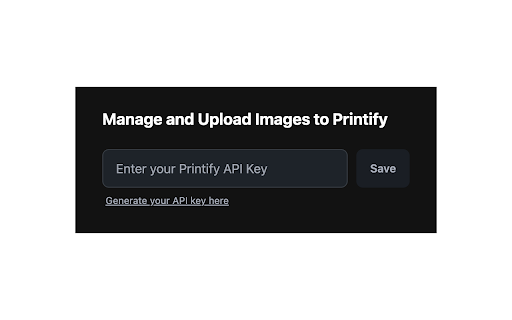
Bulk upload product images to your Printify Media Library from Chrome to speed up adding and updating designs across your store. Printify Bulk Uploader is a dedicated Printify image uploader and bulk upload tool. It lets you send many product images to your Printify Media Library in one go. Drag and drop files, paste your Printify API token, and let the extension handle fast, concurrent uploads while you focus on designing products. - Print-on-demand sellers running Printify stores on Shopify, Etsy, WooCommerce and more - Designers preparing large batches of artwork or mockups for Printify products - Agencies and VA teams managing multiple Printify shops or catalogs that depend on Printify ✓ Upload images in bulk (JPEG, PNG and SVG) directly to your Printify Media Library ✓ Smart concurrent uploads that respect Printify API limits ✓ Clean image grid with per‑file status: Uploading / Uploaded / Failed ✓ Clear error messages when a file is too large or has the wrong format ✓ Secure storage of your Printify API token using Chrome sync 1. Install the extension from the Chrome Web Store and open it from the toolbar. 2. In Printify, create an API token on the Printify API token page. 3. Paste your token into the "Printify API tokens" field in the extension and click Save token. 4. Drag and drop images into the uploader, or click Browse images to choose files. 5. Click Upload X files to start; check the progress bar and, if any files fail, fix them and upload again. - Use a dedicated Printify bulk uploader instead of repeating the built‑in upload dialog - See exactly which images succeeded or failed without digging through the dashboard - Keep your workflow inside Chrome with a responsive, extension‑friendly UI Privacy and disclaimer Your Printify API token is stored only in Chrome on your devices. Image uploads go directly from your browser to Printify’s API; we do not proxy or store your media, orders or product catalog. Printify Bulk Uploader is an independent Chrome extension and is not affiliated with, endorsed by, or sponsored by Printify. Use it in accordance with Printify’s Terms of Service and API policies.

POD Store Manager
Bulk add products to your Printify store. Automate uploads and grow your print-on-demand business easily. POD Store Manager is a powerful Chrome extension that allows Printify sellers to upload products in bulk, automate repetitive tasks, and scale their print-on-demand business more efficiently. Whether you're running a small Etsy shop or managing multiple Shopify stores, this extension helps you save time, reduce errors, and streamline your entire Printify product creation process. What this extension does: * Bulk add products to your Printify store using automated upload tools * Fill in product titles, descriptions, tags, mockups, and variants automatically * Reduce manual copy-paste and repetitive clicking * Get real-time feedback on upload progress and error messages Why you should install POD Store Manager: 1. Save time: Uploading dozens or hundreds of products manually can take hours. This extension automates the process, letting you focus on design and marketing. 2. Scale faster: Want to launch new collections or test designs quickly? Upload products in batches and beat the competition to market. 3. Avoid mistakes: Manual uploads often lead to typos, wrong variants, or pricing errors. POD Store Manager makes sure your settings are applied consistently across all products. 4. Built for Printify sellers: Whether you're on Etsy, Shopify, or WooCommerce, POD Store Manager supports all Printify users. 5. No tech skills required: Just install the extension, log into your Printify account, and start automating. No coding needed. 6. Optimized performance: Built with Chrome Manifest V3, this extension is modern, secure, and actively maintained. 7. Free to use: All core features are free. Who should use this extension? * Printify sellers with large product catalogs * Designers who frequently launch new collections * Agencies or virtual assistants managing multiple POD clients * Anyone who wants to save time, reduce errors, and grow their POD business faster * Upload 100 t-shirt designs to Printify in minutes * Apply the same price, tags, and provider to dozens of products with one template * Launch new seasonal collections without starting from scratch * Test multiple price points across different variants quickly * Automate the upload process for clients or multiple stores Start automating your Printify uploads today. Stop wasting time on manual product creation and grow your print-on-demand business with POD Store Manager. Download the extension now and transform your workflow.
