
eiflfidddkaideecknbbdonpkiddeegj

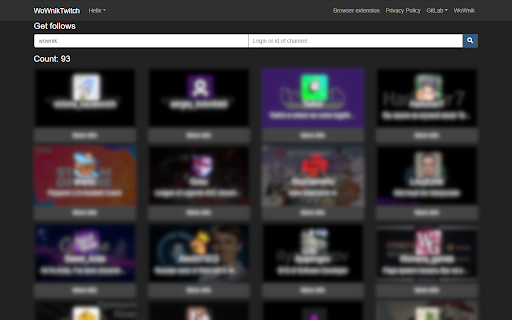
Chrome extensions to easily get list of Twitch follows and followers Once upon a time on Twitch there were "Follows" and "Followers" buttons... So this extension returns them! Now you can, as before, look at who this or that person is following with a simple click of a button!

Stream Bridge - Watch everyone on Twitch
With this extension, you can: ✔️ Follow streamers' channels from different platforms and observe their channel status on the left sidebar of Twitch ✔️ Add your channels to the list if they are not currently listed This extension currently supports the following streaming platforms: YouTube, Kick, Trovo, VKPlay Live, and WASD.

Enhancer
Enhancer is open-sourced and free extension, which adds what is missing on streaming platforms. Enhancer is an open-source and free extension designed to elevate your streaming experience. It fills the gaps on popular platforms, adding powerful features you'll wonder how you lived without. While Enhancer was already a trusted tool for Twitch, now it proudly supports Kick! Twitch Features: - Chatters: See the exact number of users connected to chat, helping you identify view bots and get accurate audience metrics. - Chat Attachments: View images and media directly in chat no more leaving the stream! - Pin Streamers: Keep your favorite streamers at the top of your followed list for quick access. - Channel Section: Access quick links like TwitchTracker and SullyGnome, plus see your total watch time for any streamer. - Enhanced Mentions: Hover over a mention to highlight all messages from mentioned user. - Stream Latency: Monitor the current delay of the stream. - Real Video Time: See the actual broadcast time when watching VODs. - Clip Download Button: Easily download your favorite clips. - Message Menu: Quickly copy usernames or message content with a right-click. - xayo.pl Integration: (Polish Users) See who a specific user watches in their usercard and via the /watchtime command in chat. Kick Features: - Channel Section: Get quick access to useful links and your watch time. - Chat Attachments: View images and media directly in chat. - Enhanced Mentions: Hover over a mention to highlight messages from all mentioned users. - Real Video Time: See the actual broadcast time on VODs. - Stream Latency: Monitor the current stream delay. And many more features to discover! For any help, you can visit our Discord linked on enhancer.at or contact us via email at contact@enhancer.at.

Previews (For Twitch & YouTube & Kick)
Live hover previews for Twitch & YouTube & Kick | A bunch of quality of life improvements for Twitch & YouTube & Kick Hover previews, sidebar favorites, multi-stream, FlashBang Defender, auto-refresh on errors, fast-forward and dozens more Quality-Of-Life features — all for Twitch & YouTube & Kick. Previews is a browser add-on for people who watch a lot of streaming content. Peek at any channel before you click. Pin your favorites to the top. Watch multiple streams at once. Stop the video from breaking. Snipe predictions. Catch up to the action with one click. Fast-Forward. Record streams. Maintained since 2020 and rated 4.8/5 stars! 🖱️ HOVER PREVIEWS Live video or image thumbnails appear when you hover over channels — in the side panel, directories, and clips. Adjustable size and audio. ⭐ SIDEBAR FAVORITES A dedicated Favorites list pinned to the top of your sidebar, just for the streamers you actually care about. Optional custom categories. Show offline favorites too if you want. 🔆 FLASHBANG DEFENDER For 2 AM moments when the streamer opens a white browser tab. One click dims the video so your eyes survive. 🔁 AUTO REFRESH ON PLAYER ERRORS Automatically refreshes the player on errors #1000, #2000, #3000, #4000, and #5000. No more dead streams. 🎚️ AUTO SET PLAYER QUALITY Forces the video to your selected quality on every page load and channel change, with a fallback if your first choice isn't available. 🛡️ PREVENT QUALITY DROPS IN BACKGROUND Stops the video from sliding to 160p when you switch tabs. Also kills 99% of #1000 and #2000 errors before they happen. 🚀 FAST-FORWARD One-click jump back to the live edge — perfect when the stream is delayed or the buffer pulled you behind. Shows in the player controls. ⌨️ KEYBOARD SEEK Use SHIFT + left/right arrow keys to seek 5 seconds back or forward through the live buffer. Shortcuts are customizable in settings. 🎤 VOICE TYPING IN CHAT Click the mic icon to dictate your messages — speech-to-text powered by AI. Multi-language support. 🎯 PREDICTIONS SNIPER A few seconds before each prediction closes, the sniper picks the option leading in votes — based on configurable rules for bet size, max points, vote-margin, and timing. 🎬 CLIP DOWNLOADER Download Twitch clips straight from the video controls. No third-party sites. 📺 MULTI-STREAM & MULTI-CHAT Watch and message across multiple channels at once on Twitch, YouTube, and Kick. Save layout presets. Switch between them on the fly. 🎞️ FULLSCREEN WITH CHAT OVERLAY Theater or fullscreen mode with a transparent or solid messaging overlay. Fully customizable. 📸 SCREENSHOT & RECORD Capture stills at the stream's native resolution, or record at 60fps. ⚡ AUTO CHANNEL POINTS CLICKER Clicks the bonus claim button for you. Works in background tabs too. PLUS many more: predictions notifications, leave raids automatically, raid to random favorite, incognito chat, clear chat, sidebar search, expand sidebar, YouTube + Kick channels in the side panel, streamer self-preview, hide platform overlays, mute videos that play in the background, layout presets, cloud sync for settings + favorites, playback speed controls, copy URL at current time, and more. WHY USERS LOVE IT ✓ 60,000+ active users ✓ 4.8/5 ★ rating ✓ Maintained since February 2020 ✓ Featured by the Chrome Web Store ✓ Recommended by the Mozilla Add-ons team ✓ Praised by Dexerto ✓ Translated into 7 languages: English, German, Spanish, French, Portuguese (Brazil), Japanese, Korean ✓ Actively maintained and updated regularly

Twitch Follows Viewer
Twitch Follows Viewer lets you instantly see which channels a Twitch user follows – without leaving the stream. Open the extension on any Twitch page or type a nickname manually and get a clean, scrollable list of follows with: – Channel avatar & name – @login (Twitch handle) – LIVE badge for channels currently streaming – Follow date & time – Language flag (based on channel language) – Quick link: “Open channel” in a new tab You can also optionally show the same follows list inside Twitch chat viewer cards (and 7TV user cards) – right under badges and follow info – so you don’t need to open the popup at all. This behavior is controlled by a checkbox in the extension popup and is disabled by default. – When you open the popup on a Twitch channel, the extension automatically detects the current streamer’s nickname (you can still edit it). – It calls an external service that returns public follow information for that user. – The results are displayed in a compact, Twitch-like UI with live channels highlighted at the top. Permissions – Tabs / activeTab – used only to read the current Twitch URL to prefill the nickname. – No passwords, tokens or private Twitch data are accessed. All follow data comes from public endpoints.
