
ehkgmmfjcgcklijpcjlakphgaollpccp
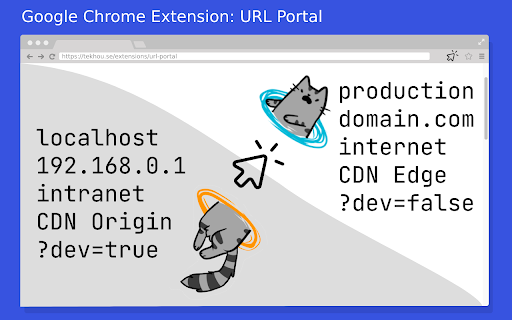

With one simple click you can change part(s) of the current URL: protocal, domain, host, path, search parameters, hash Picture this, during your daily work, you have to constantly change similar URLs from one to another. For example, switching from local develop URL to corresponding production URL (only protocol and domain are changed, remain path and params the same), and vice versa: http://localhost/path/to/feature/?param=value ⬆️ ⬇️ https://your-domain.com/path/to/feature/?param=value With this extension, you can easily achieve this by editing the URL in popup. And save your frequent settings into favourite. You can even use the right click menu to quick navigate to the destination. Just like a magic portal.

Domain Switcher
Easily switch between domains while keeping the same path and query parameters **Effortlessly switch between development, staging and production environments while preserving your exact path and parameters.** Are you a developer or QA tester constantly switching between different environments? Domain Switcher eliminates the frustration of manually changing domains while testing across environments. ### Key Features: • **One-Click Domain Switching**: Instantly switch the current page from one domain to another • **Path Preservation**: Maintains the exact same path, query parameters, and hash fragments • **Keyboard Shortcuts**: Quick domain switching with customizable keyboard shortcuts (Ctrl+Shift+1-3) • **Custom Domains**: Save and manage multiple domain configurations • **Privacy-Focused**: No data collection or tracking - all data stays in your browser ### Perfect For: • Web developers testing across local, staging, and production environments • QA testers verifying consistency between environments • Technical support teams navigating between customer and internal systems • Anyone who regularly needs to view the same page across different domains Save time and eliminate copy-paste errors when working across multiple environments. Install Domain Switcher today and streamline your workflow!

Portal Tab
Makes your new tab page look like a computer from the video game Portal. This changes you new tab page to look like the monitors that you can find in the video games Portal & Portal 2 by Valve.

URL Editor
Edit URLs with ease! Easily see, edit, remove, and add URL parameters as well as path segments. No more dragging your mouse across your URLs. Simply use URL Parameter Editor.

URL Replace Pro Max+
URL Replace Pro Max Plus is the extension to replace the URL based on rules. 1. Install extension. 2. Pin extension in the toolbar for easy access. 3. On the tool bar icon, right-click and select Options to define search/replace rules and save. 4. Visit a site matching the defined search rules. 5. Notice the URL being replaced as defined by rules. 6. No information is collected or transferred. If it is useful and you like it, please rate.
