
ehfkleckcppfceemdamfiohancgjglhk

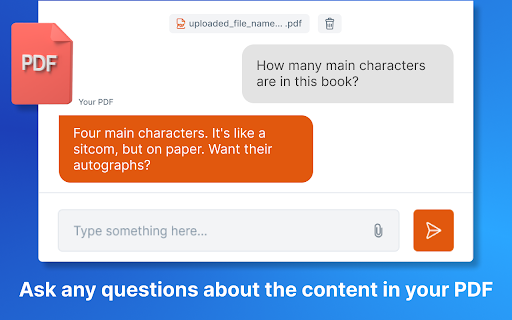
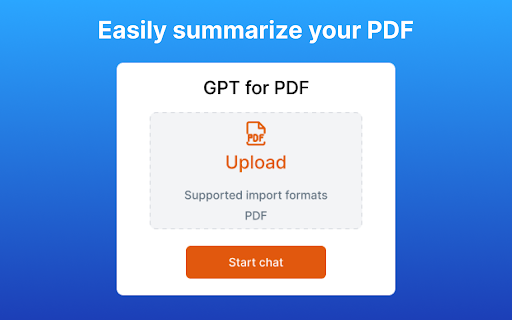
Ask your pdf ai. Chapdf best ai summarizer plugin powered by gpt. Summarize text and have a chat with any pdf. Pro summary generator Enhance Your talk to PDF Experience with ChatGPT: The Ultimate Summary Generator and AI Summarizer In today's fast-paced digital world, where information is king, PDF documents play a pivotal role in knowledge sharing. Yet, the sheer volume of PDFs can often be overwhelming. That's where our ChatGPT-powered Chrome extension comes into play. It's your ultimate tool for conquering PDFs, making your interactions smarter and more efficient. 🔥Unlock the Power of PDF Summarize and Chat GPT 🚀 ai PDF Summarizer: Say goodbye to endless scrolling and sifting through lengthy documents. Our extension, equipped with an advanced PDF summarizer, distills the most critical insights for you. Askyourpdf about everything 🚀 ChatGPT Integration: Harness the formidable capabilities of Chatpdf for instant and precise answers. ChatGPT and PDF come together seamlessly, allowing you to query documents in plain language. 🚀 Intelligent Annotation: Dive deeper into your docs with smart annotations. Our extension not only summarizes but also annotates key points, making it easier for you to grasp the core concepts at a glance. With the integration of GPT, you can effortlessly annotate PDF, making your reading experience more insightful and interactive. 🚀 Seamless Document Navigation: Transform the way you navigate through documents with our intuitive interface. Effortlessly jump between sections, search for keywords, or ask Chat gpt to find the information for you. With the combination of AI PDF Summarizer and ChatGPT, navigating through dense documents becomes a smooth, user-friendly experience. Say goodbye to the traditional tedious document browsing, and embrace a new era of intelligent, AI-driven document navigation. 🔥 Maximizing Your talk to PDF Extension: A Step-by-Step Guide 1️⃣ Simple Installation: Getting started is a breeze. Add the extension to your Chrome browser with a single click. 2️⃣ Seamless PDF Access: Open the PDF document you wish to engage with directly from your browser. 3️⃣ Effortless Chat with ai assistant: Initiate a conversation via the user-friendly extension interface. Just click on the icon. 4️⃣ Request a Summary: Ask ChatPDF to summarize the Documet content. You can request a concise overview or specify sections you want to focus on. 5️⃣ Instant Summaries: In a matter of moments, ChatGPT will deliver precise summaries, giving you quick access to the essential information within the PDF gpt. 🔥Advantages of Our AI assistant Extension: Your Path to Efficiency 🕗Time-Saving: Summarizing PDF, webpage, youtube or any other Documents is now a matter of minutes, freeing your schedule for more critical tasks. 👩🎓Accuracy: ChatGPT's natural language understanding ensures precise and relevant summaries, helping you make informed decisions. 🛠Customization: Tailor your summarization requests, whether it's specific sections or the entire document, to cater to your unique needs. ⚙️Versatility: Our extension seamlessly handles a variety of Documents formats, making it a versatile tool for professionals, students, and researchers alike. ⚙️Intelligent Integration: Enjoy a seamless connection between our extension and your preferred PDF reader, enhancing your workflow across different platforms. ⚙️Conclusion: Revolutionize Your PDF, webpage Interaction Say goodbye to the daunting task of dealing with voluminous PDFs. Forget about wondering how to get ChatGPT to summarize a PDF. With our PDF extension powered by ChatGPT, you have the tools to revolutionize your PDF interactions. Enter a new era of intelligent PDF management and summarization. Don't allow your valuable time to get lost in the maze of lengthy documents. Embrace the future of PDF handling, elevate your efficiency, and empower your interactions with our ChatGPT-powered PDF extension. Try it today, and experience the transformation in your PDF interactions. Your PDFs will become more than documents; they'll become gateways to instant insights. ❓Q1: How to feed a document to the AI? A1: Feeding a document to the AI is a straightforward process with our extension. After installation, simply click on the icon, and you'll find an option to upload or open a file. Once the document is uploaded, it becomes ready for interaction with the AI. ❓Q2: How to use 'Ask Your Document' feature? A2: With the 'Ask Your Document' feature, you can easily pose queries to your file. After uploading the document using our extension, click on the icon and type in your question in the provided chat interface. The AI will interact with the document and provide you with the relevant answers or summaries based on your query. ❓Q3: How to upload a document for interaction? A3: Uploading a document for interaction is done through our extension. Once the extension is installed, click on the icon and select the option to upload a document. Browse to the location of the file on your device, select the file, and click 'Open'. Your document will be uploaded and ready for interaction. ❓Q4: How to get the AI to summarize a document? A4: To get the AI to summarize a document, first upload the document using our extension. Then, click on the icon, and in the chat interface, type a request like ""Summarize this document"" or specify the sections you want summarize. The AI will provide a concise summary of the requested content from the document. ❓Q5: Can the AI summarize a document? A5: Yes, the AI can summarize a document effectively. Once the document is uploaded through our extension, you can request a summary by interacting via the chat interface. You can ask for a summary of the entire document or specify particular sections that you want summarized.

AI Exporter: Save ChatGPT, Gemini to PDF, Word, MD and Notion
Export ChatGPT, Claude, Gemini and NotebookLM chats to PDF/Word/Markdown/Txt. Supports content selection, and Notion sync, download. 📌 Introduction Want to save your AI conversations forever? AI Exporter is a professional browser extension supporting 10+ major platforms including ChatGPT, Gemini, Claude, and NotebookLM. With just one click, export your AI chats perfectly to PDF (Latex supported), Word, Markdown (MD), JSON, Image, or sync directly to Notion. Never worry about losing your chat history again. Archive, share, and edit your AI knowledge assets with ease. 🔥 Popular Features 🆕 Precise Timestamps: Automatically extracts and displays the exact creation time of each session, making your history fully traceable for better timeline management. 🆕 Super-Long Chat Export: Engineered to handle massive conversations effortlessly without crashing or truncating, ensuring every detail of your deep dives is captured. 🆕 Accurate Model Versioning: Displays the specific AI model version used in each session (e.g., Gemini 3 Pro, ChatGPT 2.5 thinking) in exported docs, making academic research and sourcing more rigorous. 🆕 Cross-Platform Collection: Sidebar mode lets you save chats locally with one click for multi-model comparison and merged exports. 🆕 Deep Research Export: Full support for downloading content from ChatGPT Deep Research and Gemini Deep Research modes. 🆕 Stylish Templates: Choose from Highlight, Dark, Note, and other beautiful templates for a professional look. 🆕 Extensive Compatibility: Supports 10+ sites, including DeepSeek, Perplexity, Copilot, Google AI Studio, and more. ✨ Powerful Export Experience ✅ Perfect PDF Layout: Automatically handles Latex formulas and code highlighting while maintaining the native UI feel. ✅ Sync to Notion: Seamlessly bridge AI and your knowledge base by turning chats into Notion pages instantly. ✅ Flexible Selection: Skip the fluff—select only what you need with multi-selection support. ✅ Image & Text Preservation: Perfectly retains images and charts; supports generating long-image sharing cards. ✅ Local Knowledge Base: Save important AI inspirations to a local database for instant offline preview. ✅ Search Overviews Backup: One-click backup for Google Search AI Overviews results. 📌 Why Choose AI Exporter? 👨💻 Community Focused: We listen to user feedback with frequent updates for a reliable experience. 🎓 Academic Friendly: Precisely identify and export academic discussions with complex Latex formulas. 👨💻 Dev Empowered: Export Markdown with one click; code snippets can be seamlessly integrated into your docs. 📊 Knowledge Accumulation: Quickly backup data analysis and reports to build your personal AI think tank. 📢 Preserve Inspiration: Save full image-text chats as beautifully formatted PDFs for easy sharing. 🌟 Install for free now and give your AI assets a permanent home!

ChatPDF - ChatGPT for PDF
Use ChatPDF: AI summarizer to chat with PDF, extract insights, and get AI summary. Simplify your pdf reading! ⚡ Introducing ChatPDF, the revolutionary Google Chrome extension and powerful AI tool that transforms the way you interact with PDF files (powered by ChatGPT models). ⭐ With ChatPDF, you can now upload file and ask your pdf about its content using AI chat technology. ⭐ This innovative tool is perfect for students, professionals, and anyone looking to streamline their document analysis process. Chat PDF allows you to chat with PDF in a way that feels natural and intuitive. Just upload your file, and you can start asking questions about its contents (like in ChatGPT). The AI understands the context and provides you with precise answers, making information retrieval a breeze. Imagine being able to dive deep into any document without the hassle of manual searching! ✨ 1️⃣ Upload and Ask ChatPDF With Chat to pdf (powered by ChatGPT), you can easily upload any file and ask anything. Want to know specific details? Just type your question, and watch as the AI provides instant answers. 2️⃣ Conversations Our advanced Pdf ai chat capability allows you to engage in meaningful dialogues about the document. Whether you need a quick summary or detailed explanations, AI technology has you covered. 3️⃣ Smart Document Summarization Use the AI summarizer feature to generate concise summaries of your documents. This AI summarizer quickly distills the essential points, helping you grasp the main ideas without spending hours reading. 4️⃣ Versatile Use Cases of ChatPDF Our extension is designed to meet a variety of needs. Here are some practical applications: ▪️ Research Assistance: Quickly extract relevant information from research papers. ▪️ Study Aid: Use AI (ChatGPT) Pdf summarizer notes to aid in exam preparation. ▪️ Contract Review: Get clarity on legal terms in contracts with a simple question. ▪️ Report Analysis: Analyze complex reports effortlessly by asking ChatPDF targeted questions. ▪️ User Manuals: Navigate through user manuals and find instructions with ease. ️ 5️⃣ Engaging With the pdf chat feature, you can transform any document into an interactive experience. Imagine discussing the contents of a textbook or a business report as if you were talking to a knowledgeable friend! 💬 📍 Step 1: Install the extension from the Chrome Web Store. 📍 Step 2: Upload your desired file directly through the extension. 📍 Step 3: Start asking questions about the document. Use prompts like: ➤ What are the main arguments in this paper? ➤ Can you summarize the conclusion? ➤ What statistics are mentioned? 🔍 📃 Time-Saving: No more tedious reading. Get straight to the answers you need. 📃 Convenience: Access ChatPDF free of charge and elevate your document-reading experience. 📃 Enhanced Learning: Great for students who want to maximize their study efficiency. 📃 Accessibility: Perfect for anyone looking to extract information from PDFs without hassle. 💪 The Power of AI Harness the power of AI summary for your needs with ChatGPT. With Doc reading AI capabilities, chat to pdf ai offers a unique blend of efficiency and ease of use. This AI not only helps in summarizing content but also facilitates discussions about the material, making it an indispensable tool for anyone working with documents regularly. 💡 Choosing ChatPDF means opting for a smarter way to handle your documents. Experience the benefits of: 💡 AI tool capabilities for enhanced interaction. 💡 The ability to Chat with any document and get tailored responses. 💡 Comprehensive pdf features that allow for effective learning and information retention. In today's fast-paced world, efficient document management is crucial. ChatPDF provides a groundbreaking solution for anyone looking to optimize their file interactions. Whether you're preparing for exams, conducting research, or managing business documents, Chat PDF is your go-to extension. Upload your files, engage in insightful discussions, and unlock the full potential of your documents today! Start your journey towards more effective text handling and enjoy the seamless integration of AI in your reading experience. Get ready to transform the way you handle documents forever! 🚀

AI PDF Reader
Try AI PDF Reader this pdf summarizer lets you chat with pdf and ask documents anything with ai summary generator 🚀 Quick Start Guide Install this extension to your browser. Open a document in your active tab. Tap the icon to start the assistant. Select Chat or Summarize to analyze. Get instant insights from your files. Welcome to a superior way of managing text. Having a smart digital assistant is a necessity today. This tool is not just a viewer; it is an ecosystem designed as your ai pdf reader. Whether you are a student, professional, or creator, this platform adapts to you. It transforms static pages into dynamic conversations, saving hours of work. Here are 🔟 reasons to choose this extension: 1️⃣ It is a versatile ai pdf reader online, accessible within your browser interface. 2️⃣ The chat ai pdf reader lets you interrogate documents naturally. 3️⃣ Use the pdf summarizer to compress reports into concise insights quickly. 4️⃣ Our ai based pdf reader understands context beyond simple keywords. 5️⃣ It includes a pdf document summarizer that highlights data points. 6️⃣ The interface acts as a pdf file reader ai with digital intelligence features. 7️⃣ Students use ai pdf book reader for heavy academic textbooks. 8️⃣ As a generative ai pdf reader, it helps you draft emails or essays from files. 9️⃣ chatgpt to pdf extension brings model power to your local data. 🔟 This ai powered pdf reader keeps your information private and secure. 🔥 Revolutionize Your Daily Workflow Speed and Efficiency The modern web requires speed. Our ai pdf summarizer delivers results in seconds. Instead of reading every line, you can summarize pdf to important part instantly. This acts as an ai summary generator for decision-makers and managers who value their time. ➤ Deep Understanding The core of our algorithm is built on natural language processing. Unlike a standard text reader from documents, our tool understands intent. It is perfect for chatting pdf sessions to clarify topics without searching through the paper manually. ➤ Heavy Lifting This document summarizer handles large materials. Whether it is a 100-page contract or manual, the ai document analysis engine breaks it down, making hard files easy to digest for anyone. 🌟 Smart Interaction Features Interactive Chat: The ability to chat with pdf files changes the game. You can ask your pdf about specific dates or names inside the document. Instant Answers: The ai pdf reader and answer questions capability is like having a tutor. Query your file, and the assistant unit finds the paragraph. Custom Summaries: Our summarizing ai ensures you never miss the big picture. The summary pdf function allows for short or detailed points. 🎓 Education and Research Optimized The tool is indispensable for academics. Users can upload course materials and request chapter overviews. The platform creates revision notes. Researchers use the system to cross-reference studies. The extension explains jargon, making papers accessible. This is a game-changer for people who need to process vast amounts of literature quickly. 💼 Business Use Time is a resource. Use the platform to audit legal agreements or review statements. It turns transcripts into tasks. The system turns text into knowledge. Draft client responses based on documentation instantly. Enhance your professional productivity and efficiency with every document you open. ❓ Frequently Asked Questions How does it differ? 💡 It is a powerful assistant. It combines a file opener with a chatbot for deep ai document analysis. Can I chat with files? 💡 Yes. The interface lets you type naturally. You can interact with anything based on the text. Is it accurate? 💡 The system is precise. It helps summarize pdf to important part, ensuring info is retained. Is it secure? 💡 Yes. The software processes data securely. We do not use files to train public models. Quick overviews? 💡 Use the ai summary generator. Adjust the summary pdf output to be detailed or brief. Answer questions? 💡 Use ai pdf reader and answer questions. It finds needles in haystacks. Large books? 💡 The system is fast. The software stays responsive even with documents over five hundred pages. 🚀 Conclusion Upgrade to the premier ai pdf reader today. Get a quick overview or deep analysis. Install now and experience the future! Take your productivity to the next level with our intelligent assistant. We are committed to providing the best user experience for every developer and student who needs to read and process electronic documents efficiently and safely. Our team works tirelessly to update the algorithms and ensure that your experience is seamless, private, and extremely productive across all types of complex files.

ChatGPT to PDF by PDFCrowd
Turn your chats into neatly formatted PDF. The add-on adds a button to the ChatGPT webpage and with just a quick click, you can turn your chats into neatly formatted PDF files. It's super easy to use - perfect for keeping or sharing your interactions. The add-on uses the PDFCrowd API to create PDF. Features: - PDF page size and orientation - Color theme selection - Print selected sections only - Option to exclude prompts from PDF - Adjustable font size - Customizable page margins Important: All generated PDFs include a banner at the bottom which cannot be removed. Purchasing a PDFCrowd license does not remove the banner. Install/Upgrade: To enable the button, open a tab with ChatGPT, click the puzzle icon in the toolbar, then click the three dots next to the plugin icon and confirm the permissions.
