
ehagbcacfffjmacimilnnfhkfppngeji


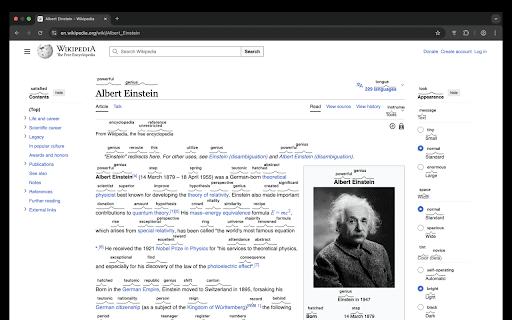
Understand every word you read. Learn faster. Improve vocabulary. 🌟 Learn English Faster While You Browse Word Koala instantly shows simpler synonyms, easy definitions, and word difficulty hints on any website. It also shows synonyms above the words instantly, so you understand difficult vocabulary at a glance. 🧠 What You Get • 🔍 Smart synonyms above the words as you read • ✏️ Simple, beginner-friendly definitions • 📊 Word difficulty (Zipf frequency scale) • 📘 Highlights for rare and advanced words • 🧠 Learn vocabulary naturally while browsing anything online 📚 Perfect For • English learners (A2–C1) • ESL students and teachers • Book readers and self-learners • Test prep (IELTS, TOEFL, SAT) • Anyone who wants to understand every word online 🚀 Why People Love It • ⚡ Lightweight — no slowdown • 🛡️ Privacy-friendly — runs locally • 🌐 Works on all websites • 🎯 Clean, distraction-free UI • 🖱️ Click for more detail when you need it • 🙌 Zero friction — just read and learn 🦘 Why “Koala”? Calm, friendly, and always there when a difficult word appears. Word Koala guides you quietly, helping you grow your vocabulary naturally. 🔒 Privacy First • No tracking • No ads • No data sent anywhere Your reading stays on your device.

Pronounce Words
Speak English better with Pronounce Words. Hear the correct way to say any English word. Improve your pronunciation. Are you eager to master the art of English pronunciation? Pronounce Words is the Chrome extension designed to enhance your speaking skills with precision and confidence. Whether you are a language learner, a professional seeking to perfect your accent, or simply someone curious about correct pronunciation, this tool is tailored to meet your needs. 🔺 Instant Audio Pronunciation 1) Hear It Right: Instantly listen to how any English word is pronounced on any webpage. 2) Choose Your Accent: Access pronunciations in both British and American accents. 3) Answer Your Questions: Ever wondered, "How do you pronounce this word?" or "How is this word pronounced?" Our tool provides immediate answers. 🔺 Practice and Record Your Speech 1) Record Your Voice: Use the Record button to capture your speech. 2) Compare and Improve: Compare your recording with the standard. 🔺 Progress Tracking and Vocabulary Building 1) Track Improvement: Monitor your pronunciation progress over time. 2) Build Your Vocabulary: Save records to your personal list for future review and practice. 3) Contextual Learning: Learn to pronounce words as you see them online, improving your overall language comprehension. 💡 Installation and Setup - Click the “Add to Chrome” button to install the extension. - Choose “Pronounce Words” icon on the right side of the browser. 💡 Usage - Browse and Select: Go to any English-language website and use your mouse to select the word you want to hear. - Play and Record: On the sidebar, click the Play button to hear the correct articulation or use the Record button to practice your speaking. - Review and Improve: Listen to your recording, compare it with the benchmark pronunciation, and refine your skills. 💡 Learning Options - Accent Choices: Select between British and American accents to suit your learning preferences. - Save and Review: Keep track of the records you’re learning by saving them for later practice. 🌍 Benefits for Different Users 🔹 Language Learners • Improve Confidence: Instantly hear and practice the correct pronunciation of new vocabulary with our pronunciation audio feature. • Enhance Speaking Skills: Develop better speech and confidence in speaking English by learning how to pronounce words correctly. 🔹 Professionals • Refine Communication: Perfect your articulation of industry-specific terms for clearer business communication, ensuring you know how to pronounce the word accurately. • Speak Clearly: Enhance your presentation and meeting skills with precise pronunciation using our word pronouncer. 🔹 General Users • Curiosity Satisfied: Discover how words are pronounced and expand your vocabulary by learning how to say them correctly. • Contextual Learning: Understand how terms are used in real-life contexts to improve overall comprehension and know how do you pronounce specific words. 🌐 Audio Pronunciation ➤ Immediate Access: Get instant audio feedback for any word you highlight with your mouse on the site with our pronunciation tool. ➤ Accent Switching: Easily switch between accents for a comprehensive learning experience, ensuring you know how to pronounce words in both styles. 🌐 Recording and Comparison ➤ Voice Recording: Record yourself pronouncing words and compare it with the standard pronunciation to improve your English pronunciation. 🌐 Progress Tracking ➤ Save Records: Maintain a personal list of records for future practice and review to keep track of how you pronounce each word. 🌐 Contextual Learning ➤ Learn As You Browse: Hear and practice pronunciations as you read online content, answering questions like "how do I pronounce this word?". ➤ Understand Usage: See how words are used in context to deepen your understanding and learn how do you say them correctly. 🎓 Conclusion Pronounce Words is more than just a checker - it's your personal speech coach. By providing features like instant audio pronunciations, recording capabilities, it addresses common questions such as "How do I pronounce this word?" and "How is this word pronounced?" Whether you are a language learner, a professional, or simply curious about English pronunciation, Pronounce Words helps you speak clearly and confidently. Experience the power of precise articulation and elevate your English speaking skills today.

Xoul Dictionary - AI Reading Companion
Double-click any word for instant definitions, translations, and sentence context. Sync your vocabulary history across devices. Master English vocabulary effortlessly while you browse the web. Xoul Dictionary is your AI-powered reading companion that provides instant English definitions, translations, and pronunciation with a simple double-click. Save looked-up words to your history, then revisit them in the new Review & Test tab. 🚀 Designed for English learners, students, and avid readers, Xoul Dictionary goes beyond simple definitions by analyzing the full sentence context, helping you understand how English words and phrases are actually used. 👆 Instant Lookup Anywhere Double-click any English word on any webpage to see its definition instantly. Works seamlessly across regular web pages, complex web apps like Notion, and even PDF documents. No need to open a new tab or copy-paste. Need to explore another word in the result? Double-click words inside definitions or examples to open a follow-up lookup without losing your previous context. 📄 Built-in PDF Viewer Open PDF files directly in Xoul's integrated viewer with full dictionary lookup support. Simply click the "Xoul PDF Viewer" button when viewing a PDF to enable instant word lookups while reading academic papers, articles, or ebooks. 📺 YouTube & Netflix Subtitle Lookup Learn English while watching your favorite videos. Enable the interactive subtitle mode directly from the YouTube or Netflix video player to click any word in the subtitles and see its definition instantly. 🧠 AI-Powered Context Analysis Unlike traditional dictionaries, Xoul uses advanced AI to understand the surrounding text. It intelligently detects idioms, phrasal verbs, and collocations (e.g., recognizing "figure out" instead of just "figure") and provides the precise definition for that specific context. 🗣️ Audio Pronunciation Listen to the correct pronunciation of words with a single click. Perfect for improving your listening and speaking skills. 🌍 Multi-Language Translation Look up English words and get definitions with optional translations into Spanish, Chinese, Korean, Japanese, or Vietnamese. The entire interface is also fully localized: • 🇺🇸 English • 🇪🇸 Spanish (Español) • 🌎 Latin American Spanish (Español de América Latina) • 🇨🇳 Simplified Chinese (简体中文) • 🇹🇼 Traditional Chinese (繁體中文) • 🇸🇬 Singaporean Chinese (简体中文) • 🇭🇰 Hong Kong Chinese (繁體中文) • 🇰🇷 Korean (한국어) • 🇯🇵 Japanese (日本語) • 🇻🇳 Vietnamese (Tiếng Việt) ☁️ Cloud Sync & History Your vocabulary history follows you everywhere. Sign in to sync your looked-up words across all your devices. Never lose track of a new word again. 📝 Review & Test After signing in, turn saved lookups into real study sessions. Open the Review & Test tab to review one card at a time, hear pronunciation with IPA, and challenge yourself with multiple-choice quizzes. Filter by time range and category, choose session size, and build lasting retention from your saved words. 🔒 Privacy First We believe in your privacy. You have full control over your data, including a "Privacy Mode" setting that prevents saving sentence context while still tracking your vocabulary list. 💼 Subscription & Free Trial New users get immediate access to a 30-day Free Trial to experience the full power of Xoul Dictionary. Unlock unlimited potential for your language learning journey. 📥 How to get started: 1. Click "Add to Chrome" to install. 2. Tip: Pin the extension to your toolbar for easy access! 📌 3. Log in to start your Free Trial and sync your word history. 4. Double-click any English word on a webpage to look it up! 5. Open Settings > Review & Test to practice saved words with review cards and quizzes. 6. For PDFs: Open the Xoul popup and click "Choose PDF File" to open a PDF from your device. If you're already viewing a PDF in Chrome, click "Open This PDF". 7. On YouTube & Netflix: Click the Xoul toggle in the video player to enable interactive subtitles!

Instant Dictionary by GoodWordGuide.com
Dictionary Bubble (Instant Dictionary): quickly lookup word definitions with audio pronunciation as you browse the web. With this extension, you can: 1) Double-click any word to view its instant definition in a small pop-up bubble. 2) Lookup the complete definition of words or phrases using the toolbar dictionary. 3) Perform a lookup for detailed definitions in the online dictionary. 4) One click access to Google search if the word/phrase is not found in the dictionary. 5) More advanced than Google Dictionary. 6) Works with Google Docs and Microsoft Office 365 IMPORTANT: The bubble will not work in tabs that were open prior to installation; such tabs must be refreshed. Also, note that all extensions are disabled on Chrome Web Store pages (including this page).

Vocably: Translate and Learn with Flashcards
AI dictionary. Translate on any website or YouTube. Learn your translations on mobile. Expand your vocabulary. Translate unfamiliar words while reading websites and watching YouTube videos. Vocably automatically turns your translations into detailed vocabulary entries and lets you learn them in the mobile or web app. You'll stop forgetting the words you've looked up — and expand your vocabulary all the way to fluency. Vocably is the intelligent language assistant designed for real-world browsing. Instantly translate text on any website or YouTube video and save it to your personal collection for long-term retention. Using a scientifically-proven Spaced Repetition System (SRS), Vocably tracks your progress and reminds you to review words exactly when you're about to forget them. Transform your daily internet usage into an enjoyable learning habit. Instant Translation: Select any word or phrase on any webpage to get a translation and detailed information about the new word. YouTube Integration: Hold Alt (or Option ⌥) to highlight and save unfamiliar words directly from YouTube subtitles. Detailed Information: Vocably provides clear, accurate definitions, phonetic transcriptions, examples, and other useful information. Multi-Language Support: Learn multiple languages and conveniently switch between them in the extension and app interfaces. 🧠 Learn Saved Words with Spaced Repetition Spaced Repetition (SRS): Efficiently move words from short-term to long-term memory with automated review schedules. Mobile Sync: Your saved words are always with you. Review them at any convenient time with our iOS and Android apps. Expand your vocabulary and reach fluency. Personalized Flashcards: Every word you translate automatically becomes a study card — no manual entry required. Select & Translate: Highlight any word or phrase on a website and click the Vocably popup button. Save: Add the word and its definition to your collection with a single click. Learn: Open the Vocably mobile app or website to study your saved words whenever it suits you. Turn every article, blog post, and YouTube video into a personal language lesson. Add Vocably to Chrome and start progressing in your language learning like never before.
