
eghdfpkmigckncdkleddhgflbbacimmc
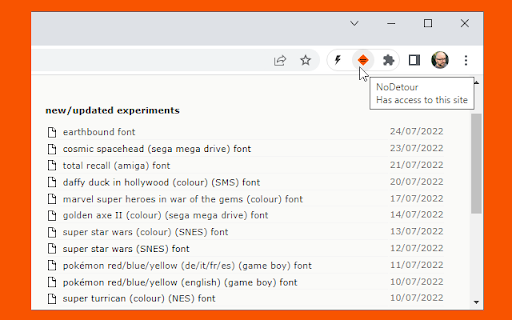
Changes links passed through redirection scripts to point straight to the final URL. Changes links passed through redirection scripts (e.g. /cgi-bin/redirect.cgi?url=http://foo.com - often used for tracking click-throughs or forcing visitors through an intermediate adverts page) to point straight to the final URL. Based on my "link neutraliser" bookmarklet http://www.splintered.co.uk/experiments/48/

No Redirect
A browser extension that intercepts redirect Some websites change the links on their pages to "redirect url". This sucks. For example: a link to www.google.com in Slack is like "https://slack-redir.net/link?url=https://www.google.com". This means when you click on these links, instead of going to the target location, you are actually visiting "slack-redir.net" server (which is controlled by Slack obviously) and the server will then "redirect" you to the real location.This means if slack server is slow or down, you can't go to the location. This extension uses Chrome API to intercept the link before the navigation. It will extract the real url from the "redirect" url and navigate you to the real url directly.

Host AdBlocker
The "Host AdBlocker" is an ad-blocking extension that uses host matching instead of RegExp matching to increase blocking performance and reduce memory footprint. How it works: This extension installs a static hostname list to the incoming filter to block advertisement, tracker, and analytic sources. If a hostname matches, the request gets blocked. If not, the request gets processed as usual. Extensions like "uBlock Origin" or "AdBlock Plus" use the RegExp matching method. Although this method is more powerful, it is computationally expensive. Features: 1. You can extend the default filtering list by adding your custom domain names in the backlist hostnames on the options page. 2. To completely ignore a hostname, add it to the whitelist 3. This extension runs on manifest v3. This means that blocking performance is native. 4. You can toggle the extension on and off with a single click on the action button.

Remove URL Transfer Everywhere
Remove URL Transfer everywhere with the rules you set Since some tag on page transfer the real URL links for statistics. Remove URL Transfer with the regular expressions you set to get direct links. You can set rules with regExp in the popup box and separate multiple regExp rules with line breaks. Rules as: baidu: www\.baidu\.com/link\?url= tieba: safecheck/index\?url= zhihu: link\.zhihu\.com/\?target= 360: www\.so\.com/link\?url= This extension has deleted google's redirect

Privacy Protector Plus
Removes all forms of tracking including web-bugs, tracking-scripts and information-collectors, and protects your data. Privacy Protector Plus is a browser extension that removes all forms of tracking including web bugs, tracking scripts, and information collectors, and protects your data. Some features: a. protects your privacy by removing all forms of tracking from web pages. b. whitelist a website by adding it to the trusted list from the options page. c. clicking on the toolbar icon will enable or disable the extension. d. badge icon text shows you the number of blocked items on the current page. Note: to report bugs, please visit the addon's homepage (https://mybrowseraddon.com/privacy-plus.html) and fill out the bug report form.
