
efhcdhoogbikgnlmahadjikkigdbfobn

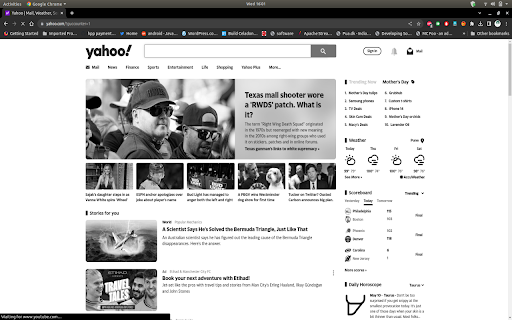
The Mode Switcher is a lightweight Chrome extension designed to help enhance your browsing experience by enabling you… The Mode Switcher is a lightweight Chrome extension designed to help enhance your browsing experience by enabling you to quickly toggle between colour and grayscale modes. This functionality can be particularly useful for individuals looking to reduce visual distractions, increase accessibility, or simply prefer a more minimalist, black-and-white browsing experience. This extension is easy to use and integrates seamlessly with your browser. With just one click, you can switch the entire webpage between full colour and grayscale, making it as simple as possible to customize your viewing experience according to your preferences. * **One-Click Toggle:** Switch between colour and grayscale modes instantly with just one click. * **Universal Compatibility:** Works on any webpage, providing a consistent and reliable experience. * **Minimalist Design:** Simple and unobtrusive, the Mode Switcher blends into your browser without disrupting your workflow. * **Free and Open Source:** The Mode Switcher is completely free to use and its source code is available for anyone to inspect or modify. Please note that this extension operates on a per-tab basis. This means that changes made to a webpage will only persist for the duration of the session. If the webpage is refreshed or the browser is closed and reopened, the webpage will revert back to its original colours. This design is intentional, as it allows for a non-permanent, easily reversible customization of your browsing experience. 1. Download the extension from the Chrome Web Store. 2. Navigate to a webpage of your choice. 3. Click on the Mode Switcher icon in your browser's toolbar to switch between colour and grayscale modes. We hope you enjoy using the Mode Switcher Chrome extension and find it helpful in customizing your browsing experience!

Grayscale Mode
Toggle grayscale mode for all tabs Turn your browser into grayscale with a single click. This simple extension removes color from your screen to help reduce eye strain, increase focus, or simply give your browsing experience a minimalist look. Perfect for long reading sessions, distraction-free browsing, or just changing things up. One-click toggle for instant grayscale mode Easy to use, lightweight, and fast Helps with eye strain and focus by reducing screen distractions Install now and enjoy a cleaner, simpler browsing experience. ⚠️ Note: Grayscale Mode doesn’t work on Chrome’s internal pages (like the Chrome Web Store, new tab, or settings pages) due to browser restrictions. ⚠️ Note: If you just activated Grayscale Mode and it’s not working, try refreshing the page and toggling again.

Black & White Web
Browse the Web in Black & White. Click on the extension icon to turn any web page into Black & White. Now you can also black list or white list urls in combination with Always ON option. Since v0.1.2 new options page added: - turn the extension always ON (also good for pranks :P ) - show animated transition

Grayscale Focus: Enhance Your Productivity with Monochrome Browsing
Turn webpages black and white for productivity. Grayscale Focus helps you stay focused by transforming selected websites into grayscale. Reduce distractions and enhance your productivity with this simple extension. Selective Grayscale: Add websites to your blacklist to view them in grayscale. Persistent Settings: Your settings are saved, so websites remain in grayscale each time you visit. User-Friendly Interface: Easily add or remove websites with a few clicks. Enhanced Focus: Minimize visual clutter and stay on task. Add Websites: Enter the URL in the popup and click "Add" to blacklist it. Manage: View and manage your blacklisted websites from the popup.

YouTube Thumbnails Grayscale
Youtube without overstimulating thumbnails. Reduce the effect of vibrant colours by applying a grayscale filter to each thumbnail.
