
eepchnnogblhpifamaeejlpkigkcjkke
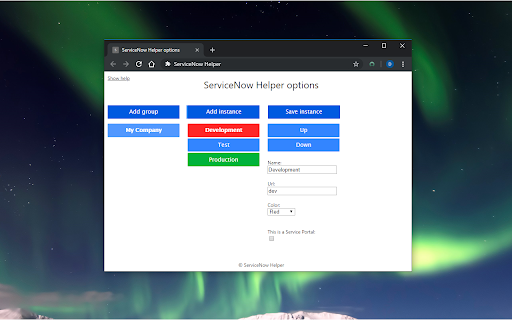
ServiceNow Helper allows you to use ServiceNow faster and in a more efficient way. - New in v1.5: Add notes to your instances. - Open your ServiceNow instances with one click. - Switch easily and fast between instances. - Measure client-side dashboard performance on a Service Portal. - Add the Application navigator when it's not shown. There are no customizations needed on your ServiceNow instances for this extension to work.

CodeNow - ServiceNow Scripting Enhancements
This extension enhances the coding experience inside ServiceNow. (Available for ServiceNow instances with Utah version or newer).

ServiceNow Instance Switcher
SNIS - is the small extension, which helps you open current page in different instance. This tool will let you open any ServiceNow page in different instance (if exists). You can configure up to 10 instances per customer and up to 5 different customers. For each instance you can configure its unique name and color. First 3 instances are also accessible by keyboard shortcuts. Enjoy.

Next Experience Developer Tools
Debugging/Profiling tools for your ServiceNow Next Experiences. The extension is composed of two panels: Next Exp Inspector and Next Exp Profiler. The Next Exp Inspector has the capability to observe page behavior and access component details via seven distinct tabs. • Home: view indicators to help identify areas of improvement • Components: analyze the DOM tree and inspect a component’s properties, state and actions. • Events: view a list of events occurring in a page and generate a new custom event when needed for testing. • Traces: view interactions of a page and an execution hierarchy to see relationship between items and their duration • Logs: view a list of logs that have been emitted across the page. • Versions: a list of all asset versions on the instance • Service Workers: debugging service worker info on the instance Next Exp Profiler allows you to create, manage, and compare profiles for optimizing page performance proactively. • Profile: view detailed information about the page execution to understand its performance and opportunities for optimizations. • Compare: See what has changed between two profiles by viewing differences across different event types. This helps identify areas of focus when troubleshooting performance degradation. Right-click and use "ServiceNow Tools" to navigate to UI Builder and other builders from the current page.

ServiceNow Web Automation
Boost productivity with web task automation. Integrates NowAssist AI, RPA Attended & Unattended robots for efficiency. This extension enables ServiceNow RPA Desktop Design Studio, Attended Robots, and Unattended Robots to interact with the Chrome browser.
